

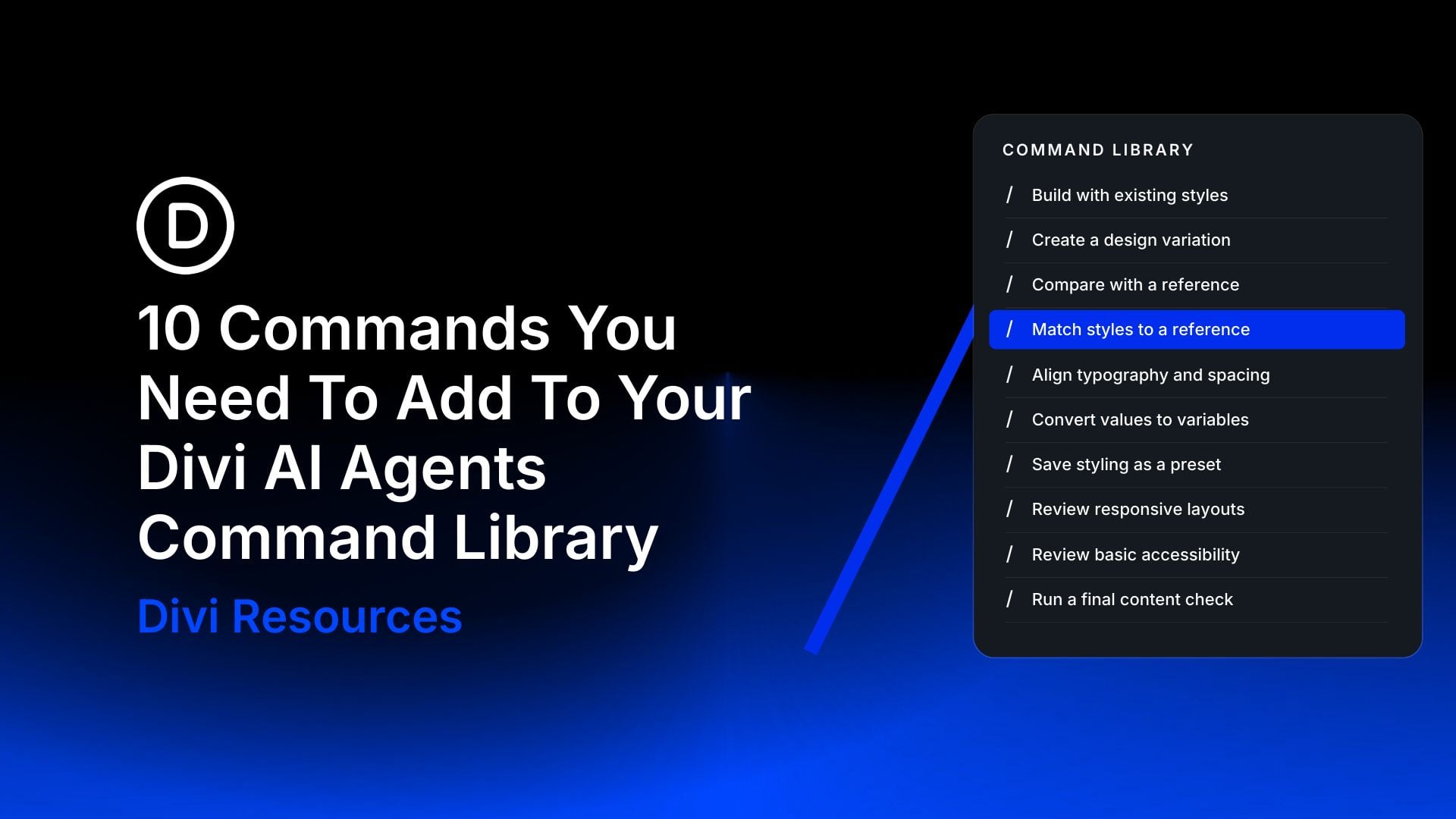
Construction a website online frequently way repeating the similar directions throughout assorted pages. We ask for sections that fit current kinds, revisions that maintain authorized content material, and format exams earlier than a shopper overview. With Divi AI Agent Instructions, we will be able to save the ones directions and reuse them every time the similar process comes up.
Beneath, we’ll percentage ten Instructions for commonplace website online duties, give an explanation for when every one comes in handy, and display which main points to provide in your personal pages.
What Are Divi AI Agent Instructions?
Divi AI brokers paintings within the Divi 5 Visible Builder and allow us to construct and edit pages the use of plain-language directions. We will ask an agent so as to add a bit, alter module settings, or overview a format, together with information about what to switch and what to maintain.
We will save those requests as Instructions, then kind a slash (/) within the agent chat to make a choice one from our library. Deciding on a Command attaches it to the following request. Upload an accompanying message and any related Context earlier than sending it. The agent receives the stored directions in conjunction with those page-specific main points.
To save lots of one, open the Instructions checklist within the agent chat, click on Upload New Command, input the identify and directions, then click on Save Command. Kind a slash (/) in chat to make a choice it, upload the main points for the present web page, and ship the request.
For setup directions and examples, see our information on how to use Divi AI Agents Commands.
10 Divi AI Agent Instructions To Save And Reuse
For every Command underneath, use the accompanying message to spot the place the agent will have to paintings, describe the outcome you need, and specify the rest it will have to maintain. Connect related Context, corresponding to an current phase or preset, to present it a transparent reference. Explicit necessities assist the agent make alternatives that go well with the web page, so come with the specified content material, placement, and responsive habits. Take a look at every Command and overview the outcome earlier than saving it for long term use.
Use Construct Mode for Instructions 1, 2, and four–7, which create or replace components and design sources. Use Ask Mode for Instructions 3 and eight–10, which document findings with out making adjustments. For Command 6, overview the proposed variable conversions earlier than confirming them. When reusing a Command on every other web page, take a look at that its Context nonetheless identifies the meant components and design sources.
1. Construct With Your Current Kinds
When including a bit, row, or module to an current web page, we will be able to level the agent to a design we’ve already authorized. This Command asks it to stick to that reference and reuse the presets and variables that reinforce it.
Save the next as Construct With Current Kinds.
For our instance, we used an actual property web page and connected its Experience You Can Believe phase as Context. We requested for a brand new How It Works phase immediately above Meet Our Skilled Staff, with 3 numbered steps explaining the method of discovering a house.
Our accompanying message equipped the heading and step titles, requested the agent to write down brief descriptions, and specified 3 columns on desktop that stack vertically on telephone.
The agent added the phase the use of the equipped design reference. Prior to retaining the outcome, take a look at which presets and variables it reused, since the ones connections permit the brand new components to stick to long term updates to our shared kinds.
2. Create A Design Variation With out Changing The Authentic
We might need to check out a distinct design remedy whilst retaining the present model to be had for comparability. This Command creates a separate variation, so we will be able to overview each variations or display a shopper another choice.
Save the next as Create A Design Variation.
For our instance, we connected the Jenny Smith hero phase as Context and requested for a replica immediately underneath it with lighter, softer colours fitted to the rage portfolio. We let the agent select the background, textual content, and button colours whilst retaining the content material, pictures, typography, format, and spacing unchanged.
The agent positioned the difference underneath the unique, letting us examine the colour alternatives towards the similar content material and format. If the unique makes use of anchor hyperlinks or part IDs, take a look at the ones at the replica earlier than retaining each variations at the web page. Every part ID will have to stay distinctive.
3. Examine Your Web page With An Licensed Design
When reviewing a web page towards an authorized design, we will be able to ask the agent to spot variations and counsel corrections earlier than making any adjustments. We will additionally center of attention the comparability on person components that desire a nearer glance.
Save the next as Examine With A Design Reference.
We examined this by means of evaluating the lighter Jenny Smith hero from our earlier instance with a screenshot of the unique. Our accompanying message recognized the lighter variation because the phase to check and the unique because the authorized reference.
Right through the check, the agent requested us to add and make sure the reference symbol earlier than proceeding. It then recognized the colour variations with out making use of adjustments, demonstrating the colour comparability on this instance.
Evaluation the findings towards the reference earlier than asking for corrections, specifically when the comparability covers extra main points than we examined right here.
4. Observe Constant Kinds Throughout Components
Components that serve the similar function can broaden assorted kinds as we revise a web page. We will use an authorized part or preset as a connection with carry their styling again into alignment, specifying which settings will have to fit.
Save the next as Fit Kinds To A Reference.
We examined this at the 3 Touch Agent buttons in the true property web page’s Divi Exclusives phase. After giving the buttons assorted kinds, we connected the primary button as Context and requested the agent to make the opposite two fit it.
The agent matched the opposite two buttons to the reference. For this case, we will have to additionally take a look at their hover look and make sure that every button nonetheless issues to its meant vacation spot.
5. Align Typography And Spacing With Your Design Requirements
When aligning typography and spacing throughout a bit, we want to fit identical components whilst retaining their hierarchy intact. Card headings will have to stick to the similar remedy, as an example, with out taking at the styling of the bigger phase heading.

Save the next as Align Typography And Spacing.
As an example, we will be able to connect the primary carrier merchandise’s containing column or team in the true property web page’s Experience You Can Believe phase as Context. In our accompanying message, we ask the agent to compare the opposite two pieces’ heading and frame typography, at the side of the spacing between their icons, headings, descriptions, and hyperlinks. We go away the bigger phase heading out of doors the asked adjustments.

Test the outcome on the related display screen sizes, retaining in thoughts that different-length headings might wrap onto assorted numbers of traces even if their styling fits.
6. Exchange Hardcoded Design Values With Variables
A web page can glance constant whilst the use of one after the other entered values for a similar colours and spacing. We will attach appropriate settings to International Variables so long term adjustments lift thru to each atmosphere the use of them.
Save the next as Convert Design Values To Variables.
For the true property web page, we will be able to connect the Experience You Can Believe phase as Context and ask the agent to spot hardcoded colours and repeated spacing values for conversion.
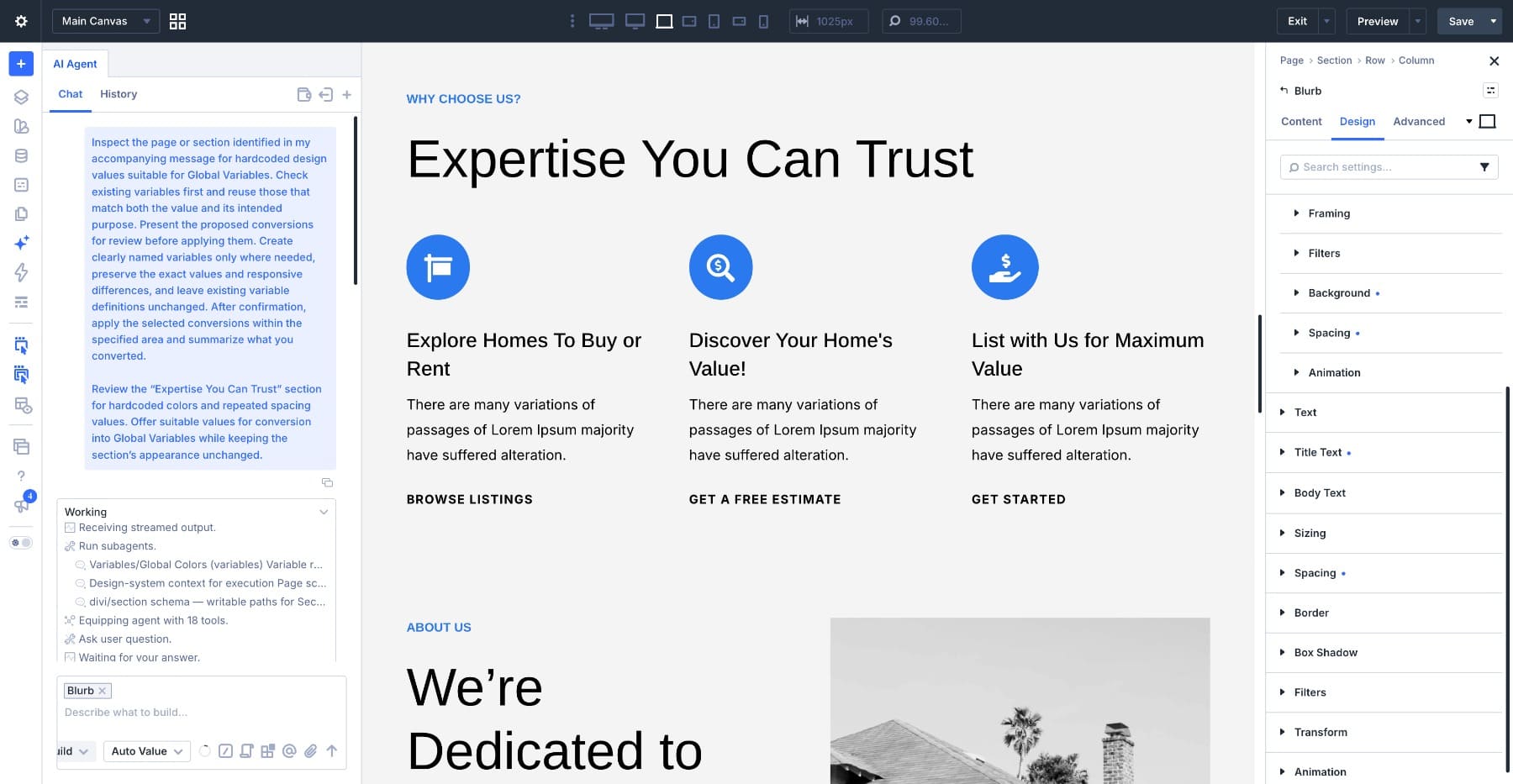
Evaluation the proposed mappings earlier than confirming, since settings with the similar worth might want to exchange independently later. A card’s inner padding and the distance between sections, as an example, might serve assorted functions and wish separate variables. After confirming the plan, overview any approval card for saving International Variables and click on Approve to proceed with the adjustments you have got checked.
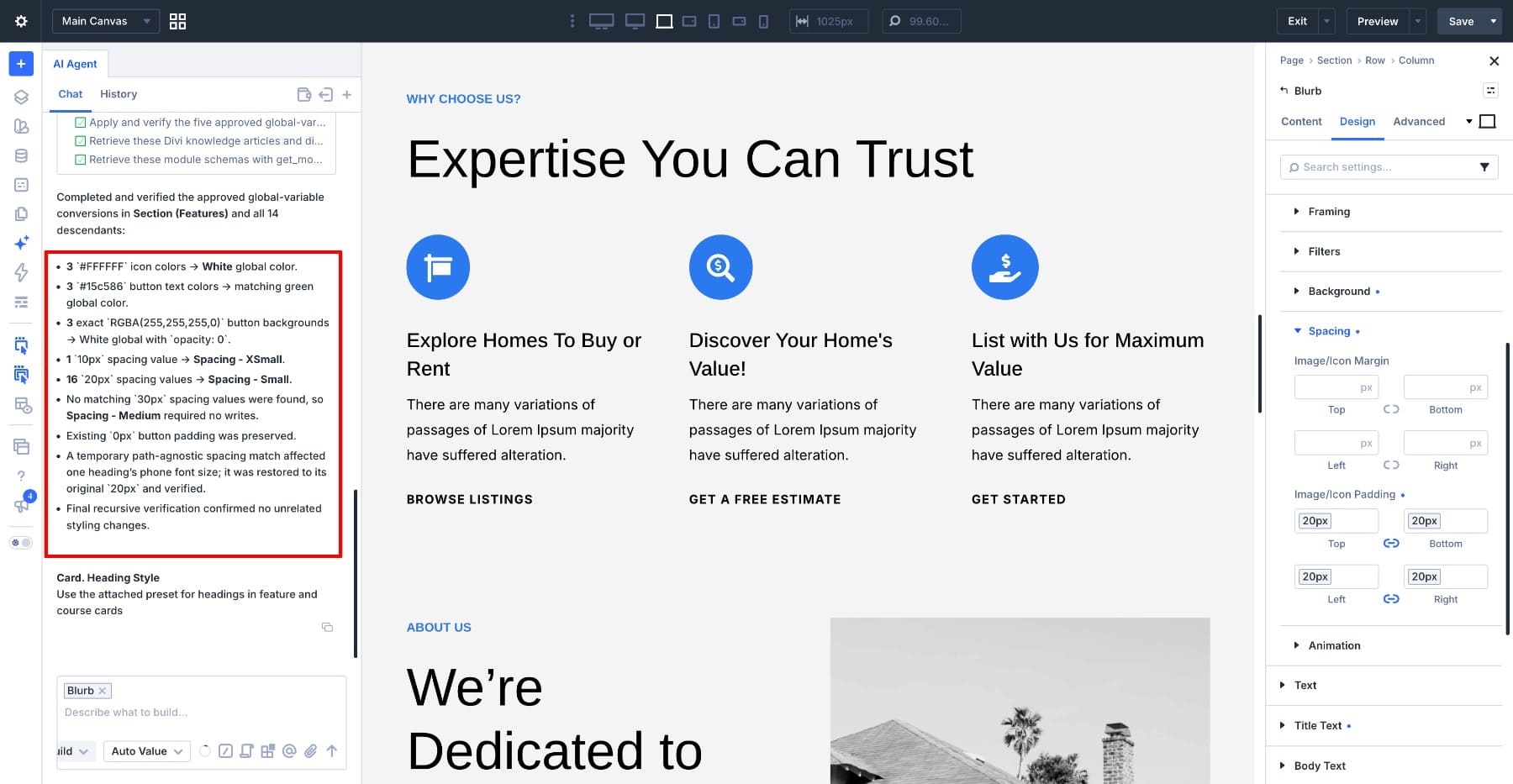
Open a transformed box to verify that it references the meant variable, then take a look at the phase at its responsive sizes to verify its look has stayed the similar.
7. Save Repeated Styling As A Preset
When we’ve subtle the styling of a component, we will be able to save the settings in combination as a preset to make use of in different places. Our accompanying message can specify a unmarried choice team, corresponding to heading typography, or the part’s broader design remedy.
Save the next as Save Styling As A Preset.
As an example, lets connect a carrier heading from the true property web page as Context and ask the agent to save lots of its heading typography as an Choice Crew Preset named Provider Card Heading. We might additionally determine the opposite carrier headings that are meant to obtain it.
Test that the preset accommodates handiest the meant typography earlier than the use of it in different places, since long term edits to its shared settings can have an effect on each part the use of it. A Heading Textual content preset can come with the heading stage, so ascertain that every goal helps to keep the meant HTML stage in addition to the best look.
8. Evaluation Pill And Telephone Layouts
Including content material or rearranging sections can have an effect on how a web page seems to be on smaller displays. We will use this Command to check the format at particular widths and determine the place changes could also be wanted.
Save the next as Evaluation Responsive Layouts.
As an example, we will be able to ask the agent to check the true property web page’s Divi Exclusives listings on pill and speak to, specifying a precise width if we’ve spotted an issue at a specific display screen dimension.
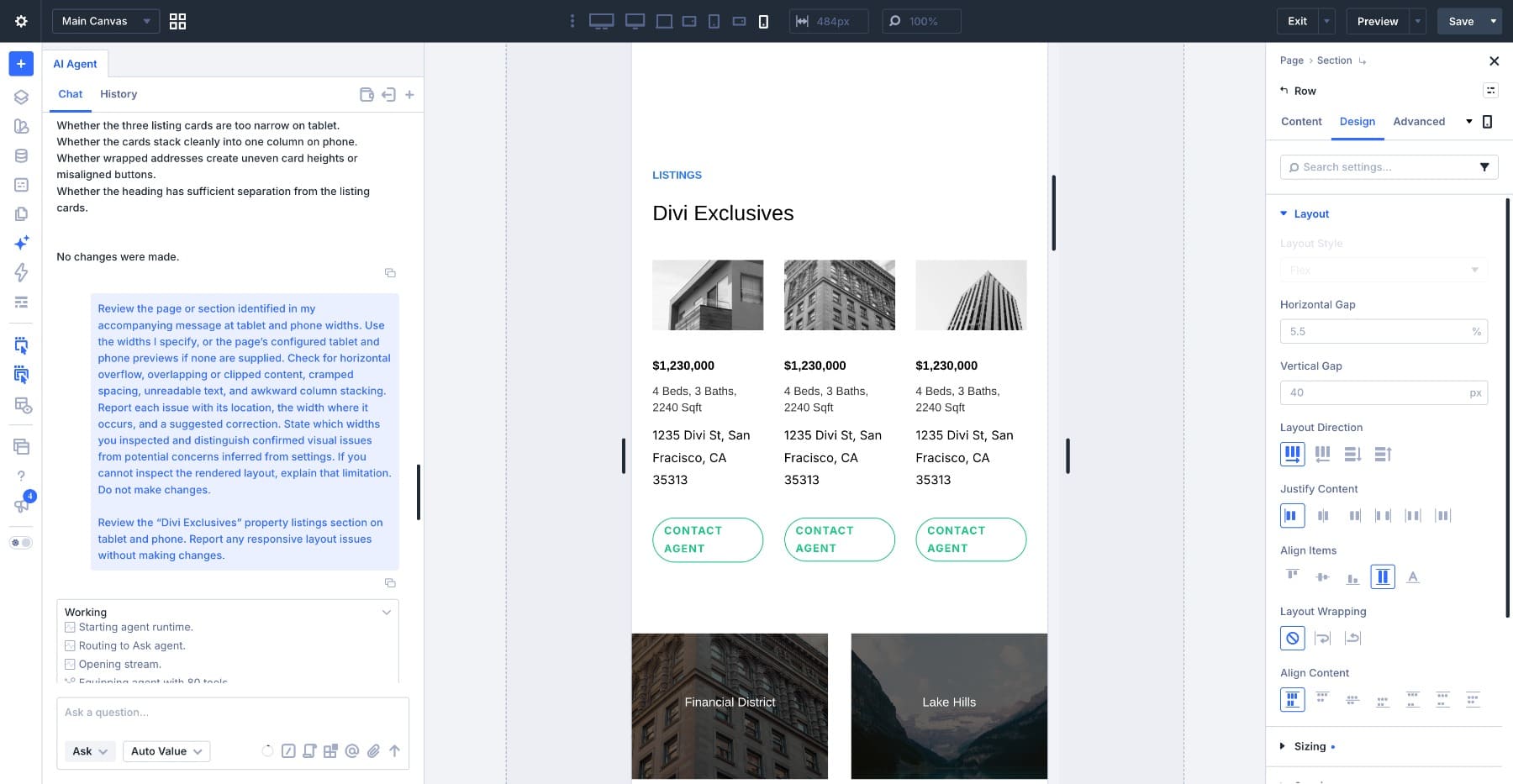
Test whether or not the document is according to rendered previews or responsive settings. If the agent handiest inspected settings, use the Builder’s responsive preview to ensure the ones widths earlier than asking for fixes. A heading wrapping onto every other line could also be applicable, whilst textual content spilling out of doors its card wishes consideration. For showed problems, request a focused correction and take a look at that the desktop format nonetheless works as meant.
9. Test Elementary Accessibility Main points
We will ask the agent to test heading construction, symbol alt textual content, and textual content clarity to spot main points that can make a web page more difficult to make use of. This Command studies its findings so we will be able to make a decision which corrections are wanted.
Save the next as Evaluation Elementary Accessibility.
For the true property web page, lets ask the agent to check the valuables listings and agent profiles. Our accompanying message can give an explanation for what the photographs want to keep up a correspondence, serving to it assess their alt textual content along the encompassing descriptions.
When reviewing the findings, take a look at the headings’ HTML ranges to verify their order within the web page construction. Test every symbol’s rendered alt characteristic at the frontend along its box within the Builder. This can be a elementary accessibility take a look at, and keyboard navigation, display screen reader habits, and different necessities nonetheless want separate checking out.
10. Run A Ultimate Content material Test Prior to Handoff
Prior to sending a web page to a shopper or getting ready it for publishing, we will be able to take a look at for leftover placeholder replica, spelling mistakes, and inconsistent trade main points. Connect authorized data as Context so the agent has a reference for checking names, touch main points, products and services, and dates.
Save the next as Run A Ultimate Content material Test.
As an example, the Jenny Smith style web page accommodates placeholder paragraphs and references to a 2024 assortment. Lets ask the agent to flag content material that wishes consideration earlier than handoff. The placeholder replica wishes changing, however the assortment date may just confer with an older assortment that are meant to stay at the website online.
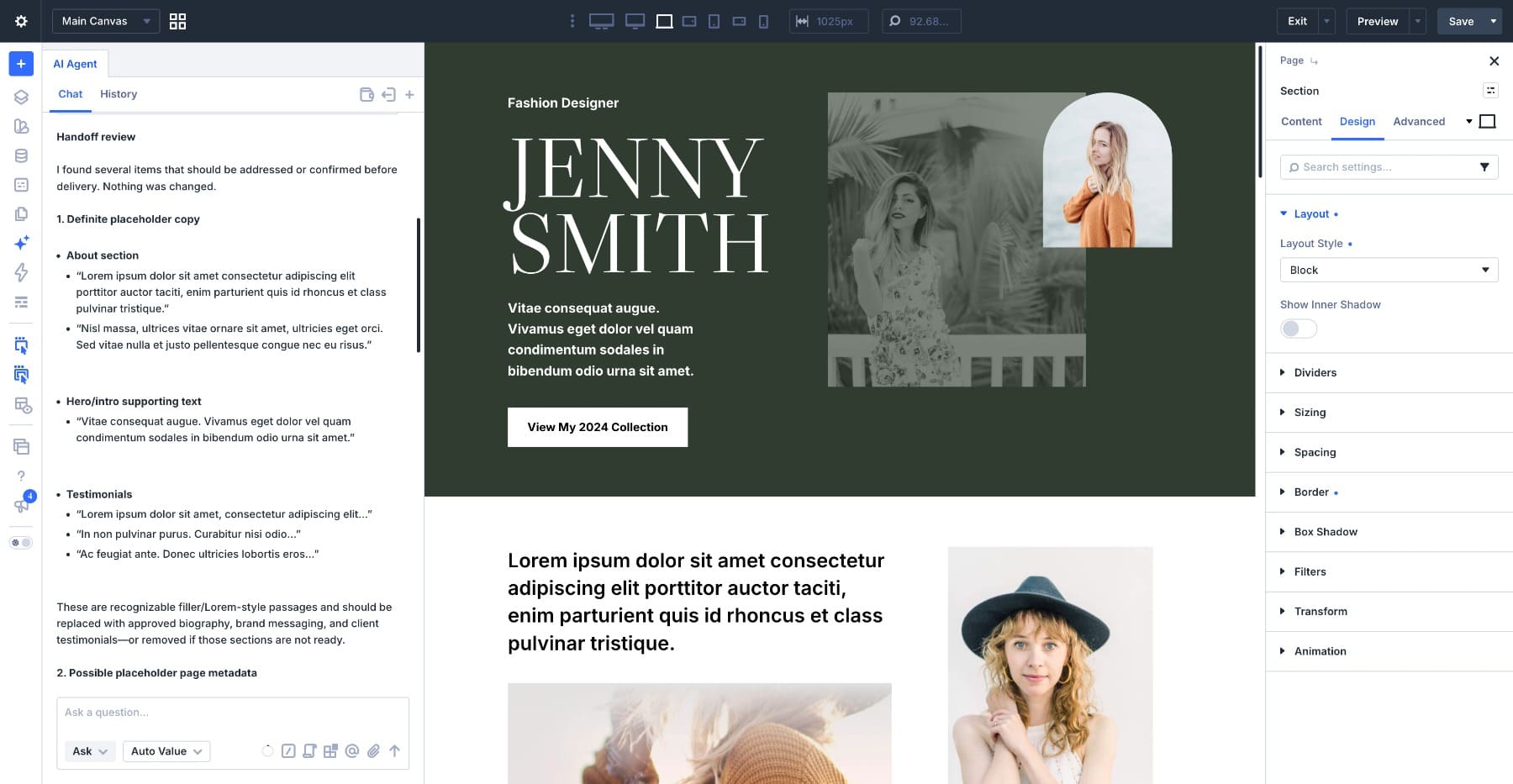
After reviewing the findings, we will be able to ascertain which main points want updating and provide any lacking replica earlier than asking for adjustments.
Construct A Command Library Round Paintings You Repeat
Get started with the Instructions that have compatibility duties you already care for frequently, and adapt them as you employ them by yourself pages. The examples right here display specific makes use of, however the similar Command can paintings with assorted components after we provide the related necessities and references.
Take note of the follow-up directions you stay including. If the similar requirement applies each time, upload it to the stored Command. Stay main points that fluctuate between tasks within the accompanying message or connected Context, so the Command remains reusable with out dropping the steerage every job wishes.
The submit 10 Commands You Need To Add To Your Divi AI Agents Command Library seemed first on Elegant Themes Blog.



0 Comments