


Converting a button colour or adjusting a card’s spacing will have to be a snappy job. But if that vary wishes to succeed in a number of parts on a web page, you’ll spend extra time reopening modules and getting into the similar values than deciding how the design will have to glance. Because the structure grows, even small revisions can turn into a tedious sequence of edits.
Divi 5’s Extend Attributes handles that repetition via letting you practice settings from one component to others throughout your web page.
Past matching repeated modules, you’ll reuse appropriate settings throughout other module varieties, lift phase spacing into rows, and prolong decided on content material or presets. Listed below are ten sensible techniques to make use of the ones controls for your subsequent web page.
How Prolong Attributes Works
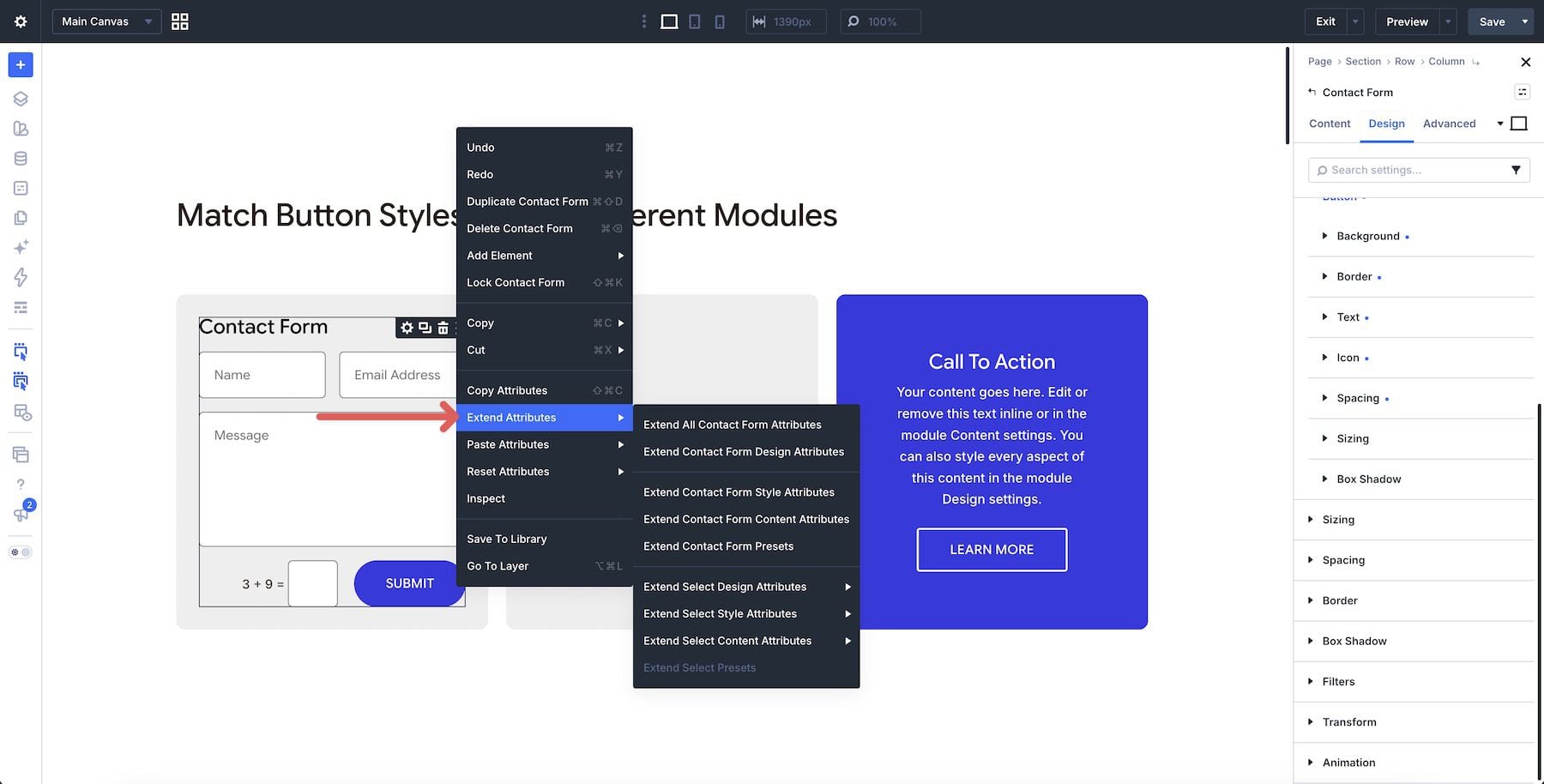
Extend Attributes makes use of one component because the supply for a metamorphosis. To open its controls, right-click that component within the Visual Builder and make a choice Prolong Attributes (you’ll additionally right-click an merchandise within the Layers view or an possibility team in a module’s settings). The panel means that you can make a choice the place the trade is going and what sort of of the supply’s configuration to reuse.
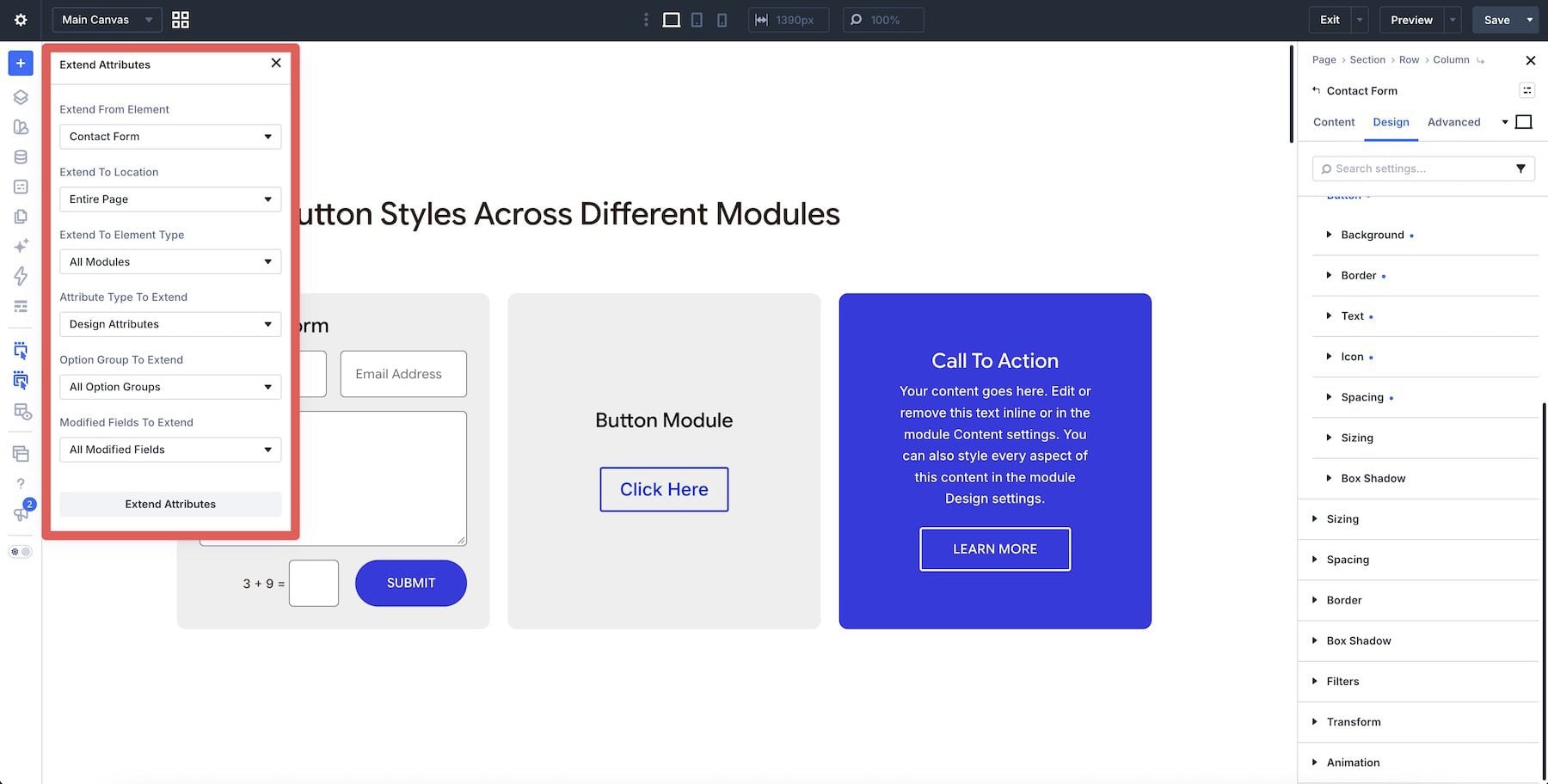
Use Prolong To Location to select how some distance the extension reaches, corresponding to the present phase or all the web page. Prolong To Part Sort narrows the receiving parts at that location. As an example, you could practice a unmarried background colour to each and every row in a bit whilst leaving its modules unaffected.
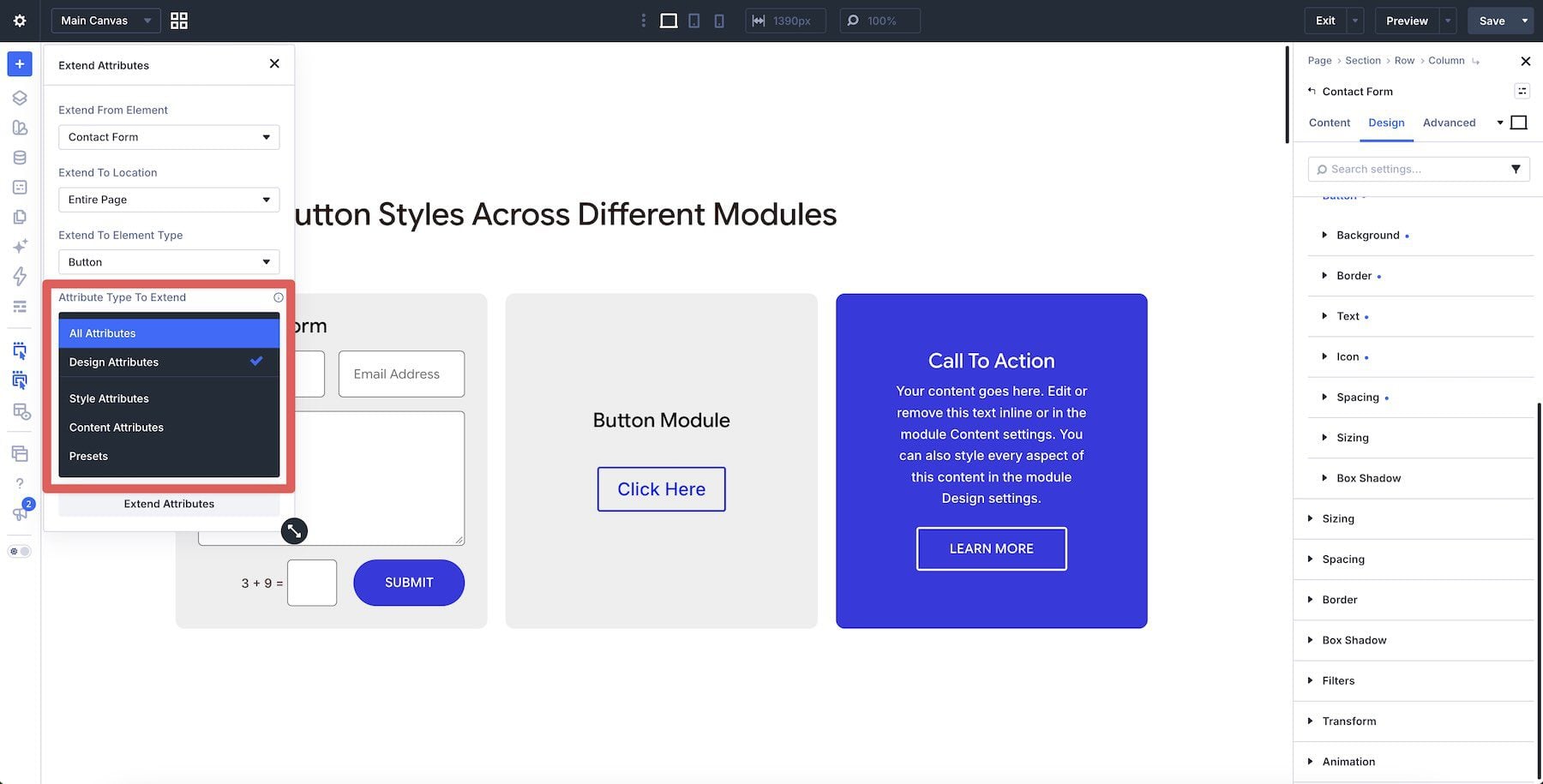
Subsequent, make a choice the Characteristic Sort To Prolong. Taste Attributes copies changed styling with out preset assignments. Design Attributes comprises types and presets, whilst Content material Attributes covers content material corresponding to textual content and hyperlinks. Presets specializes in preset assignments; the preset instance underneath makes use of Design Attributes to switch a Blurb component preset.
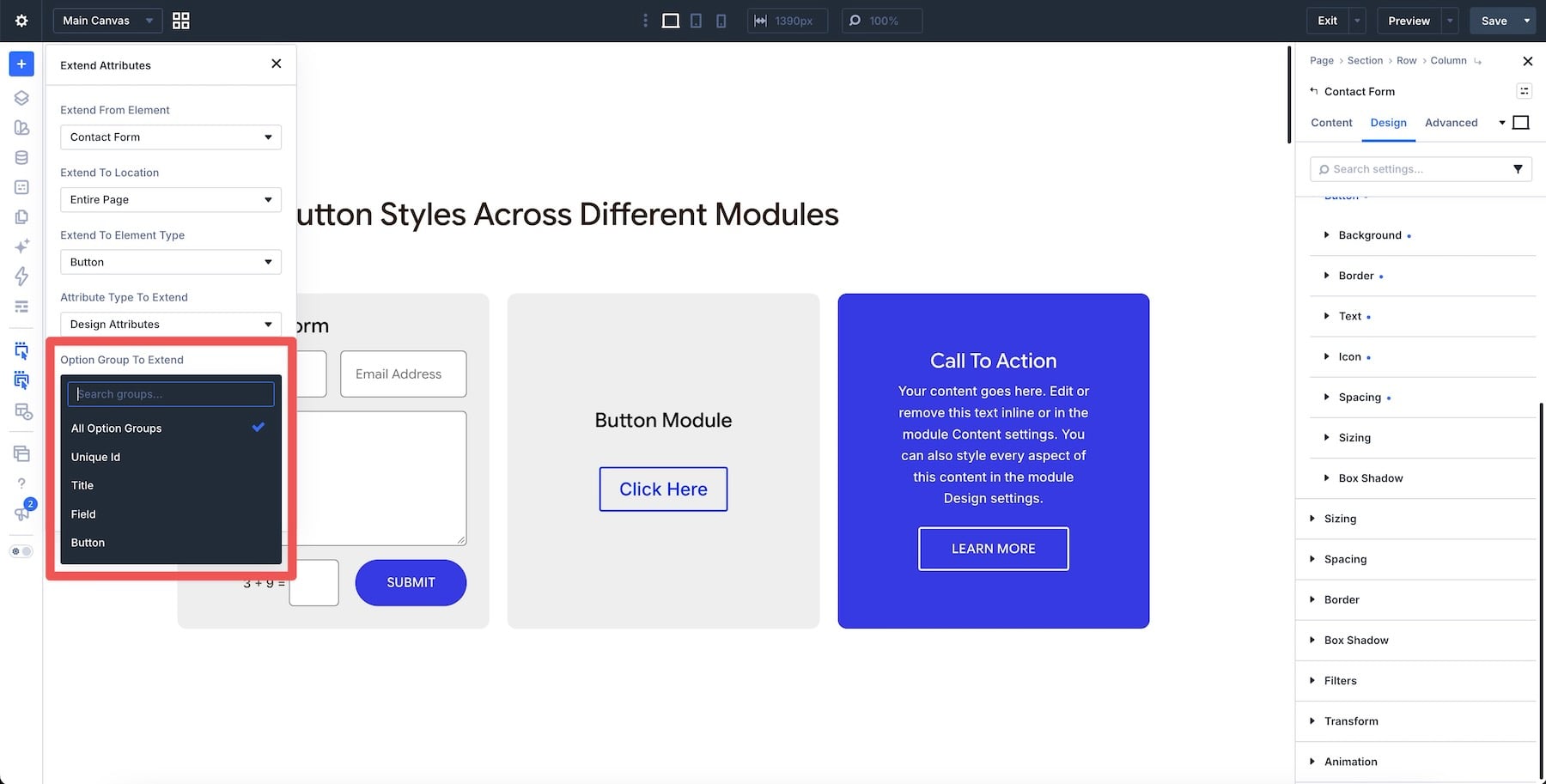
The Possibility Crew To Prolong box narrows the operation to similar settings, corresponding to Background, Spacing, or Button. Use Changed Fields To Prolong to choose particular person settings inside that team. All Changed Fields comprises previous customizations at the supply, so evaluate the listing ahead of making use of it. Extending peculiar types or content material copies the chosen values; long term adjustments to the supply require some other extension. Shared presets supply a reusable definition for ongoing design updates.
Those controls paintings in combination to stay the trade explicit. As soon as what will have to fit, you’ll make a choice the settings and objectives accordingly. The Extend Attributes documentation covers the to be had controls in additional element.
10 Techniques To Save Time With Prolong Attributes
Those examples display the best way to reuse settings throughout commonplace web page parts.
1. Fit Button Types Throughout Other Modules
Buttons are a excellent position to begin since the identical design frequently seems in different portions of a web page. When the ones buttons will have to fit, end the styling on one supply button and prolong it to the others. This allows you to reuse the remedy with no need to go into its settings in each and every Button module.
That very same method additionally works throughout modules with appropriate Button possibility teams. A Touch Shape’s put up button, a standalone Button module, and a Name To Motion button can proportion a remedy although they carry out other jobs at the web page.
To make use of the Touch Shape as your supply, make a choice Father or mother Row, All Modules, and Taste Attributes, then make a choice the Button possibility team.
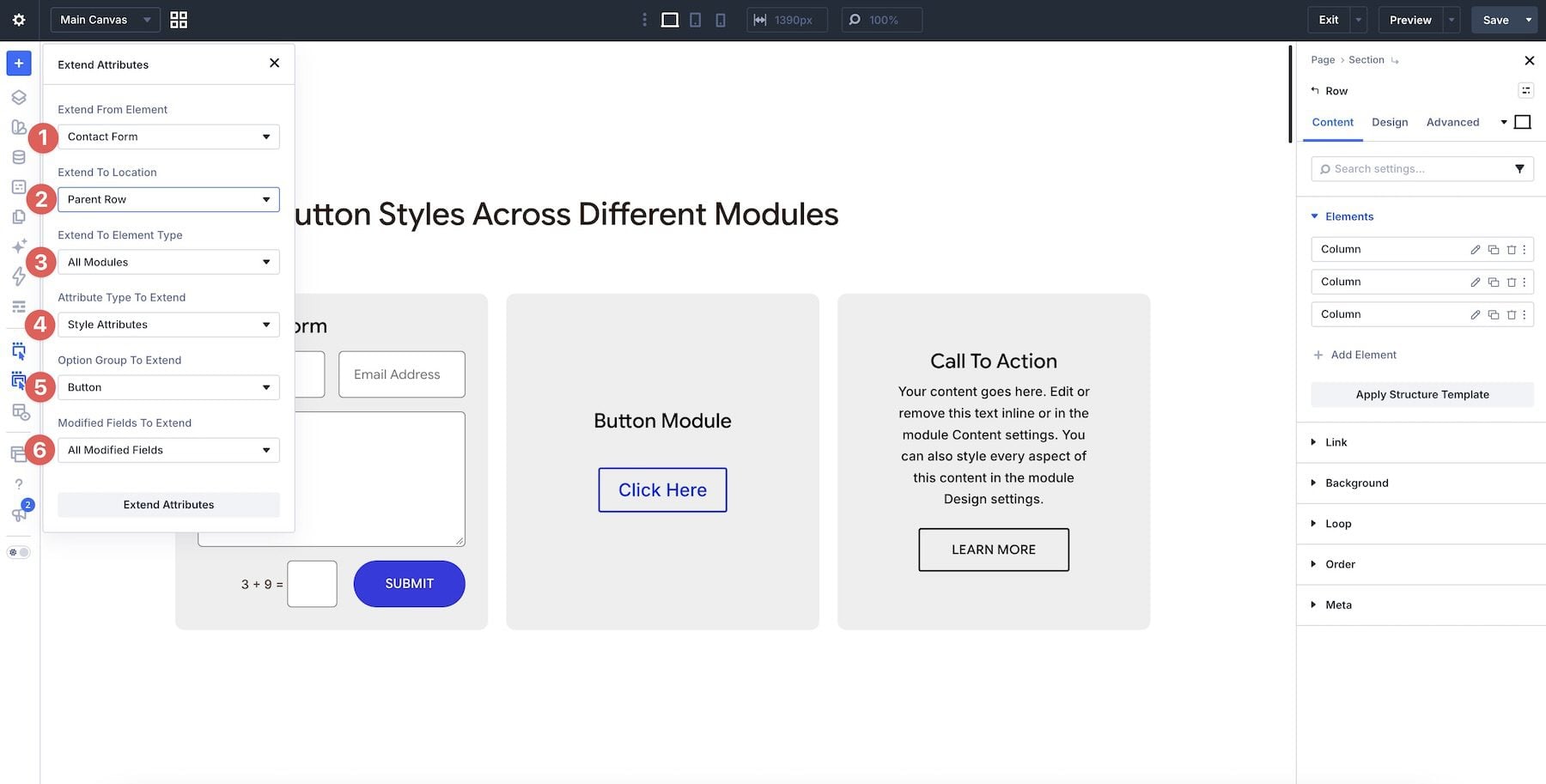
The buttons obtain the shared colour, typography, and rounded corners whilst protecting their labels and hyperlinks. Assessment padding one after the other when extending throughout module varieties; a standalone Button can want its personal spacing adjustment.
2. Elevate Segment Padding Over To Rows
Padding is helping identify the spacing development for a web page, particularly while you use boxed rows and sections with identical quantities of inside house. If you’ve settled at the values for one phase, Prolong Attributes can lift them to the rows that are meant to use the similar spacing.
Proper-click the phase and make a choice Prolong Attributes. Within the panel, make a choice Design Attributes because the characteristic sort to increase.
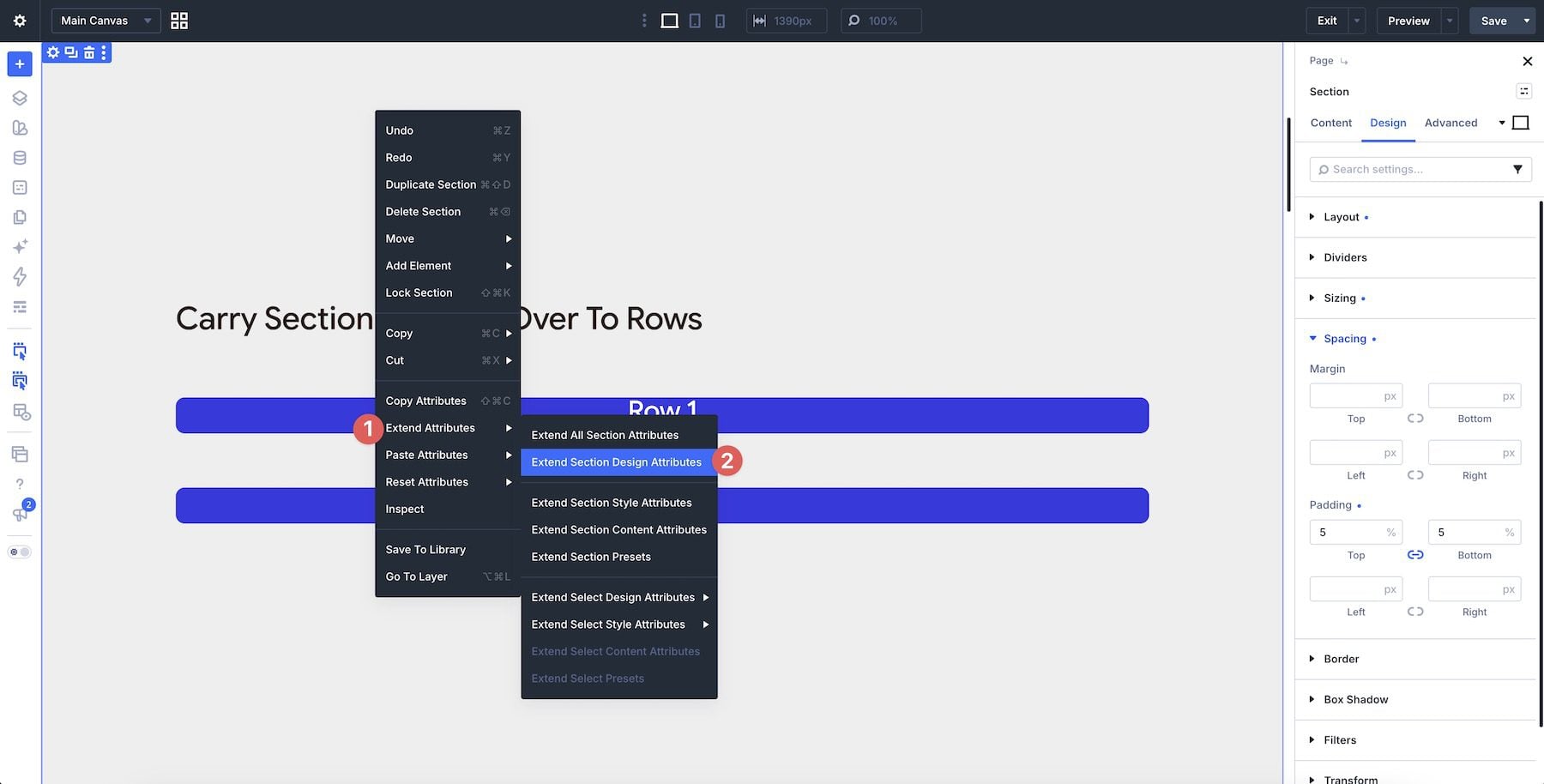
Set Prolong To Location to Present Part & Kids for the phase’s direct rows, or Present Part & Descendants to incorporate matching rows farther down its hierarchy. Make a choice Row, Design Attributes, and Spacing.
On this instance, All Changed Fields carries the supply’s connected most sensible and backside padding of 5%. Test the blended phase and row spacing in a while: the phase assists in keeping its padding, and its rows obtain their very own. Share padding additionally will depend on the receiving container’s width, so matching values needn’t produce an identical pixel spacing.
3. Standardize Rounded Corners Throughout Bins
A rounded phase, a boxed row, and the columns within it’ll all want the similar nook remedy. Atmosphere each and every radius one after the other makes it simple to introduce small variations, in particular while you construct the ones portions of the web page at other occasions.
Use the container with the completed nook form as your supply. To hold a row’s corners into its columns, make a choice Present Part & Kids, Column, and Design Attributes. Make a choice the Border possibility team and the Border Radius box. That variety copies the nook form whilst leaving different border settings out of doors the operation.
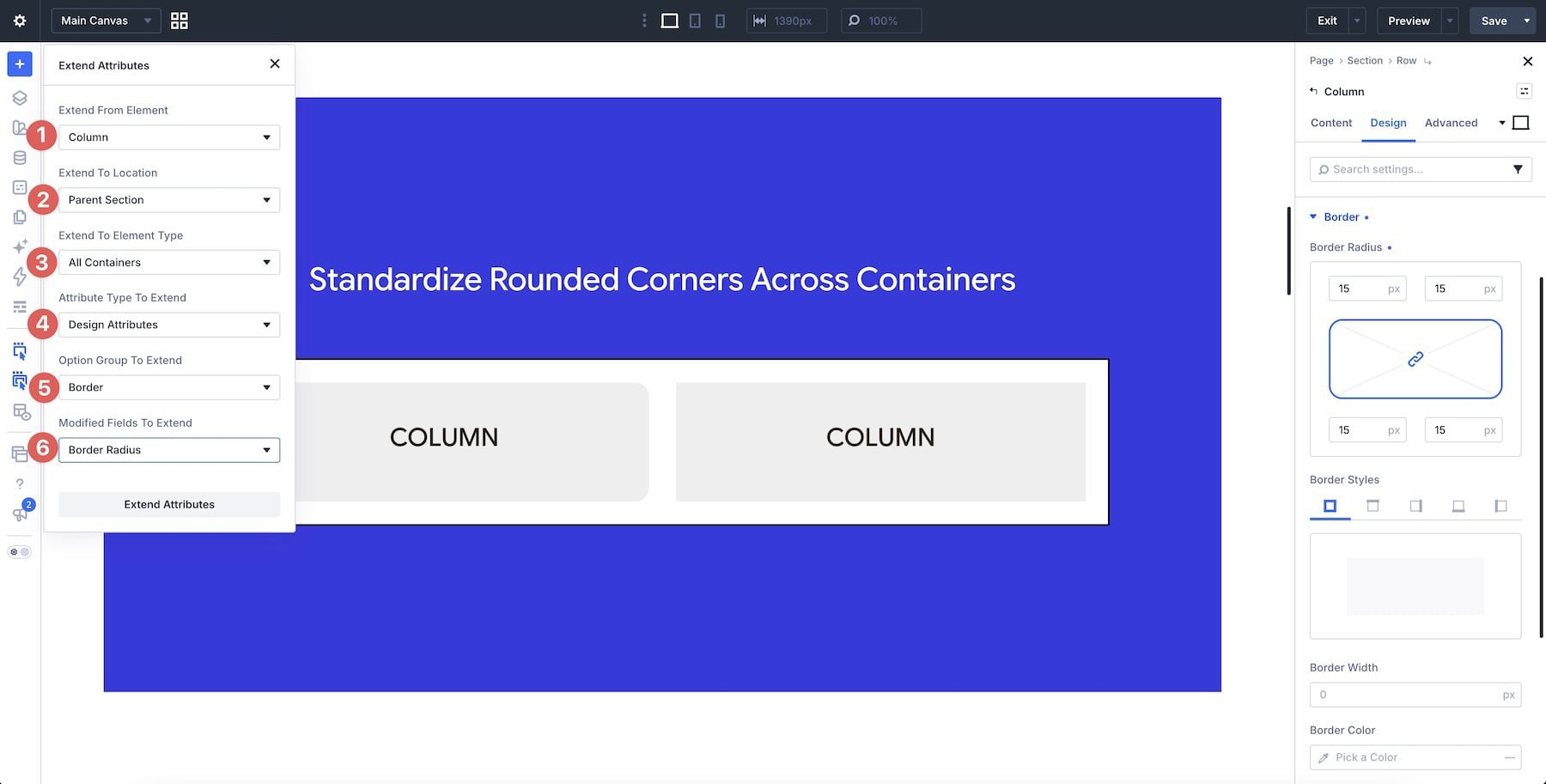
This comes in handy while you’re bringing an present structure into line with a brand new design course. You’ll alter one radius and lift it during the selected boxes, then check up on how their backgrounds and pictures meet the rounded edges.
4. Roll Out A Design Alternate Throughout Repeated Parts
Prolong Attributes may be helpful throughout the completing degree, when a web page is constructed, however a repeated element must be modified. In our service-card instance, one column already has the shadow and border remedy we would like the opposite two to proportion.
Regulate the shadow and border types on one card first. For an entire styling fit, use its column because the supply, make a choice Father or mother Row and Column, then prolong Taste Attributes with All Possibility Teams and All Changed Fields. This copies the supply’s changed types throughout the ones columns, together with previous spacing or background customizations. Their module content material remains particular person, however this feature covers greater than your newest shadow and border edits.
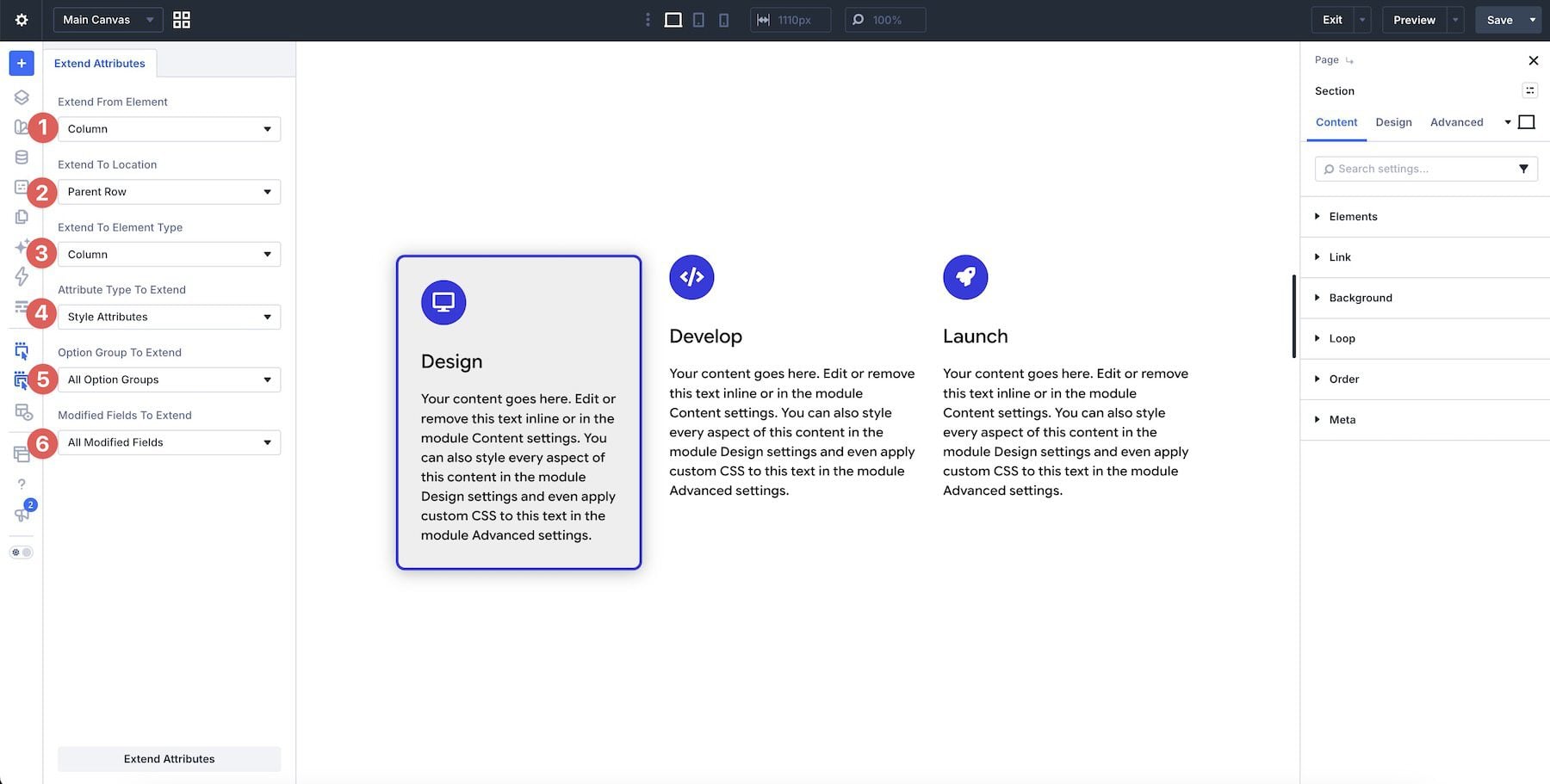
For a shadow-only revision, make a choice Field Shadow as a substitute of all possibility teams; prolong Border one after the other if that still wishes updating. Running from one completed card means that you can settle the remedy in context and make a choice how a lot of it the others will have to proportion.
5. Reuse Background Types Throughout A Format
A background remedy can convey a collection of playing cards in combination with out converting their content material. In our row of 3 Testimonial modules, the primary card’s blue gradient supplies a constant remedy to use to the opposite two, saving some other travel via their background settings.
Use the primary Testimonial because the supply, set the positioning to Father or mother Row, and make a choice Testimonial because the component sort. Beneath Design Attributes, make a choice Background and stay All Changed Fields decided on to hold all the background remedy to the opposite playing cards.
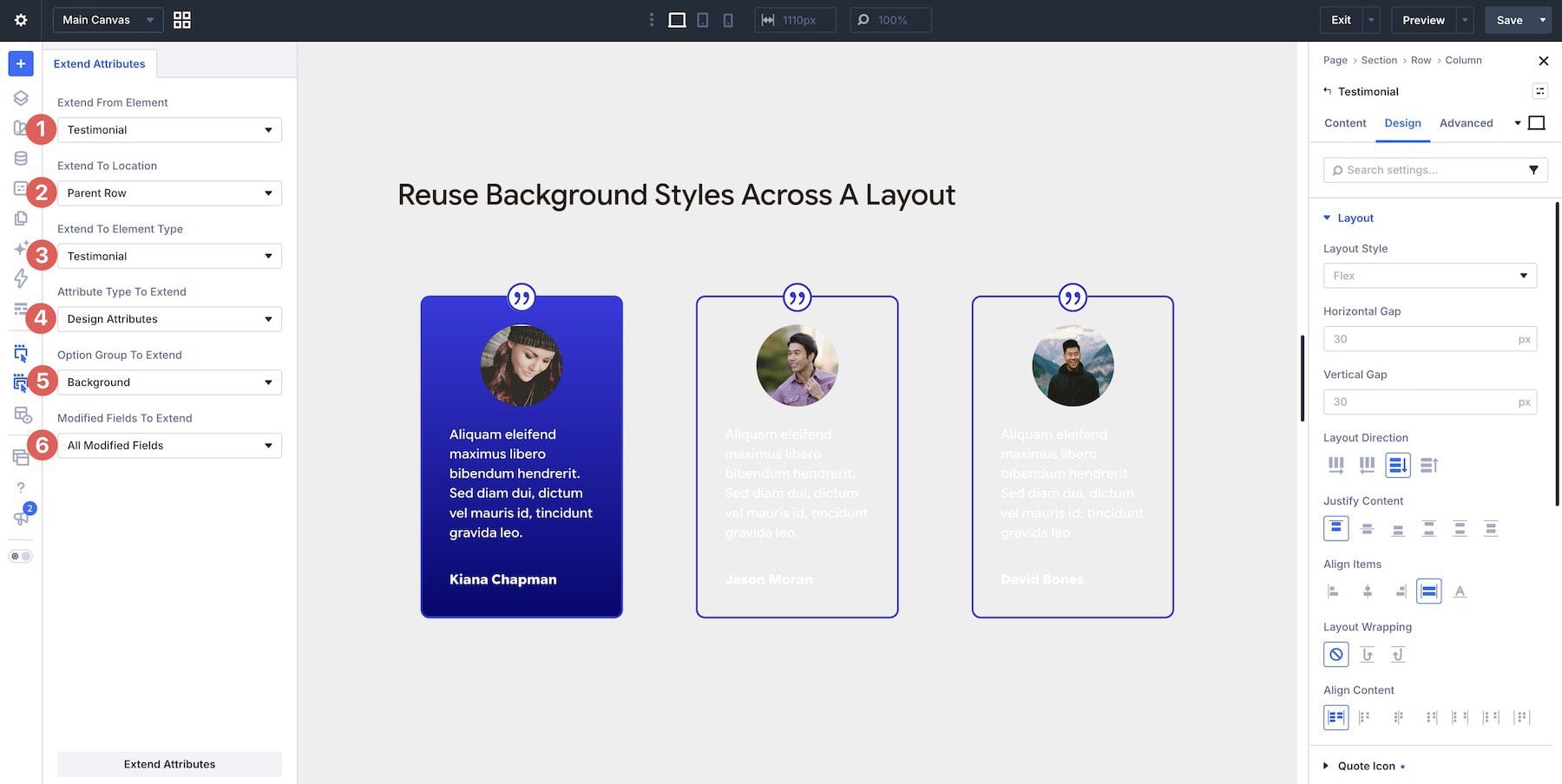
Opting for a restricted location is useful when the background belongs to at least one house of the design. You’ll lift the remedy via that phase with out recreating it in each and every component’s settings.
6. Synchronize Flex Settings Throughout Bins
When a number of boxes use a identical association of parts, matching their alignment and spacing can require many repeated changes. That is commonplace in rows of playing cards or sections that pair brief items of content material with a button.
Get started with a container whose Flex structure already fits the design. Our first pricing column makes use of Get started alignment and a 20px vertical hole. Make a choice Father or mother Row and Column, then prolong the changed Format fields underneath Design Attributes to reuse the ones two settings.
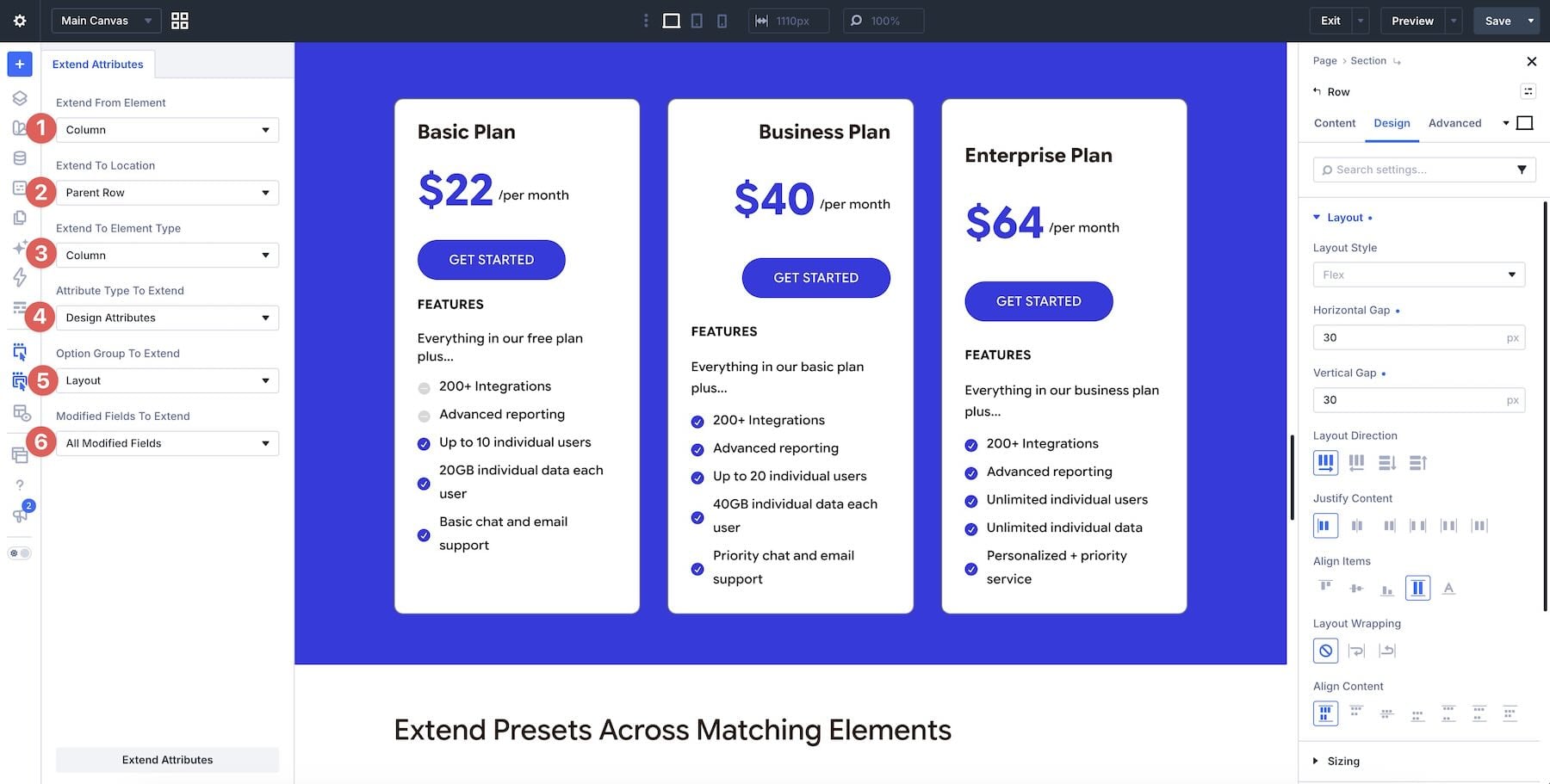
The receiving columns stay settings out of doors that variety. Right here, the supply’s changed Format fields are alignment and vertical hole, so the objectives retain their present Finish justification. If the supply has different changed Format settings, make a choice the precise alignment and hole fields as a substitute. Assessment smaller widths in a while, since longer content material would possibly want other wrapping. Our information to Flexbox spacing with gap explains how the ones values keep watch over the gap between youngsters.
7. Prolong Presets Throughout Matching Parts
Presets mean you can reuse a design via a shared definition. On this instance, the primary Blurb module makes use of a component preset referred to as Blue Identify Blurb, which contains its blue heading, typography, and symbol styling. The opposite Blurbs give us objectives for that preset.
To provide the opposite Blurbs the similar design, right-click the primary Blurb and make a choice Prolong Attributes, the use of it because the supply for the remainder of the row.
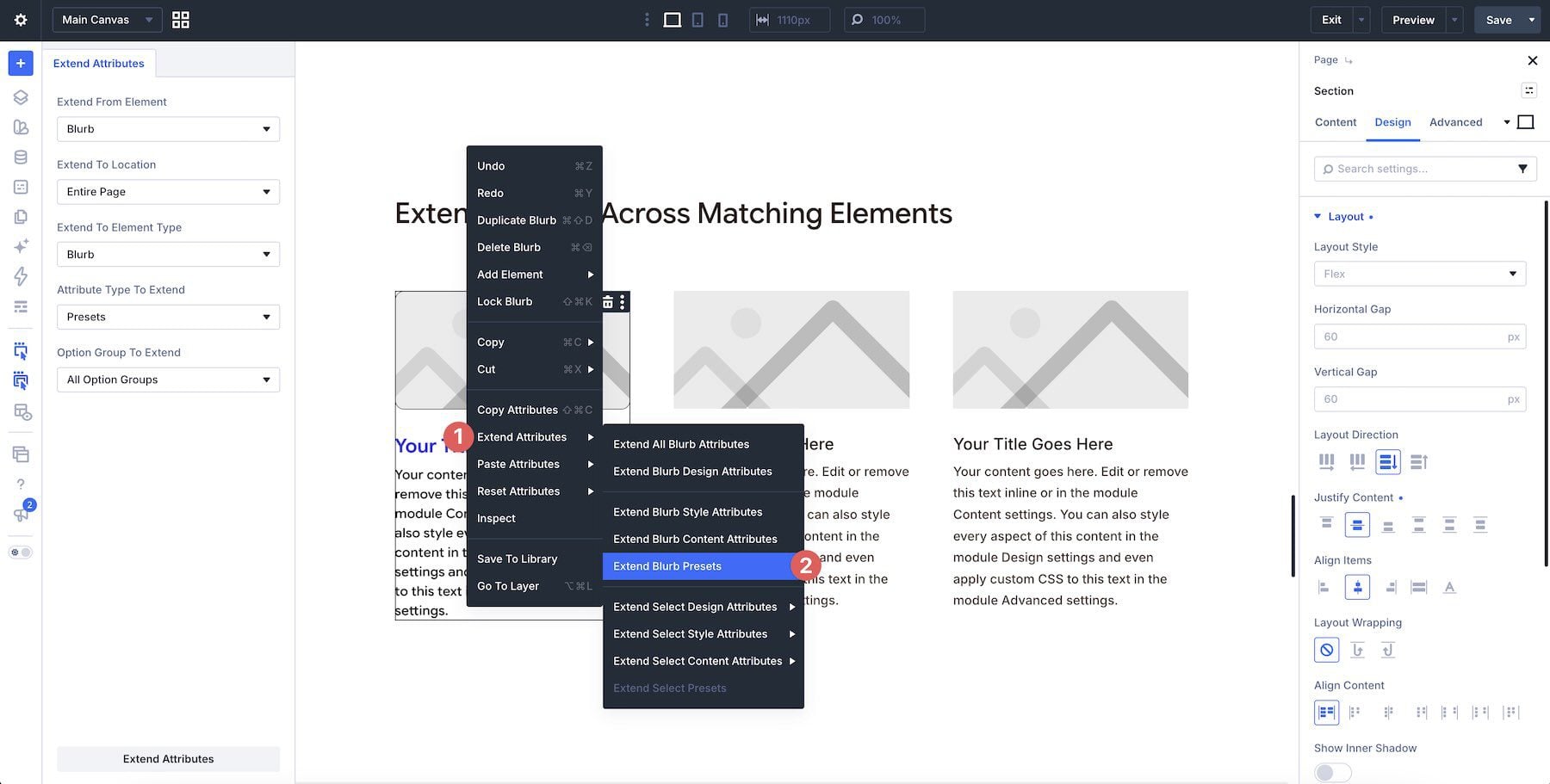
Make a choice Father or mother Row as the positioning and Blurb because the component sort. Set Characteristic Sort To Prolong to Design Attributes, with All Possibility Teams and All Changed Fields. The similar controls can goal a guardian phase or all the web page when the ones Blurbs will have to additionally use this design.
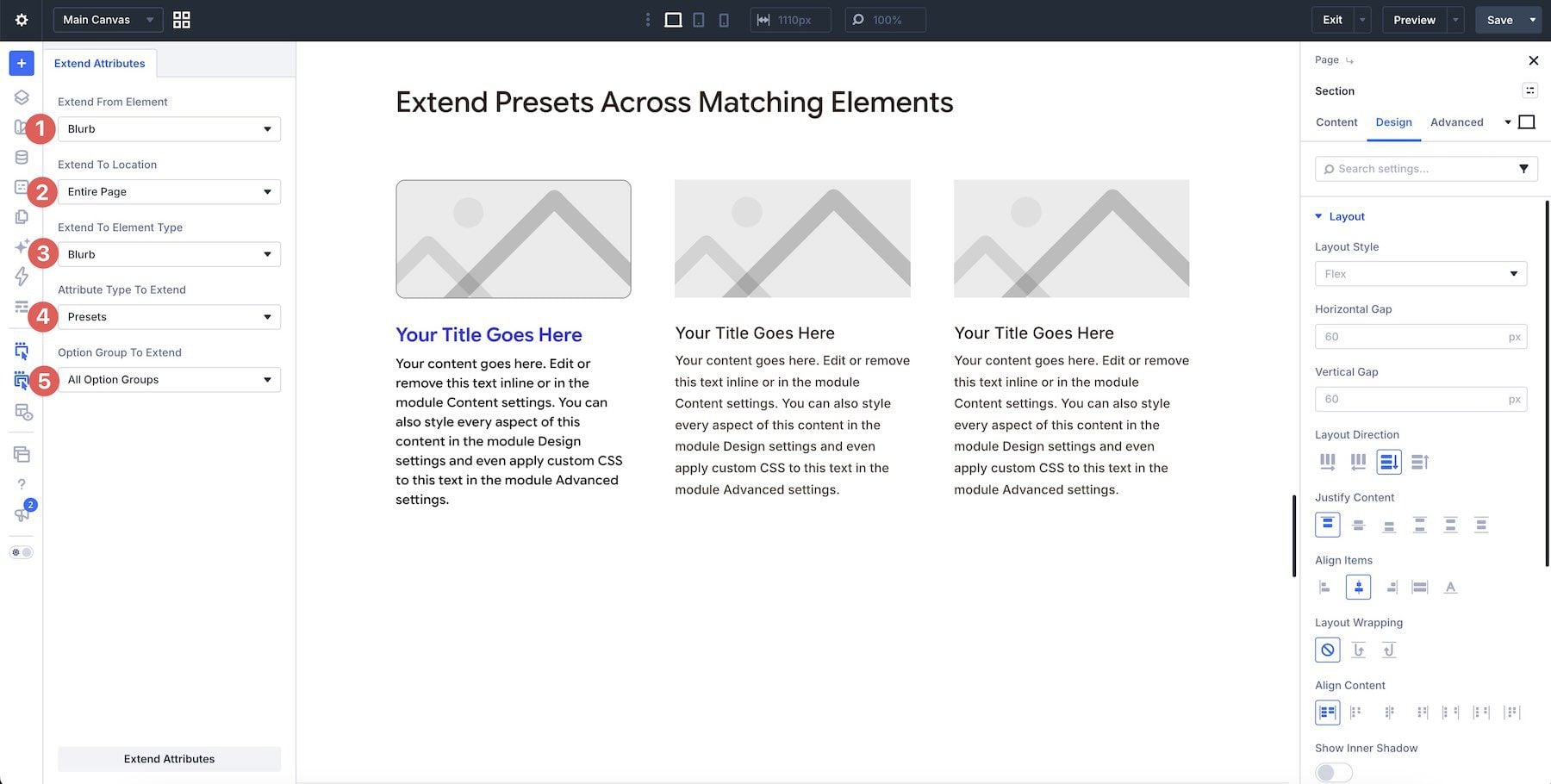
Design Attributes comprises the supply’s preset assignments and changed types, so evaluate each ahead of extending. For an possibility team preset, corresponding to Background, use Presets and make a choice that team. Extending assigns an present preset to the objectives; it does now not create a brand new preset definition. Native overrides at the receiving parts can nonetheless have an effect on the end result.
8. Reuse Content material Attributes The place Content material Must Fit
The attributes you prolong can come with each content material and design settings. That’s helpful when a web page repeats the similar message throughout a number of calls to motion, corresponding to a reminder a few registration time limit.
Our instance makes use of two Name To Motion modules that are meant to show the similar registration reminder. Proper-click the CTA with the completed headline and make a choice Prolong Attributes.
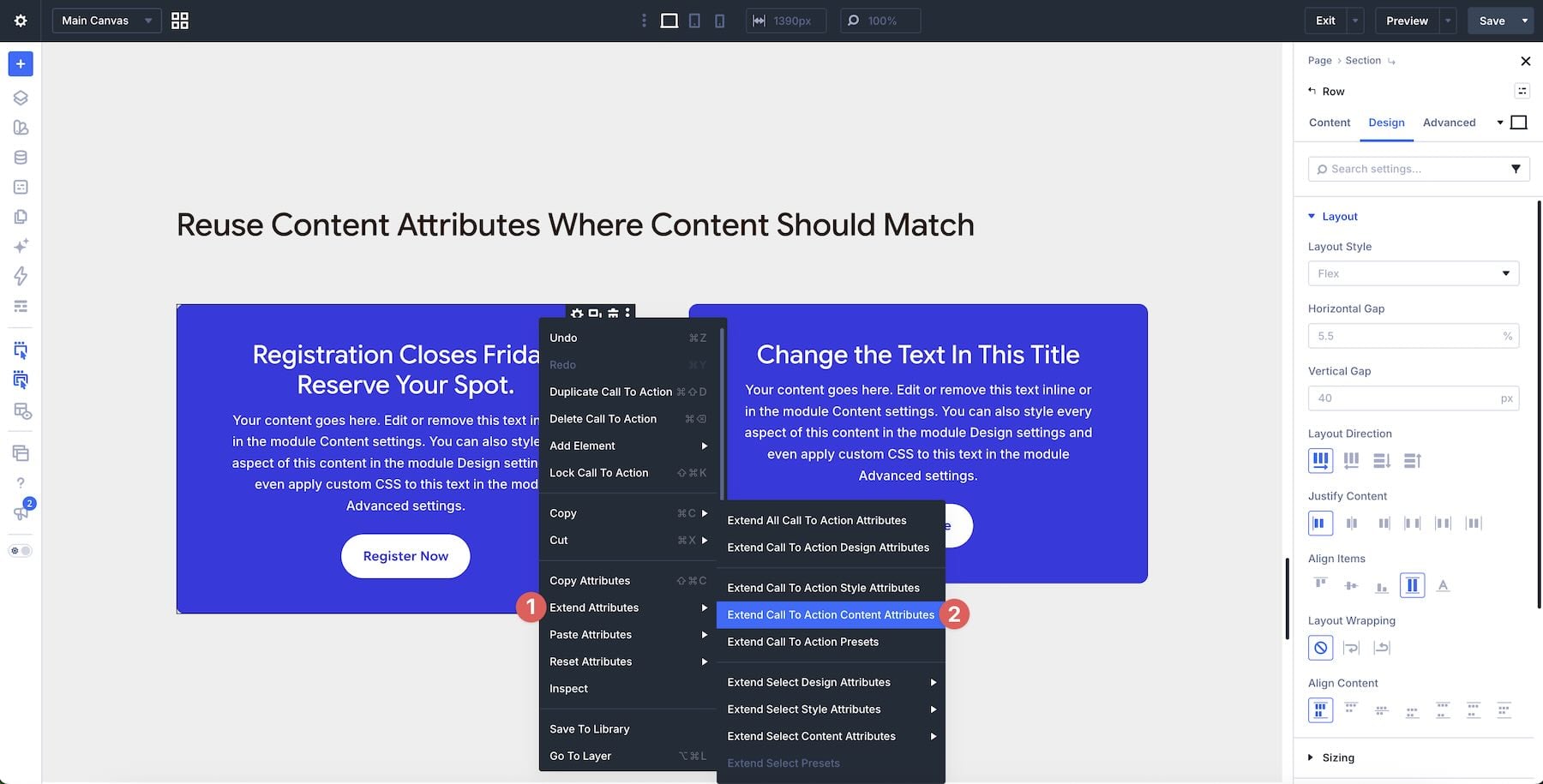
Make a choice Father or mother Row for those two modules, or Complete Web page if each and every matching CTA will have to obtain the headline. Make a choice Name To Motion because the component sort, Content material Attributes because the characteristic sort, and Identify as the choice team. Stay the sector variety restricted to that identify content material.
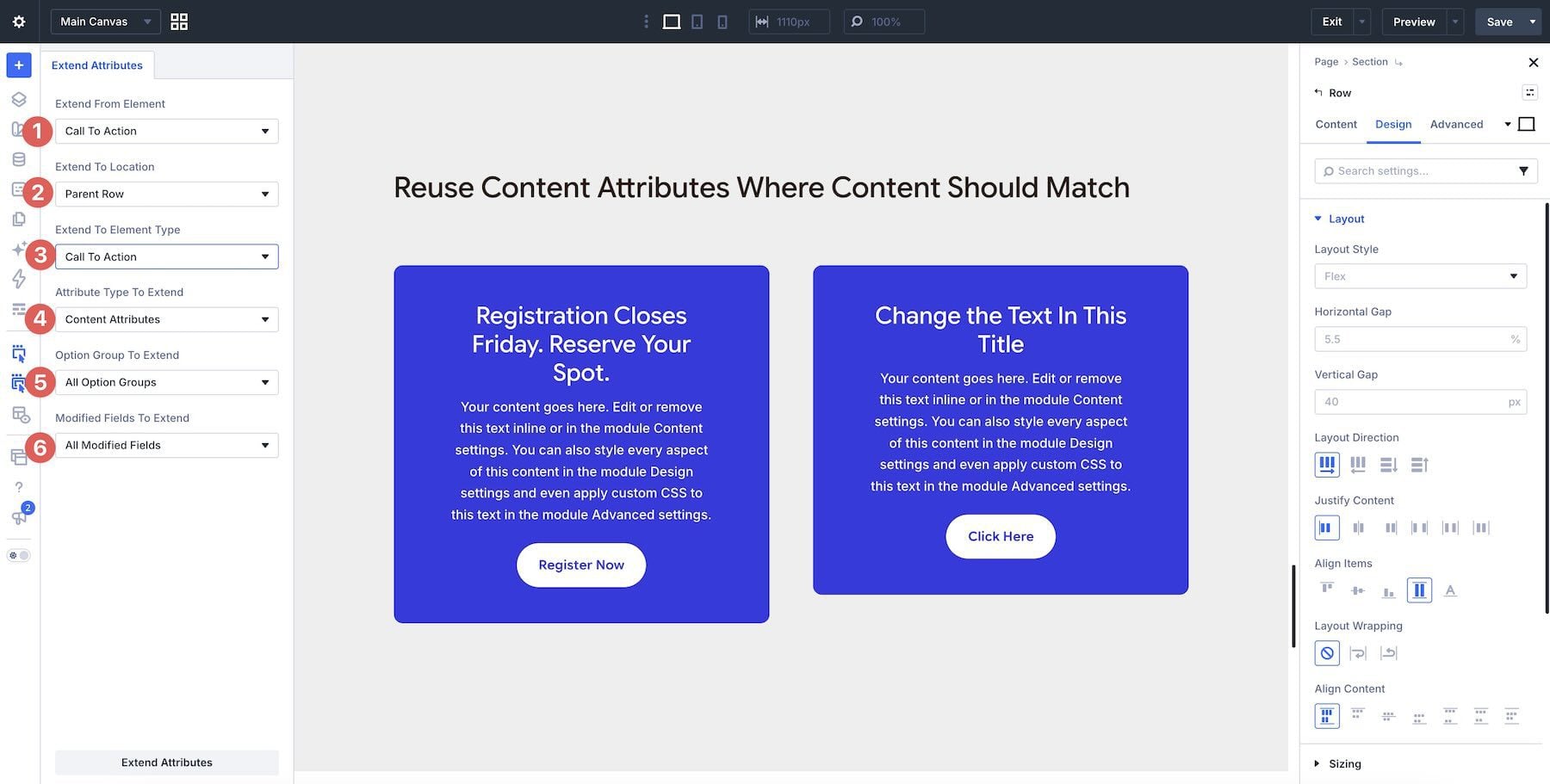
Deciding on that box means that you can lift the headline during the selected modules with out changing their different content material. After extending, take a look at that each CTAs display the meant message and that their button labels, hyperlinks, and design nonetheless go well with their places.
9. Reuse Turn into Settings Throughout Other Module Varieties
Turn into settings can attach parts with other purposes via a identical visible remedy. Our instance puts a Touch Shape beside a Blurb and a Name To Motion module, with the Touch Shape supplying the rotation we need to reuse.
The supply shape has a Turn into Rotate worth of 355deg at the Z axis, giving it a slight tilt. Make a choice Father or mother Row, Design Attributes, Turn into, and All Changed Fields. All Modules reaches a huge set of objectives, together with nested modules corresponding to shape fields. For this design, prolong to Blurb first, then repeat with Name To Motion to restrict the operation to the 2 meant module varieties.
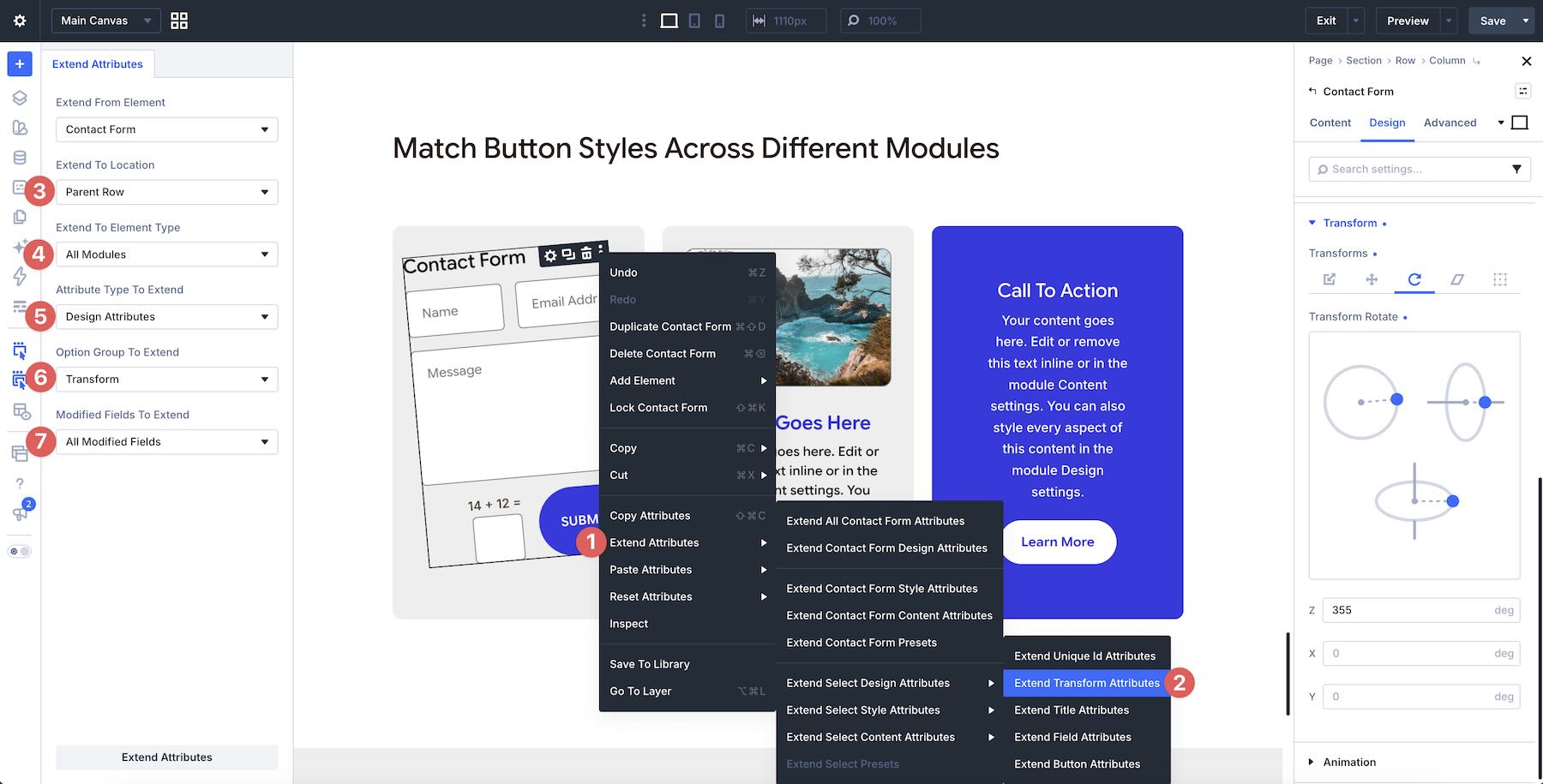
Deciding on the changed Turn into team carries the rotation’s stored axes in combination. Assessment every other changed grow to be settings at the supply, since they’re incorporated too. After extending, check up on the gap round each and every module and take a look at that its textual content, fields, and buttons stay readable and simple to make use of.
10. Harmonize Hover Results
The completing main points on a web page come with how repeated parts reply to consumer interplay. A suite of playing cards would possibly glance alike to start with, but display other border colours or widths when somebody hovers over each and every one.
Use a completed Particular person module because the supply. Proper-click and make a choice Prolong Attributes, then make a choice Father or mother Row, Particular person, and Design Attributes. All Possibility Teams and All Changed Fields reproduce the supply’s broader design, together with different changed settings and preset assignments. To check solely the border remedy demonstrated right here, make a choice Border as the choice team and prolong its changed fields.
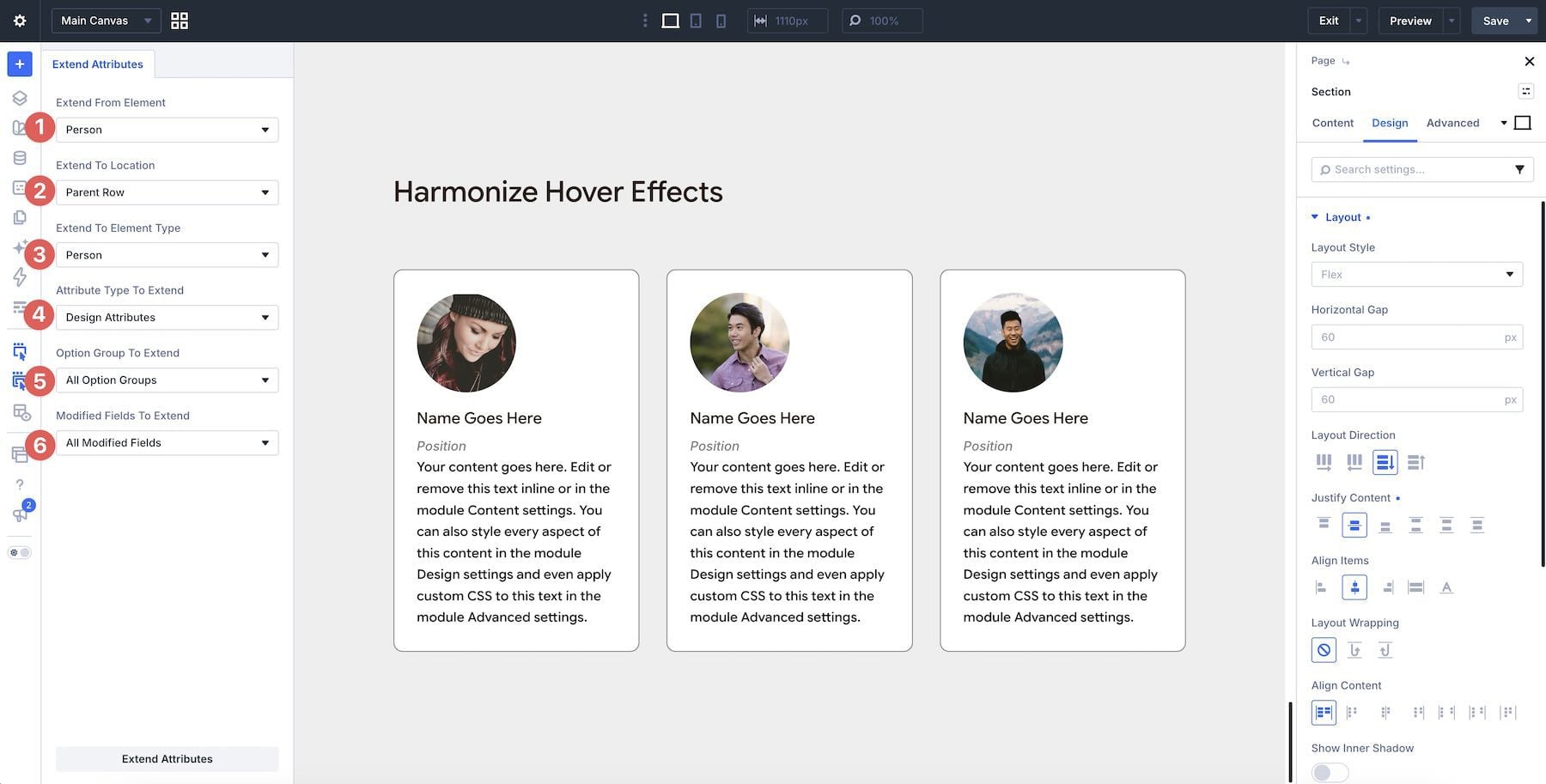
The chosen border fields come with their stored commonplace and hover values. Preview each and every receiving card in each states: the instance adjustments from a grey 1px border to a blue 2px border on hover. Background, textual content, or grow to be results require their corresponding possibility teams; a Border extension applies the border remedy. Test the playing cards in combination ahead of making anyone refinements.
Spend Much less Time Repeating Design Settings
With Extend Attributes in Divi 5, you’ll lift a completed button design, spacing development, or preset during the portions of your web page that are meant to use it. Make a choice particular person fields for a targeted replace or a bunch of settings for a broader design trade.
Get started with a unmarried repeated job for your subsequent web page, and restrict the extension to a bit when you get aware of the controls. Assessment the end result, make any adjustments the person parts want, and use the similar method anywhere the structure requires it.
Which of those makes use of would prevent probably the most time? Tell us within the feedback.
The publish 10 Surprising Ways Extend Attributes Saves You Time seemed first on Elegant Themes Blog.


0 Comments