

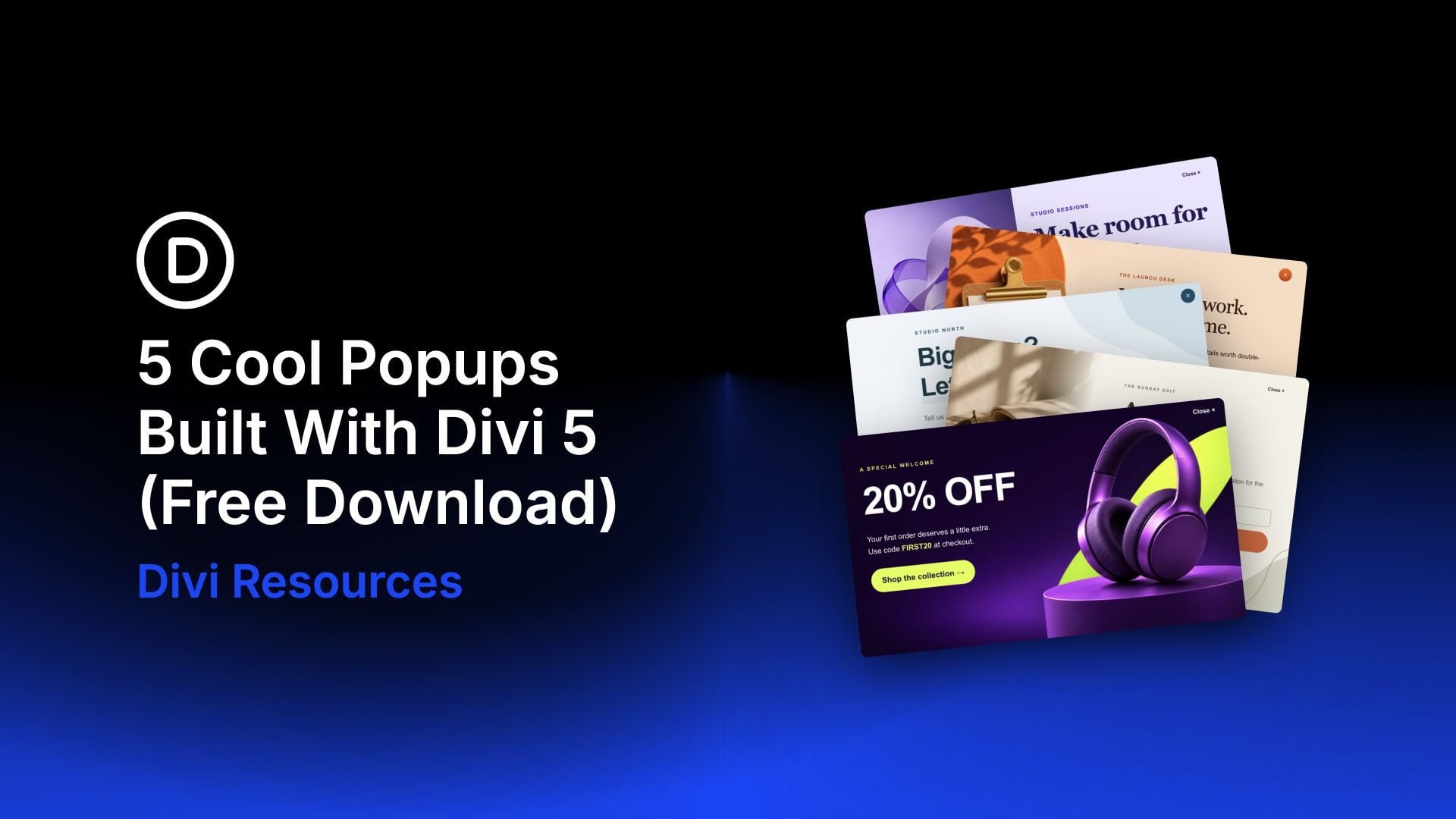
A customer clicks a button to look a cut price, ask a couple of venture, or clutch a release tick list. In Divi 5, you’ll construct every of the ones popups with the similar modules you employ on a web page. Canvases give the popup its personal workspace, and Interactions attach it to the button that opens it.
This unfastened obtain contains 5 popup designs. Check out all of them at the demo web page, then upload your favourite to a web page of your individual.
Obtain The 5 Popup Designs
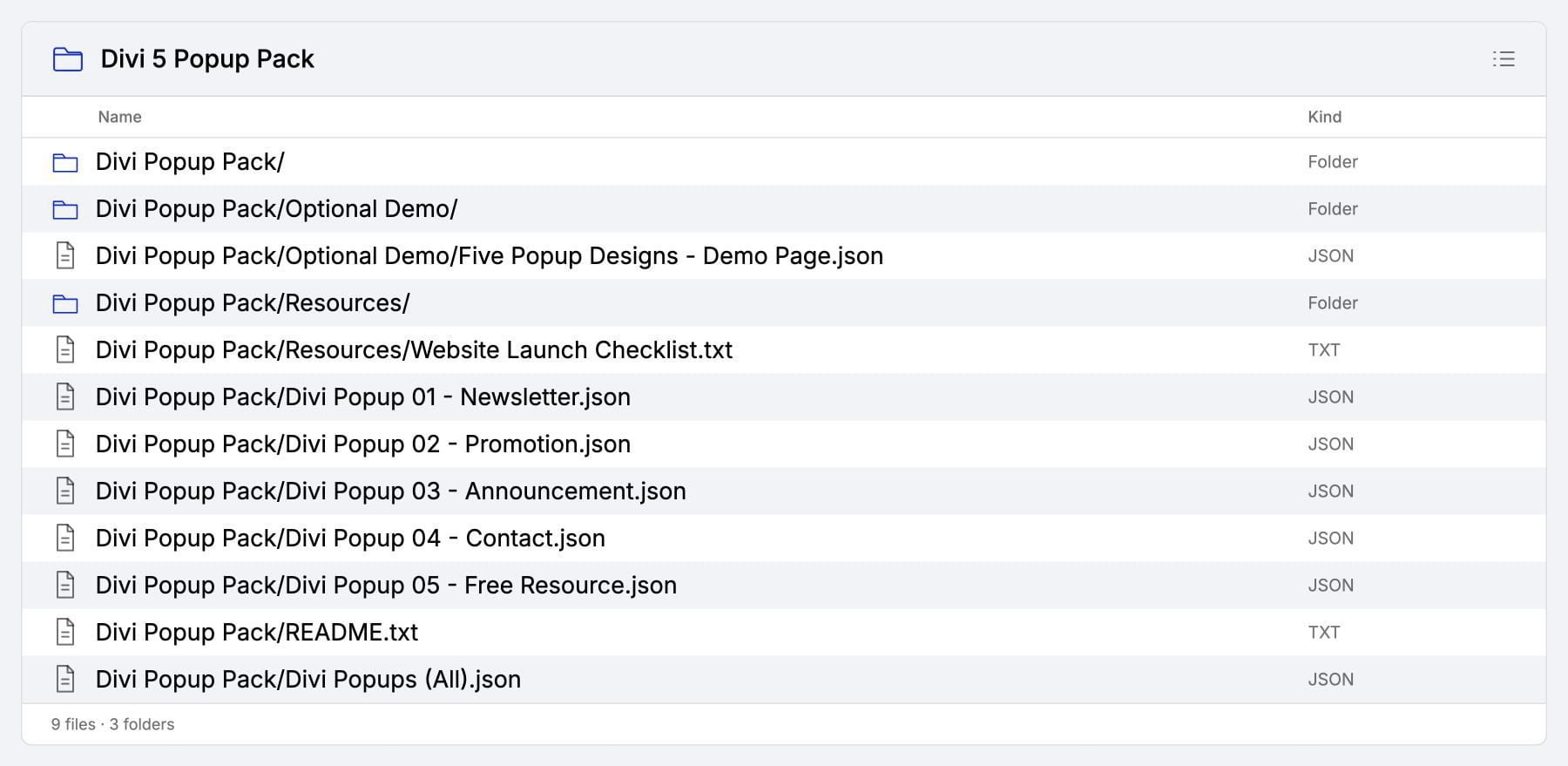
Obtain and unzip the pack to search out the next information.
- A demo web page with 5 native Canvases and dealing preview buttons
- 5 person Divi Library segment information and one mixed document, Divi Popups (All).json
- An editable Site Release Tick list.txt and a README with setup directions
The paintings is embedded within the layouts. You’ll be able to use the designs with out uploading separate presets, variables, or parts.

Discover The 5 Popups
Each and every preview button opens a special design. The shut keep watch over returns guests to the web page. Right here’s what every popup provides and what to switch prior to you employ it.
1. The Sunday Edit — Publication Signup
A espresso {photograph} fades right into a cream background, leaving room for a serif headline and an orange signup button. Use this popup to inform readers what they’ll obtain and the way regularly they are able to be expecting it.
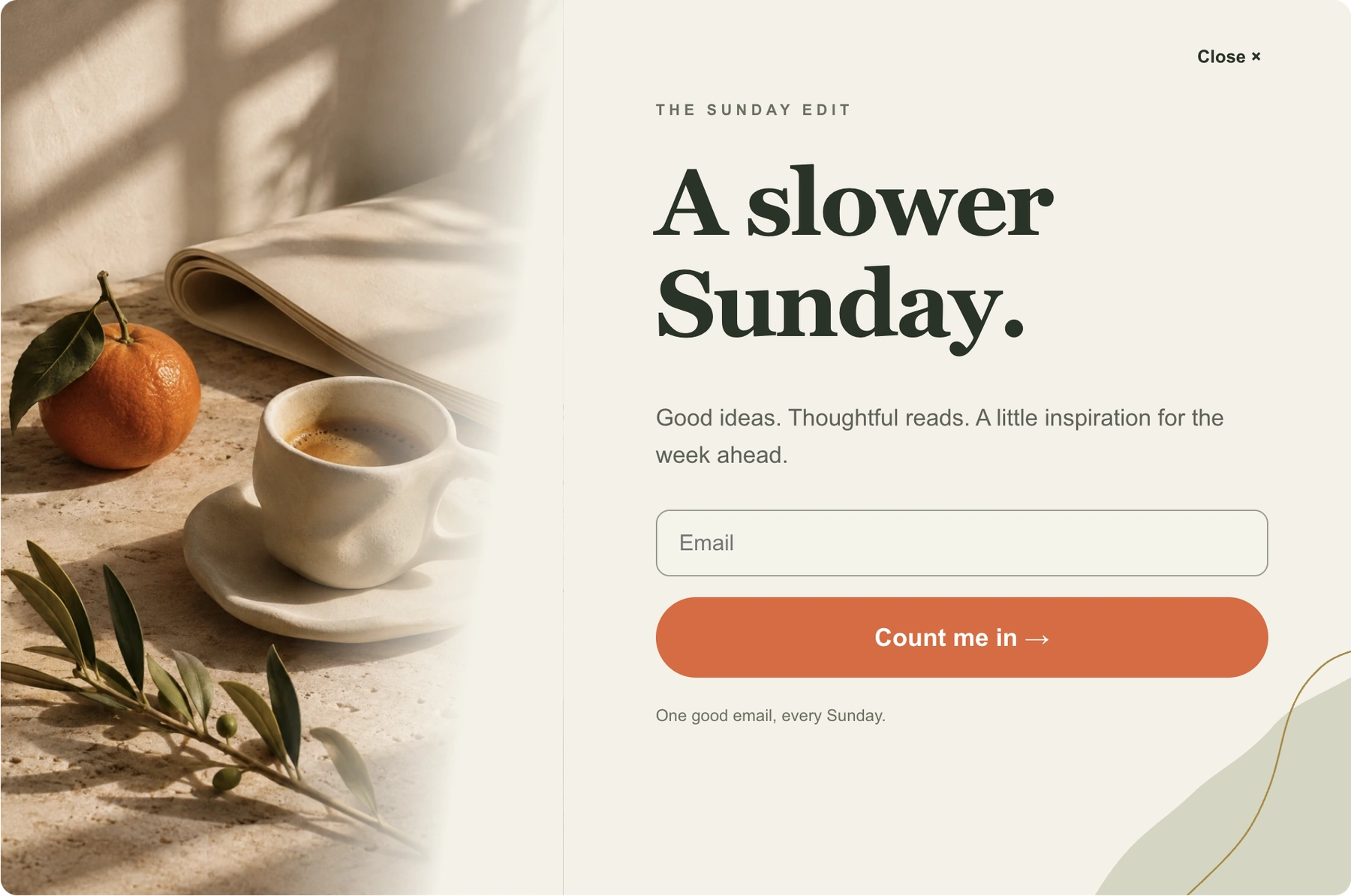
The screenshot displays a hooked up shape. After import, open the E-mail Optin module, attach your e-mail advertising provider, and make a choice your mailing listing. Till you do, guests can open and shut the popup, however the e-mail box and signup button keep hidden.
2. The Excellent Reveals — Promotional Be offering
Crimson headphones body the be offering, whilst a lime spotlight attracts consideration to the coupon. The bargain, code, and button textual content are editable, so you’ll reuse the paintings for a special promotion.
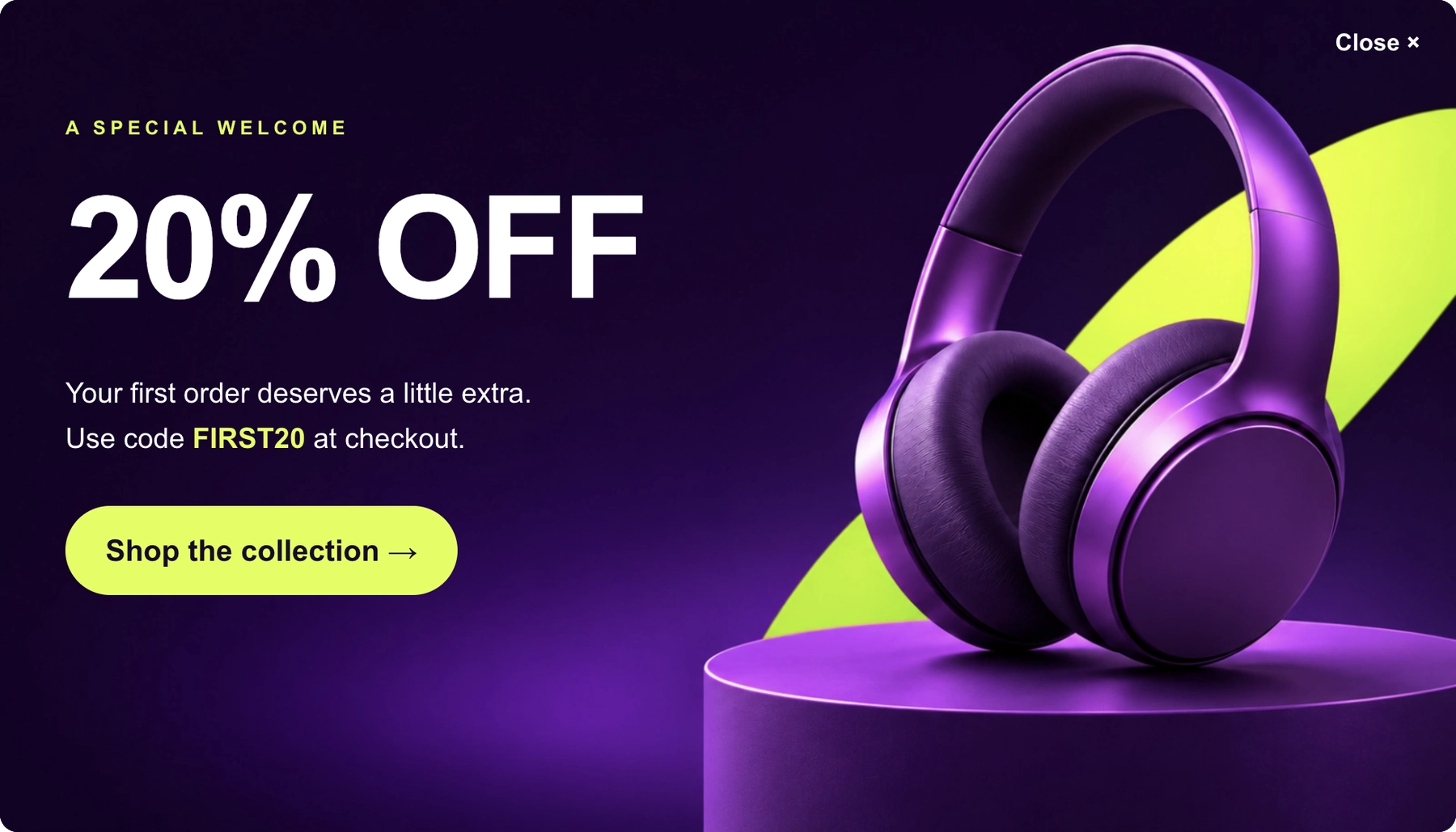
The pattern FIRST20 code is textual content. Create the corresponding cut price to your retailer, then substitute the button’s # hyperlink with the URL of the product or assortment the place customers can use it.
3. Studio Periods — Announcement
Studio Periods pairs a violet symbol with an match invitation. An icon listing places the date, time, and site above the registration button.
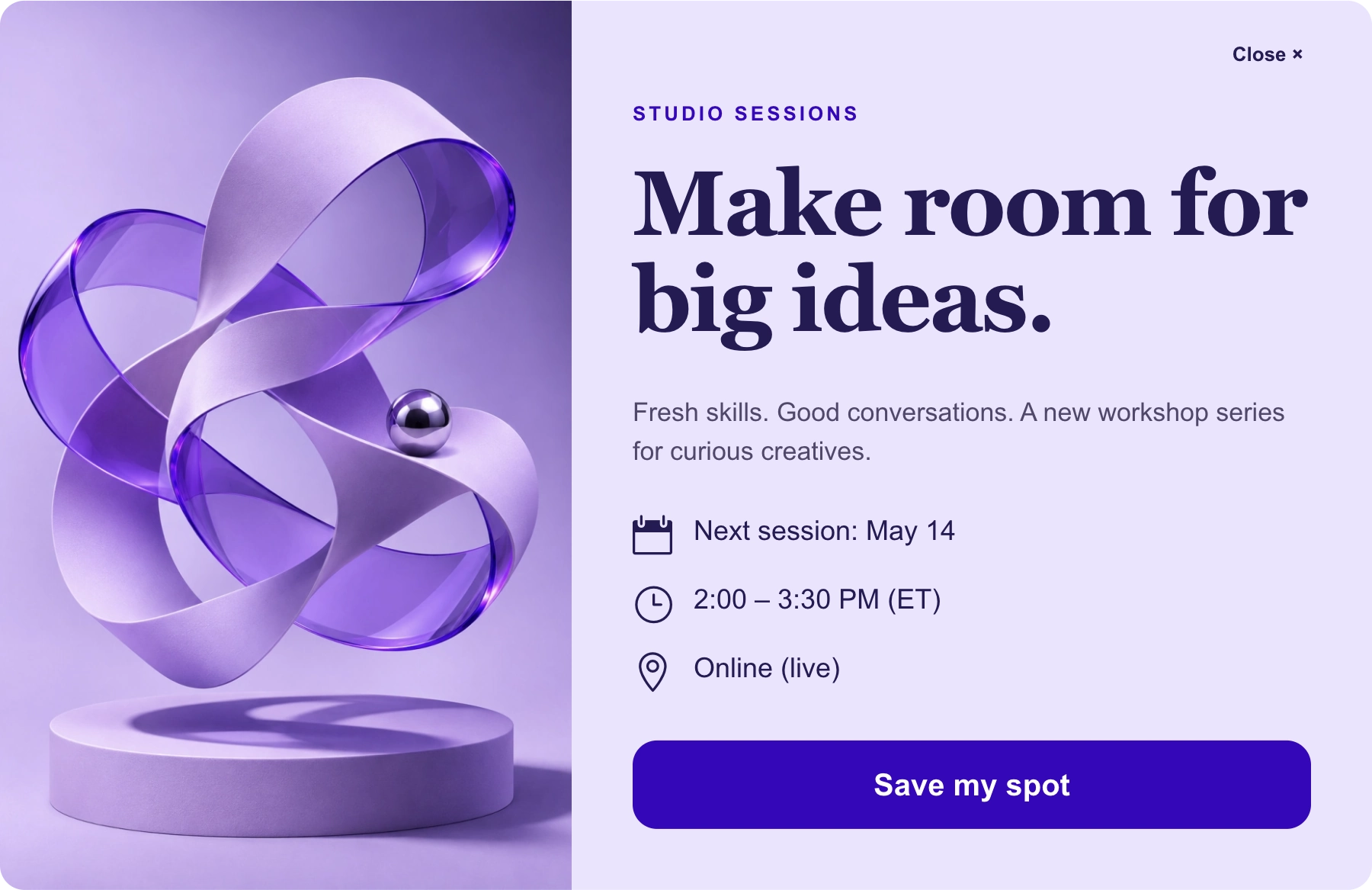
Substitute the pattern workshop main points, together with the Would possibly 14 date and time zone. Set the button’s Button Hyperlink URL on your registration web page so guests can reserve a spot.
4. Studio North — Touch Shape
Studio North opens a venture inquiry shape at the web page your customer is already studying. The rounded fields ask for a reputation, e-mail deal with, and venture main points. A brief mathematics query sits above the publish button.
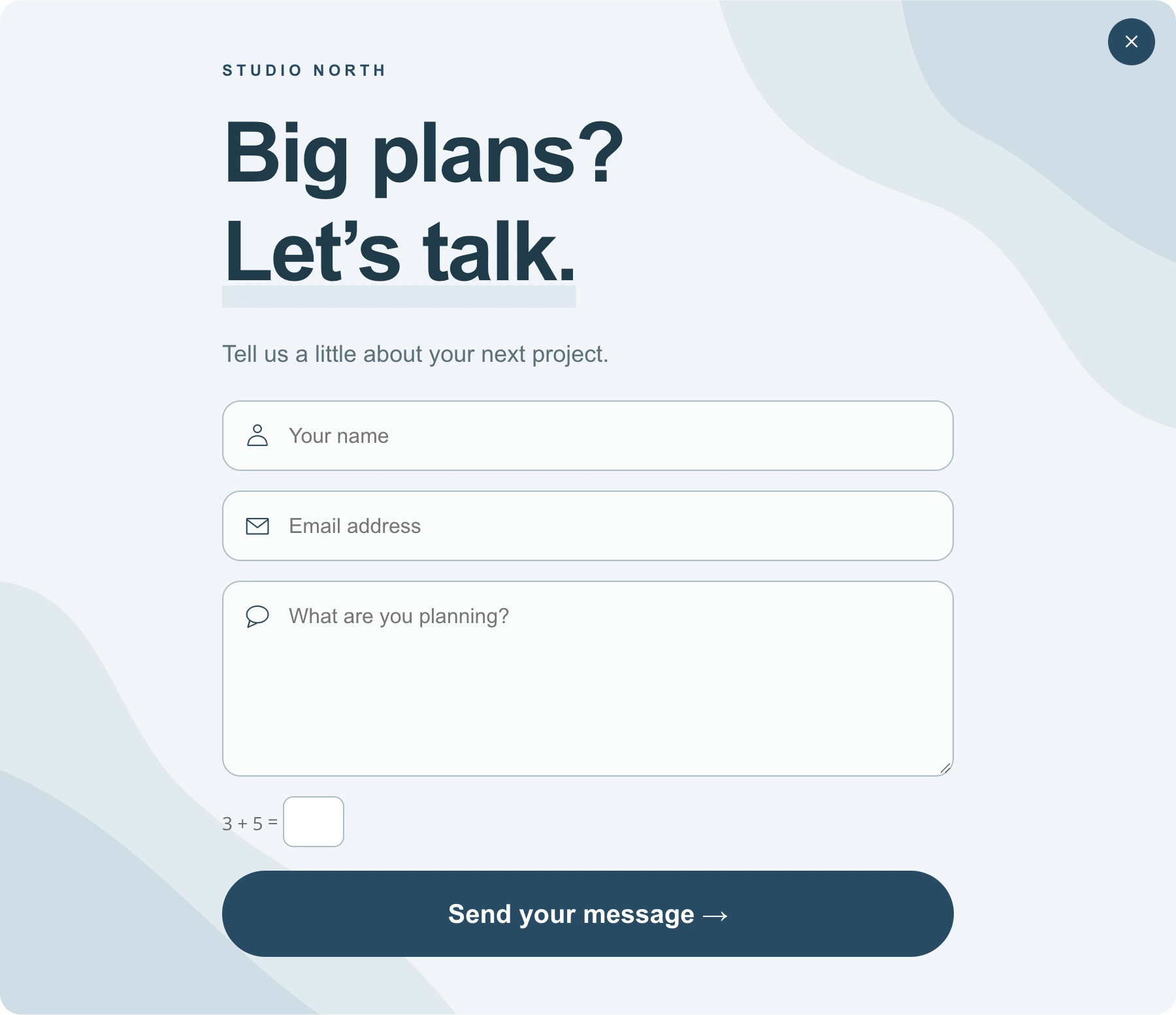
Open the Touch Shape module and substitute popup-demo@instance.check with the deal with that are meant to obtain inquiries. Ship a check message and test that it arrives in that inbox.
5. The Release Table — Downloadable Useful resource
A clipboard {photograph} and 3 checked pieces display guests what’s within the release tick list. On telephones, the design makes use of a much wider crop of the paintings above the textual content. Guests can get the document with out signing up.
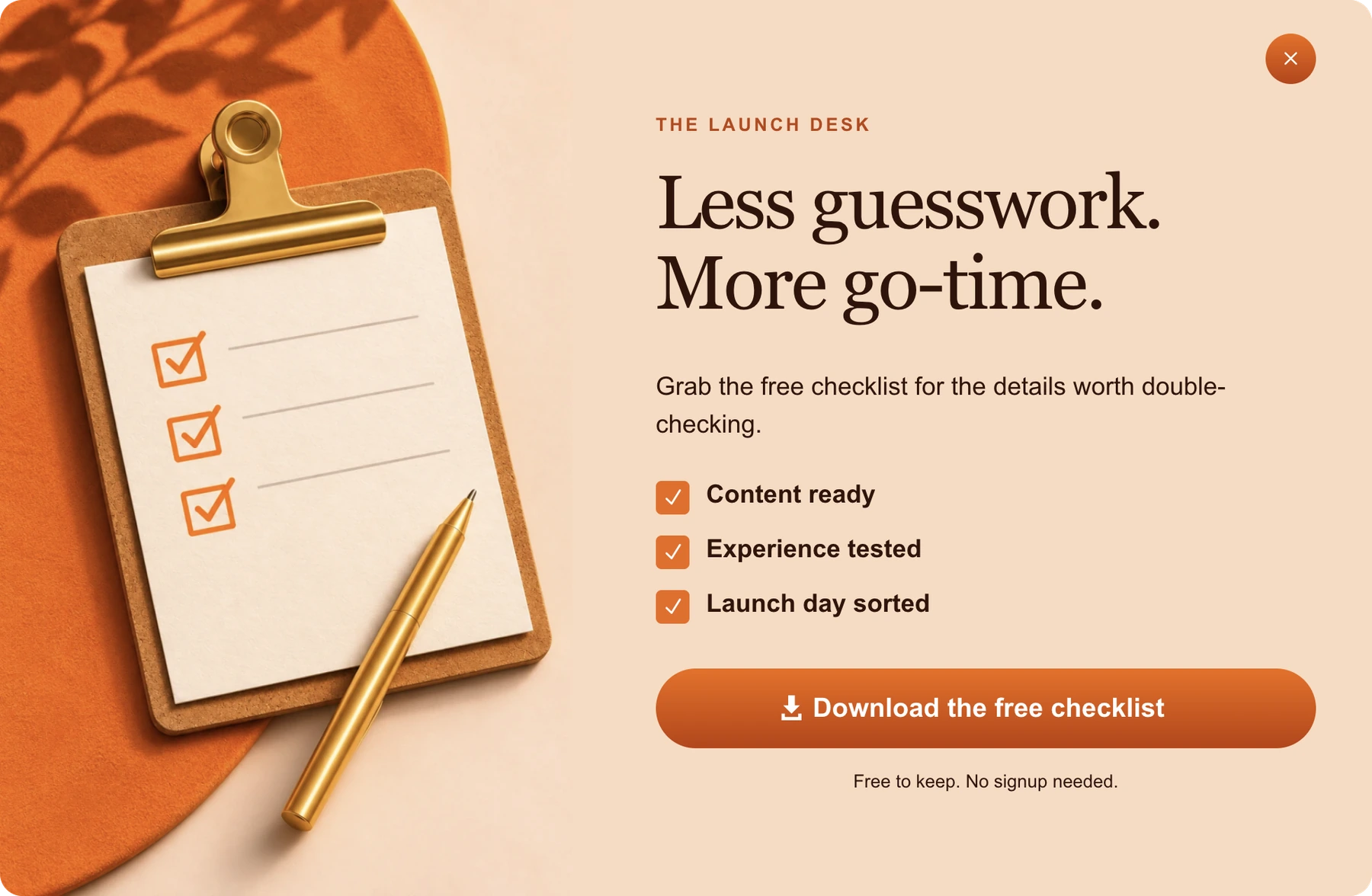
Add Sources/Site Release Tick list.txt or your individual useful resource to the WordPress Media Library. Replica its document URL and paste it into the obtain button’s Button Hyperlink URL. The imported button issues to # till you give it a vacation spot.
Import And Set Up Your Popups
Get started with the demo web page to look all 5 popups running. You’ll be able to then transfer one popup onto an current web page with out bringing the show off alongside.
Import The Demo On An Empty Web page
- In WordPress, move to Pages > Upload Web page. Give the web page a identify, make a choice Clean Web page underneath Template, and save the draft.
- Make a selection Use Divi Builder. Within the Visible Builder, open the Web page Menu on the peak left and make a choice Import.
- Make a selection Not obligatory Demo/5 Popup Designs – Demo Web page.json. In this empty web page, depart Substitute Current Content material decided on and Import To New Canvas off. Click on Import Structure.
- Save the web page. Open the Canvas dropdown to look the principle show off and 5 named popup Canvases. Preview the web page out of doors the builder and check out the 5 buttons.
Transfer One Popup To An Current Web page
To reuse a unmarried popup, export its Canvas from the demo. Those steps use the e-newsletter for instance.
- At the demo web page, open the Canvas dropdown and make a choice The Sunday Edit — Publication. Reopen the dropdown, right-click that Canvas, and select Export Canvas. Click on Export Canvas within the conversation to obtain its JSON document.
- Open the vacation spot web page within the Visible Builder and turn to its Major Canvas. Make a selection Web page Menu > Import and make a choice the Canvas document you simply exported.
- Flip off Substitute Current Content material. Depart Import To New Canvas off as smartly. The exported document already accommodates its personal named Canvas. Click on Import Structure.
- Open the Canvas dropdown and test that the e-newsletter Canvas seems along your primary web page. Go back to Major Canvas so as to add the outlet button described under.
Use The Divi Library Phase Information
To make use of the segment information, move to Divi > Divi Library > Import & Export > Import. Make a selection one person JSON or Divi Popups (All).json, then click on Import Divi Builder Layouts. The mixed document provides the similar 5 sections as the person information.
For your vacation spot web page, use the Canvas dropdown to Upload Canvas. Give it a reputation and depart Make International off. If Divi opens the Insert Row conversation, shut it. In wireframe view, click on Upload Phase > Upload From Library, select your popup, and click on Use This Phase.
Prior to connecting a cause, transfer to visual field and test for the pattern heading, paintings, and shut keep watch over.
Attach The Opening And Final Interactions
At the vacation spot web page’s Major Canvas, upload a Button module the place guests must open the popup. Give it a descriptive label and set Content material > Hyperlink > Button Hyperlink URL to #.
Open the button’s Complicated > Interactions settings. Click on Upload Interplay to create every of those two interactions.
- Click on > Display Component. Underneath Goal Module, in finding the popup Canvas and make a choice its outer segment. For the e-newsletter, select Phase (The Sunday Edit — Publication).
- Load > Conceal Component. Make a selection the similar outer segment. This assists in keeping all of the popup hidden when the web page first lots.
The running Canvas features a shut keep watch over. To test it, transfer to the popup Canvas, open the shut button or icon, and glance underneath Complicated > Interactions. Its Click on > Conceal Component interplay must level to the similar outer segment. Should you reproduction the design on one web page, test that every set of controls objectives its personal replica.
Customise A Popup For Your Web site
Transfer to the popup’s Canvas within the Visible Builder. Wireframe view is to hand when you wish to have to make a choice a module beneath the shut keep watch over or when a load interplay hides the design when you edit.
Trade The Heading And Textual content
Edit the headline within the Heading module and the supporting replica within the Textual content module. For a useful resource popup, title the document guests will obtain. For an match, give them the date and inform them the place the registration button leads.
Modify The Colours
Trade the background in the back of the replica, then test the heading, button, and shut keep watch over in opposition to it. Within the promotional popup, replace the coupon spotlight as smartly if you wish to have it to compare the button.
Switch The Background Photographs
The images are backgrounds. For the e-newsletter, open the paintings column and move to Content material > Background to interchange the espresso symbol. For the useful resource popup, additionally substitute the phone-specific paintings if you wish to have your new symbol to look on small displays.
Test Pill And Telephone Layouts
Use the instrument icons on the peak of the builder to test how the heading wraps, the place the picture vegetation, and whether or not the shape fields are compatible. In case your web page makes use of custom responsive breakpoints, test the widths enabled on your web page. On a brief telephone display screen, scroll within the popup to succeed in the remaining box or button.
Take a look at The Shut Controls On The Frontend
Save and open the web page out of doors the builder. Reload it, verify the popup begins hidden, and click on its cause. Shut it, then open it once more. Repeat at telephone width and ensure you’ll succeed in each the shut keep watch over and the principle motion.
Practice the customer’s subsequent step, too. Check out the shop coupon, open the registration web page, or apply the tick list hyperlink. For a sort, verify that the subscription reaches the supposed listing or the inquiry reaches the precise inbox.
Construct Your First Divi Popup
Pick out the popup that matches a web page you have already got. A venture inquiry belongs beside your services and products, whilst a first-order be offering can sit down close to the goods it applies to. Import the design, attach its button, and check that subsequent step prior to you place it in entrance of holiday makers.
The submit 5 Cool Popups Built With Divi 5 (Free Download) seemed first on Elegant Themes Blog.




0 Comments