


While you’re working a weblog, the theme beneath it must do two issues immediately: get from your approach when you’re writing, and come up with room to make the website seem like yours as an alternative of taking a look like a template. Beginning a weblog as of late is far other from it was once a decade and a part in the past. As such, you need to make sure to experience each level of it and will just do what you need with it.
The WordPress theme dialog in 2026 has numerous noise in it about light-weight subject matters, block subject matters, and Complete Website online Modifying being the “right kind” path for a easy weblog, with web page developers framed as useless. A few of this is truthful, a few of it’s dated. The appropriate resolution will depend on whether or not you need a weblog that’s rapid to release and seems like a templated website, or one with an identification that’s in fact yours.
I’ve constructed blogs for myself and others the usage of each theme on this checklist. The checklist underneath displays what every one is in fact excellent at. I am hoping that is helping you select one thing that works effectively for you and will provide you with abundant room to position the time had to make a weblog a good fortune as of late.
Easiest WordPress Issues for Bloggers
1. Divi 5

Divi is a WordPress theme and a complete visible builder in a single, and Divi 5 is a ground-up rebuild of each. If you need your weblog to seem like a template you picked, maximum subject matters in this checklist gets you there quicker. If you need it to seem like no person else’s, Divi is constructed for that as an alternative.
The rebuild issues right here in particular as a result of the outdated bloat argument — Divi 5’s structure was once rebuilt from the bottom up round a leaner modifying engine and cleaner front-end output, constructed for precisely for well-designed and performant blogs.
Loop Builder is the characteristic that issues maximum for a weblog in particular. It allows you to construct totally dynamic, code-free publish shows filtered through class, creator, tag, or tradition publish kind — your homepage feed, a class archive, an creator web page, a related-posts block on the finish of each article. This used to require both a inflexible default template or a separate plugin. Now it’s a visible atmosphere.
Divi 5 additionally simply shipped a visible CSS Grid editor, and it’s value calling out as it makes one thing this is reasonably onerous to construct useless simple. You’ll now drag to resize grid pieces and set offset regulations immediately within the builder, and grid layouts paintings natively with Loop Builder content material — which means a masonry-style weblog grid, or a structure the place one featured publish spans two columns and the remainder fall right into a uniform grid, is a visible activity now as an alternative of a custom-CSS one.
For the phase that in fact offers a weblog its character, Design Variables and Divi’s preset system deal with typography, colour, and spacing as reusable, international settings relatively than one-off alternatives you are making on each new web page or template. Set it as soon as, and each publish template, pull quote, and byline remains constant with out you having to keep in mind what you probably did final time.
Header, footer, and archive templates are treated within the Theme Builder, and if you need a complete website scaffolded earlier than you contact a unmarried atmosphere, Divi Quick Sites and Divi AI can get you there in mins as an alternative of hours.
What Divi Excels At
- Loop Builder for totally dynamic, code-free archives, class pages, and related-post sections
- A visible CSS Grid editor for masonry and featured-post weblog layouts with out tradition CSS
- Design Variables and Presets for a constant, unique glance throughout each web page and publish template
- Theme Builder for tradition headers, footers, and archive templates
- A rebuilt Divi 5 structure aimed immediately at making your website as rapid as you deserve
Easiest For: Bloggers who need their website to seem distinctly like theirs, no longer a recognizable template, and who’re prepared to spend just a little time within the builder to get there (Divi’s AI too can assist velocity alongside your imaginative and prescient). Works similarly effectively in case you’re working one weblog or making plans a number of — the license is excellent for limitless websites.
Pricing: $89 in line with 12 months or $249 lifetime, each protecting limitless websites.
2. Kadence

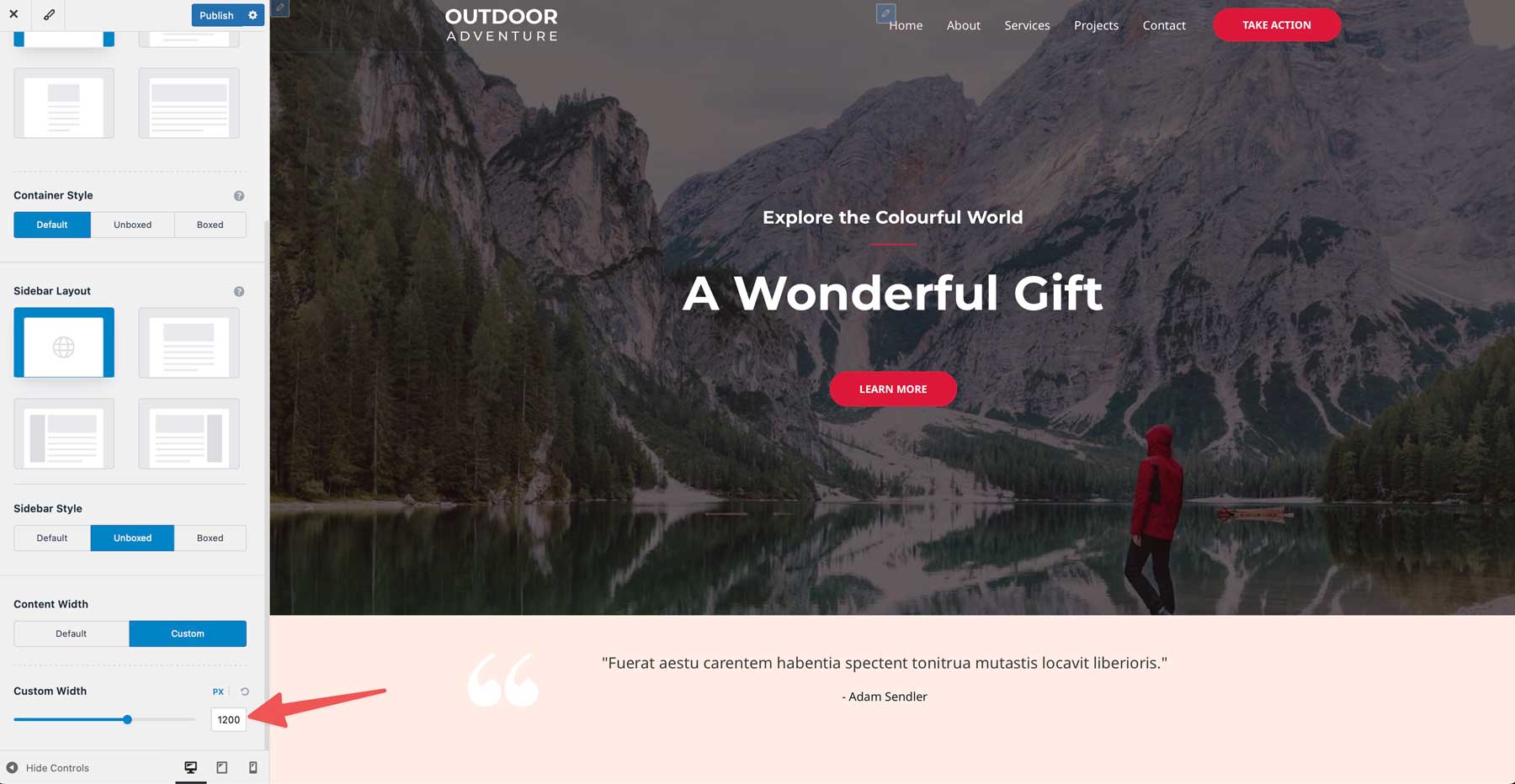
Kadence is the theme to achieve for if you wish to keep within the local WordPress block editor however want extra visible regulate than the Block Editor supplies through default. The drag-and-drop header and footer builder and the worldwide colour palette are each to be had within the unfastened model, which isn’t standard for this class.

That very same Customizer holds a Taste Information for colour and typography — set your palette and kind scale as soon as, and it carries via each block at the website as an alternative of having redefined web page through web page.
Kadence pairs with the Kadence Blocks plugin for a library of pre-designed patterns, so construction out publish templates and touchdown pages remains visible. The trade-off is that the deeper you cross, the extra the block editor itself begins to really feel crowded with Kadence’s additions layered on most sensible of it.
What Kadence Excels At
- Visible header and footer builder, incorporated unfastened
- International colour palette and typography controls for site-wide consistency
- A big block trend library via Kadence Blocks
- Forged unfastened tier — maximum bloggers can get actual mileage earlier than paying the rest
Easiest For: Bloggers who need to keep throughout the block editor ecosystem as an alternative of adopting a separate web page builder, however nonetheless need header, footer, and international genre regulate.
Pricing: Unfastened to start out. Paid plans start round $69 in line with 12 months for restricted templates, regardless that maximum customers finally end up desiring the $169–$299 in line with 12 months tiers for complete get admission to. Now not as affordable in the long run as Divi can also be.
3. Astra
Astra is a blank-slate theme constructed to be paired with no matter you need to construct on most sensible of it — a web page builder, a block trend library, or its personal huge choice of starter templates. It’s one of the crucial lightest subject matters in this checklist through default, which is the place its popularity comes from.
The truthful caveat: Astra on its own is a skeleton. Actual design regulate nonetheless manner layering on a web page builder or Astra Professional’s deeper Customizer choices, which places you again within the place of managing a couple of merchandise to tailor your theme the way in which you need.
What Astra Excels At
- Very rapid default load occasions and a small footprint
- One of the crucial greatest starter template libraries within the class
- Works with quite a lot of web page developers (a plus and minus)
- Self-hosted Google Fonts for more uncomplicated GDPR compliance
Easiest For: Bloggers who need the lightest conceivable start line and are relaxed opting for a builder or trend library one by one to fill within the design layer.
Pricing: Unfastened model to be had. Professional begins round $59–69 in line with 12 months for a unmarried website, with upper package and multi-site tiers to be had. (Ascertain present determine earlier than publishing — pricing varies through supply.)
4. Blocksy

Blocksy is constructed fully across the local block editor and is without doubt one of the fastest-feeling Customizers in the marketplace — adjustments observe reside, with not one of the lag older Customizer-based subject matters are identified for. The integrated header and footer builder manner you get Kadence-level structure regulate with no separate plugin.
It’s turn into one of the crucial two most-recommended light-weight subject matters for design-conscious bloggers in 2026, along Kadence, and for identical causes: a beneficiant unfastened tier and a essentially trendy modifying enjoy.
What Blocksy Excels At
- A quick, trendy, live-updating Customizer
- Local header and footer builder, no further plugin required
- Integrated efficiency touches: lazy loading, schema markup out of the field
- Darkish mode and powerful WooCommerce fortify if the weblog ever provides a store
Easiest For: Bloggers who need a rapid, trendy modifying really feel with out adopting a separate page-builder plugin, and who don’t want Divi-level tradition structure regulate.
Pricing: Unfastened model to be had. Professional begins round $69 in line with 12 months for a unmarried website, with an company tier round $149 in line with 12 months for limitless websites. (Ascertain earlier than publishing.)
5. OceanWP
OceanWP leans at the WordPress Customizer relatively than a visible builder, which feels just a little dated subsequent to Divi, Blocksy, or Kadence, but it surely makes up for it with a huge library of importable demo websites and essentially deep free-tier capability.
What units OceanWP aside from the others is that it doesn’t come with a integrated header or footer builder. You’re both construction the ones as block templates your self or leaning on considered one of its significant other plugins, which provides a step however helps to keep the core theme lighter.
What OceanWP Excels At
- RTL and translation fortify out of the field
- A big library of page-builder-friendly demo websites
- Deep customization throughout the Customizer for typography, colour, and headers
- Robust search engine marketing plugin compatibility
Easiest For: Bloggers happy with the Customizer workflow (the outdated WordPress workflow) who need numerous free-tier intensity and don’t thoughts assembling header/footer regulate themselves.
Pricing: Unfastened model to be had. Top class package prior to now began round $44 in line with 12 months — wishes a present test earlier than this is going reside.
6. Hi Elementor
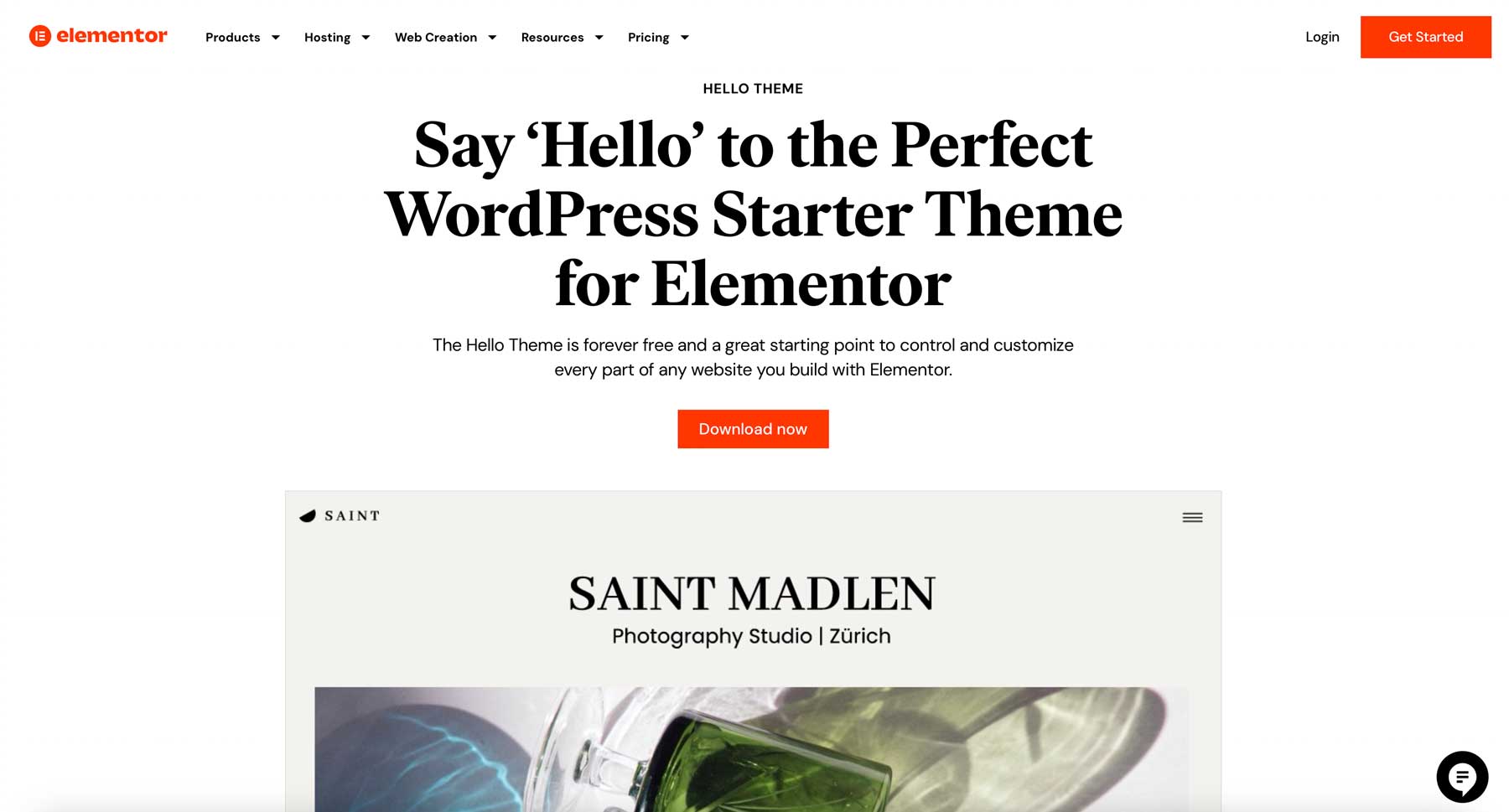
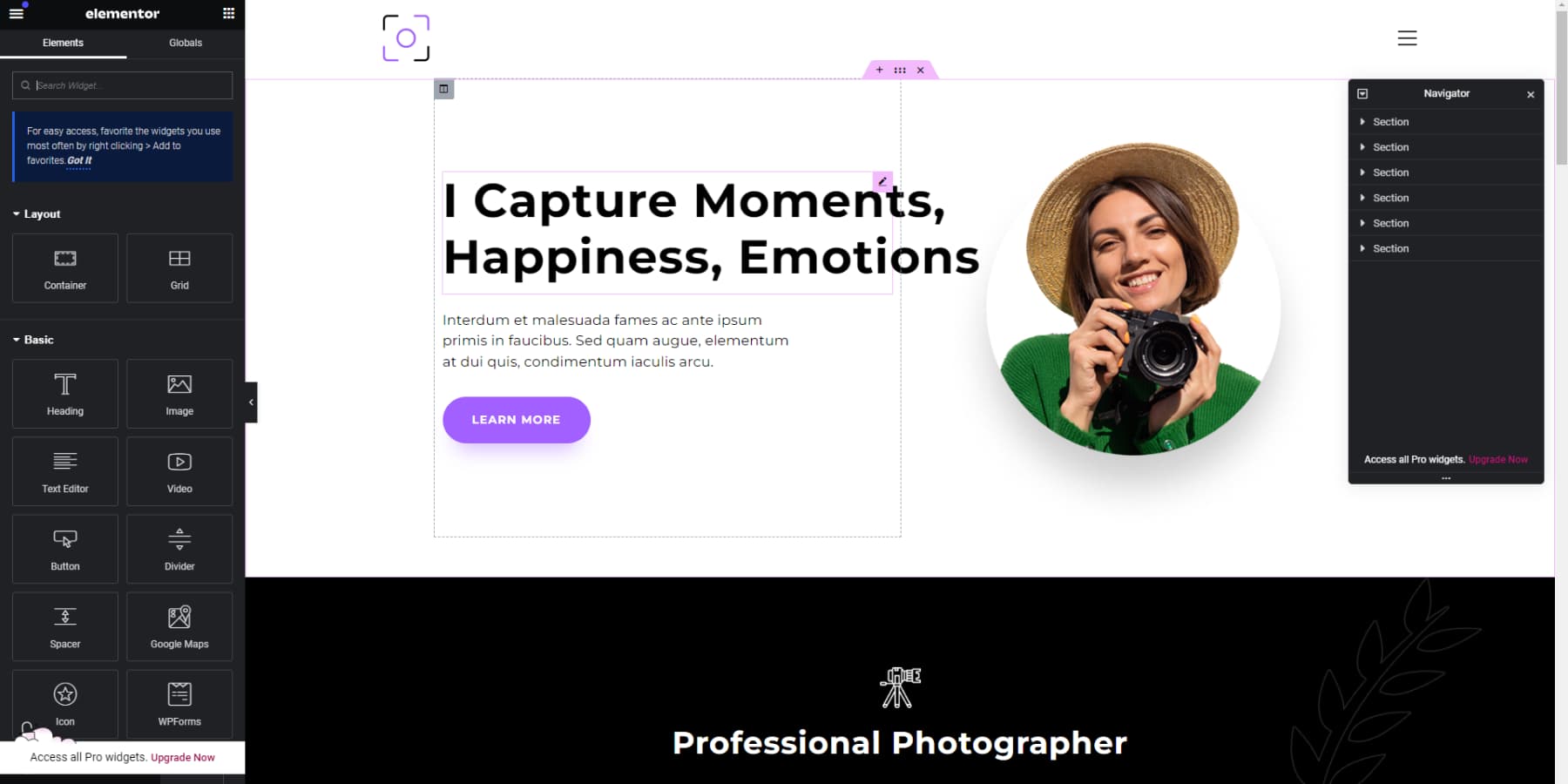
Hello Elementor is the theme to select in case you don’t need to take into consideration your theme in any respect. It ships with nearly no styling of its personal and arms the entirety — header, footer, publish templates — to the Elementor web page builder. In that sense, it really works so much like Divi: theme and builder as one resolution, no longer two.
The dependency is the entire level and the entire limitation immediately. With out Elementor Professional layered on most sensible, there’s little or no right here to counsel.
What Hi Elementor Excels At
- Minimum footprint, constructed purely for velocity
- 0 redundant styling to combat with as soon as a builder takes over
- The most important page-builder ecosystem in WordPress in case you’re already dedicated to Elementor
Easiest For: Bloggers already the usage of, or making plans to make use of, Elementor as their web page builder. Now not a are compatible if you need the theme to do any of the design paintings itself.
Pricing: Unfastened theme. Elementor Professional begins at $69 in line with 12 months for one website, or $199 in line with 12 months for 25 websites.
7. GeneratePress

GeneratePress is the cleanest codebase on this checklist, complete prevent. The default glance is obvious on function — you’re intended to construct on most sensible of it with GenerateBlocks, its significant other plugin, relatively than anticipating a completed design out of the field.
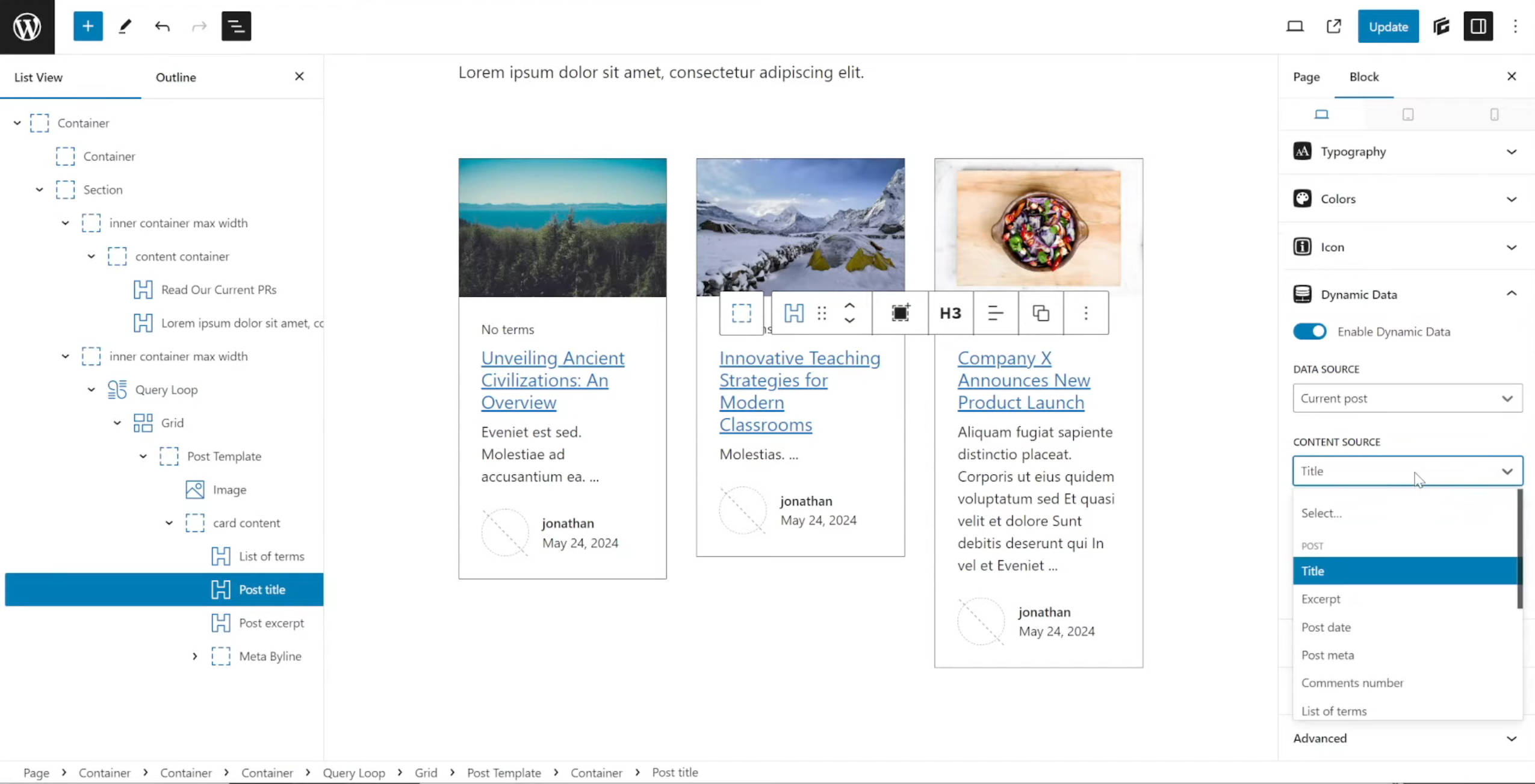
GenerateBlocks doesn’t attempt to exchange the block editor the way in which a web page builder does — it provides a small set of foundational blocks (Container, Grid, Question, Looper) on most sensible of local Gutenberg blocks. The Question block is the one who issues for a weblog: it pulls posts through kind, class, or taxonomy and loops a card design you construct as soon as throughout each end result, which is the way you’d put in combination a tradition archive, a related-posts block, or a filtered homepage feed with no web page builder. Pair it with GeneratePress Top class’s Loop Template part and that very same design applies routinely to actual class and tag archives, no longer only a web page you constructed through hand.

That is the truthful trade-off towards Divi: Loop Builder and the brand new Grid Editor come up with that very same dynamic-archive capacity with extra visible polish and no more meeting required, at the price of a heavier editor beneath it. GeneratePress asks you to construct the similar your self, block through block, and rewards that effort with the lightest conceivable front-end output of the rest in this checklist. If uncooked velocity is the one variable that issues to you, that is the place the trade-off lands for your desire.
What GeneratePress Excels At
- The lightest, cleanest code output of any theme right here
- GenerateBlocks’ Question and Looper blocks for construction dynamic weblog archives with no web page builder
- WCAG 2.0 accessibility compliance through default
- Deep, granular customization as soon as paired with GenerateBlocks
- Ceaselessly up to date, well-documented, developer-trusted
Easiest For: Bloggers who need most efficiency above the entirety else and don’t thoughts assembling the design themselves, block through block, as an alternative of having it passed to them.
Pricing: Unfastened model to be had. Top class begins round $59 in line with 12 months, with an entire life choice round $249.
Pricing Comparability
Worth is continuously the deciding issue when construction a weblog. Blogs aren’t historically regarded as a money cow, so each greenback spent must justify itself. It’s value observing out for subject matters that glance reasonable up entrance however require a separate paid web page builder to in fact serve as. As soon as all of the costs for subject matters + dependencies are calculated, that determine is what truly counts right here.
| # | Theme | Unfastened Model | Beginning Worth | Website online Prohibit (at lowest worth) |
|---|---|---|---|---|
| 1 | Divi 5 | ❌ | $89/12 months (or $249 lifetime) | Limitless |
| 2 | Kadence | ✔️ | $99/12 months (Necessities tier) | 3 websites |
| 3 | Astra | ✔️ | $69/12 months (Astra Professional, or $249 lifetime) | 1 website |
| 4 | Blocksy | ✔️ | $69/12 months (Non-public tier) | 1 website |
| 5 | OceanWP | ✔️ | $44/12 months (or $176 lifetime) | 1 website |
| 6 | Hi Elementor | ✔️ (theme is unfastened; Elementor Professional is the paid layer) | $59/12 months (Elementor Professional Crucial) | 1 website |
| 7 | GeneratePress | ✔️ | $59/12 months | In line with-site license (see notice) |
Making Your Theme Resolution
Each and every theme in this checklist gets a web-based weblog. The variations display up six months in, while you’re previous the setup segment and simply looking to stay publishing with out preventing your individual website. 3 questions in fact separate those alternatives:
How a lot design regulate do you in fact need? If the solution is “so much,” Divi 5 is constructed for that from the bottom up. If the solution is “sufficient to seem respectable, no longer a lot more,” Astra or GeneratePress gets there quicker.
Are you prepared to regulate a 2d product? Astra, OceanWP, and Hi Elementor are all, in numerous techniques, asking you to pair them with one thing else to get actual design regulate. Divi, Kadence, and Blocksy fold that call into the theme itself.
Who’s keeping up this a 12 months from now? If it’s simply you, select the instrument you’ll in fact experience opening. In the event you would possibly hand it off, desire the ones with a gentler studying curve.
Divi and Kadence are the 2 I stay coming again to for weblog paintings in particular — Divi when the weblog wishes to face out, Kadence when it must be rapid to arrange and simple at hand off. Check the shortlist that fits your priorities earlier than committing to any of them.
Steadily Requested Questions (FAQs)
#faqsu-faq-list {
background: #F0F4F8;
border-radius: 5px;
padding: 15px;
}
#faqsu-faq-list .faqsu-faq-single {
background: #fff;
padding: 15px 15px 20px;
box-shadow: 0px 0px 10px #d1d8dd, 0px 0px 40px #ffffff;
border-radius: 5px;
margin-bottom: 1rem;
}
#faqsu-faq-list .faqsu-faq-single:last-child {
margin-bottom: 0;
}
#faqsu-faq-list .faqsu-faq-question {
border-bottom: 1px forged #F0F4F8;
padding-bottom: 0.825rem;
margin-bottom: 0.825rem;
place: relative;
padding-right: 40px;
}
#faqsu-faq-list .faqsu-faq-question:after {
content material: “?”;
place: absolute;
appropriate: 0;
most sensible: 0;
width: 30px;
line-height: 30px;
text-align: middle;
colour: #c6d0db;
background: #F0F4F8;
border-radius: 40px;
font-size: 20px;
}
What is the easiest WordPress theme for bloggers?
the Theme Builder covers tradition headers/footers/archives, and Design Variables stay the glance constant
throughout each publish with out redoing the paintings every time. In the event you’d relatively keep light-weight and skip a web page
builder fully, Kadence and Blocksy are the most powerful runners-up — see the overall breakdown above for
which matches your priorities.
What is the easiest unfastened WordPress theme for bloggers?
visible header/footer builder and international genre controls without spending a dime, which maximum subject matters rate for. Astra’s
unfastened model may be forged in case you are making plans to pair it with a separate web page builder or trend
library.
How do I select the suitable WordPress theme for my weblog?
organize a 2d product (a web page builder or block-editor plugin) along the theme? And who is
keeping up the website a 12 months from now — you, or any individual you could hand it off to? Solution the ones and the
shortlist narrows rapid.
Do I wish to understand how to code to construct a WordPress weblog?
Elementor), a integrated Customizer (OceanWP), or the local block editor with a significant other plugin
(Kadence, Astra, Blocksy, GeneratePress). Coding simplest comes into play for edge-case customization maximum
bloggers by no means want.
Is WordPress nonetheless a excellent platform for running a blog in 2026?
construction on a platform that may exchange the principles later. The actual resolution in 2026 is not “WordPress or
no longer” — it is light-weight/block-theme vs. page-builder, which is what this complete roundup is ready.
For a broader take a look at WordPress subject matters outdoor of running a blog in particular, see our best WordPress themes roundup.
The publish 7 Best WordPress Themes for Bloggers in 2026 (Compared) gave the impression first on Elegant Themes Blog.



0 Comments