

Divi 5 makes it easy to create polished sections with rich colour, depth, and visual atmosphere. In this unfastened pack, you’ll get 7 Creative Gradients for Divi 5 that are perfect for hero sections, landing pages, SaaS web websites, wisdom platforms, portfolio layouts, product highlights, creative firms, tech sections, and further.
Each design uses gradient backgrounds, layered blocks, comfy transitions, bold colour difference, imagery, typography, and clean spacing to create stylish sections that truly really feel vibrant without turning into overwhelming. Import a work, alternate the content material subject matter, adjust the colors, and likewise you’re able to go.
Preview
Proper right here’s a quick check out the 7 Creative Gradients included throughout the pack. The download is further down the put up.

Download 7 Creative Gradients For Divi 5
Get all 7 sections without spending a dime. Import them into your Divi Library and add them to any internet web page throughout the Visual Builder.

What’s Included (8 Exports)
After you purchased and unzip the file, you’ll to seek out 7 styled Creative Gradient phase exports, plus 1 file containing all layouts.
Styled – Creative Gradients Phase 1 to 7 (7) → Seven completely styled gradient phase layouts with layered colour remedies, stylish backgrounds, image areas, text blocks, buttons, robust difference, and flexible structures that you just’ll use as-is or customize.
Styled – Creative Gradients Sections (All) → Imports all 7 designs into your Divi Library directly.

How To Use The Creative Gradients
Keep your download folder handy. We’ll import the tips, add a work to a internet web page, and then alternate the content material subject matter.
1. Import Sections Into The Divi Library
Transfer to Divi → Divi Library. Click on on Import & Export at the top of the show.
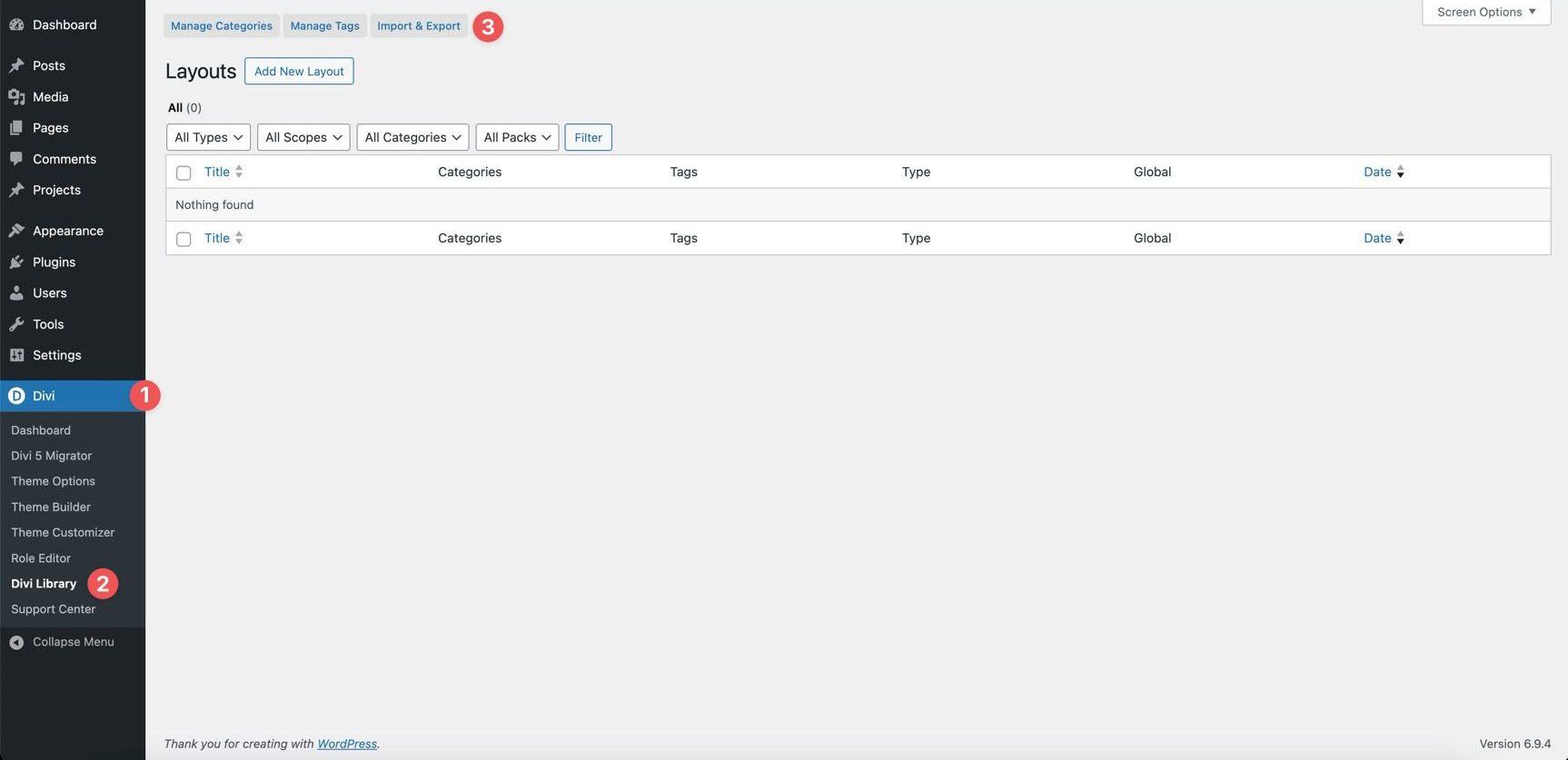
Throughout the Import & Export Layouts modal, switch to the Import tab, then click on on Choose Report and choose your JSON file. Choose any Creative Gradients Phase JSON you’d like to use, then click on on Import Divi Builder Layouts.

2. Add A Creative Gradient Phase To Any Internet web page
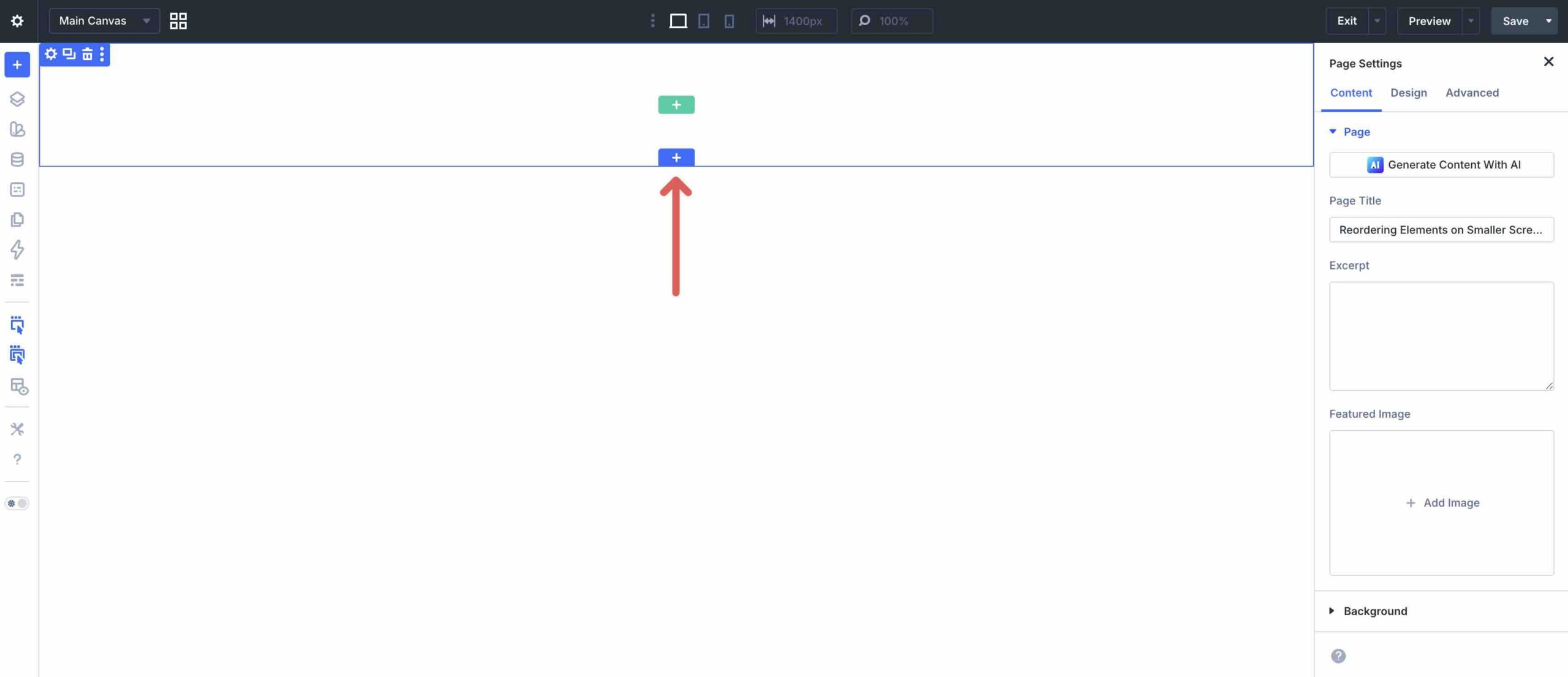
Open a internet web page throughout the Visual Builder and add a brand spanking new Phase.
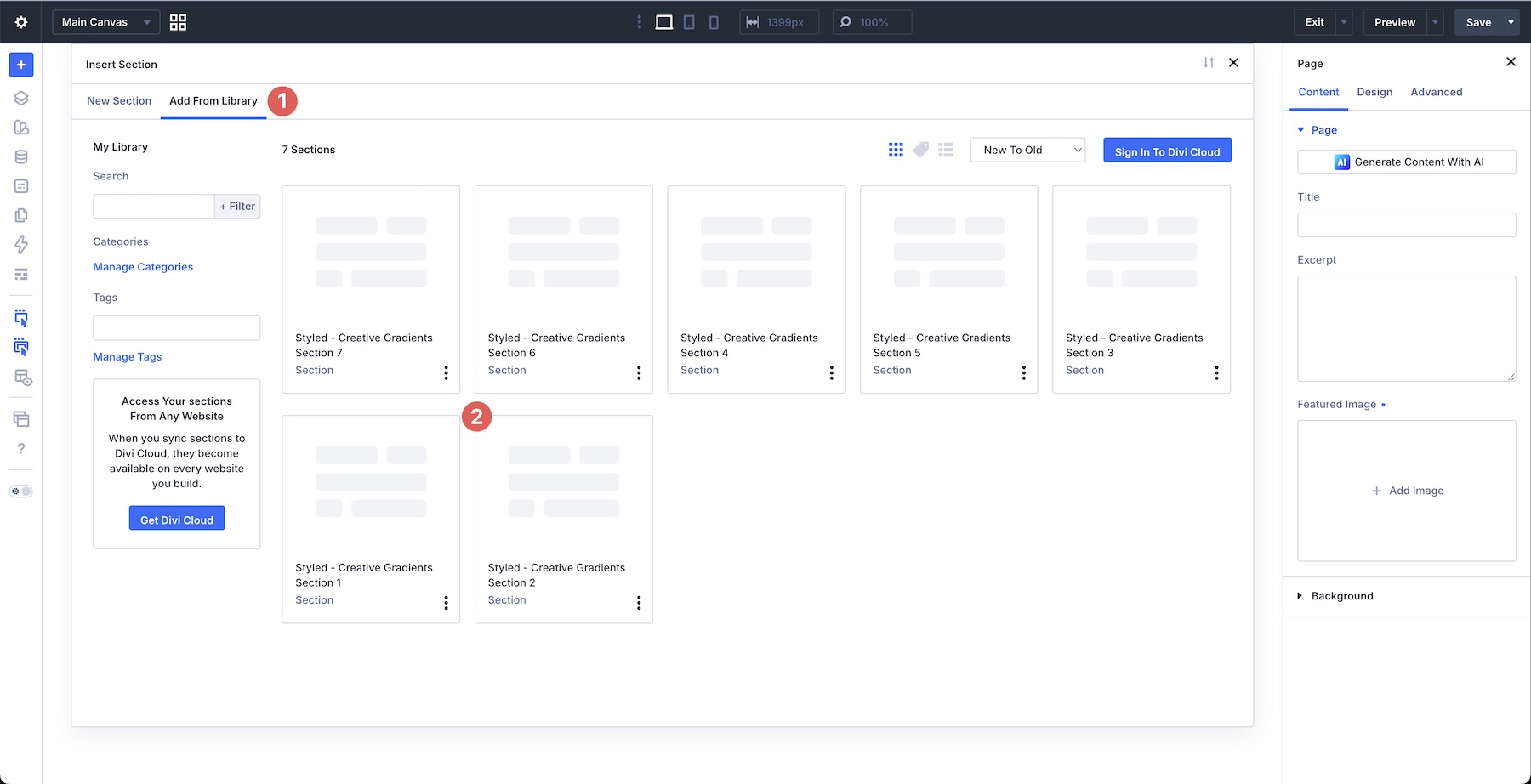
Click on on Add From Library and choose regarded as considered one of your Creative Gradient sections.
3. Transfer The Content material subject matter
As quickly because the phase is on the internet web page, converting the placeholder content material subject matter best takes a few clicks. Get began by way of updating the heading, body replica, buttons, links, labels, captions, serve as text, provider details, product messaging, and calls to movement so the phase suits your emblem and message. Then transfer for your non-public footage, screenshots, product visuals, icons, or supporting content material subject matter as sought after.
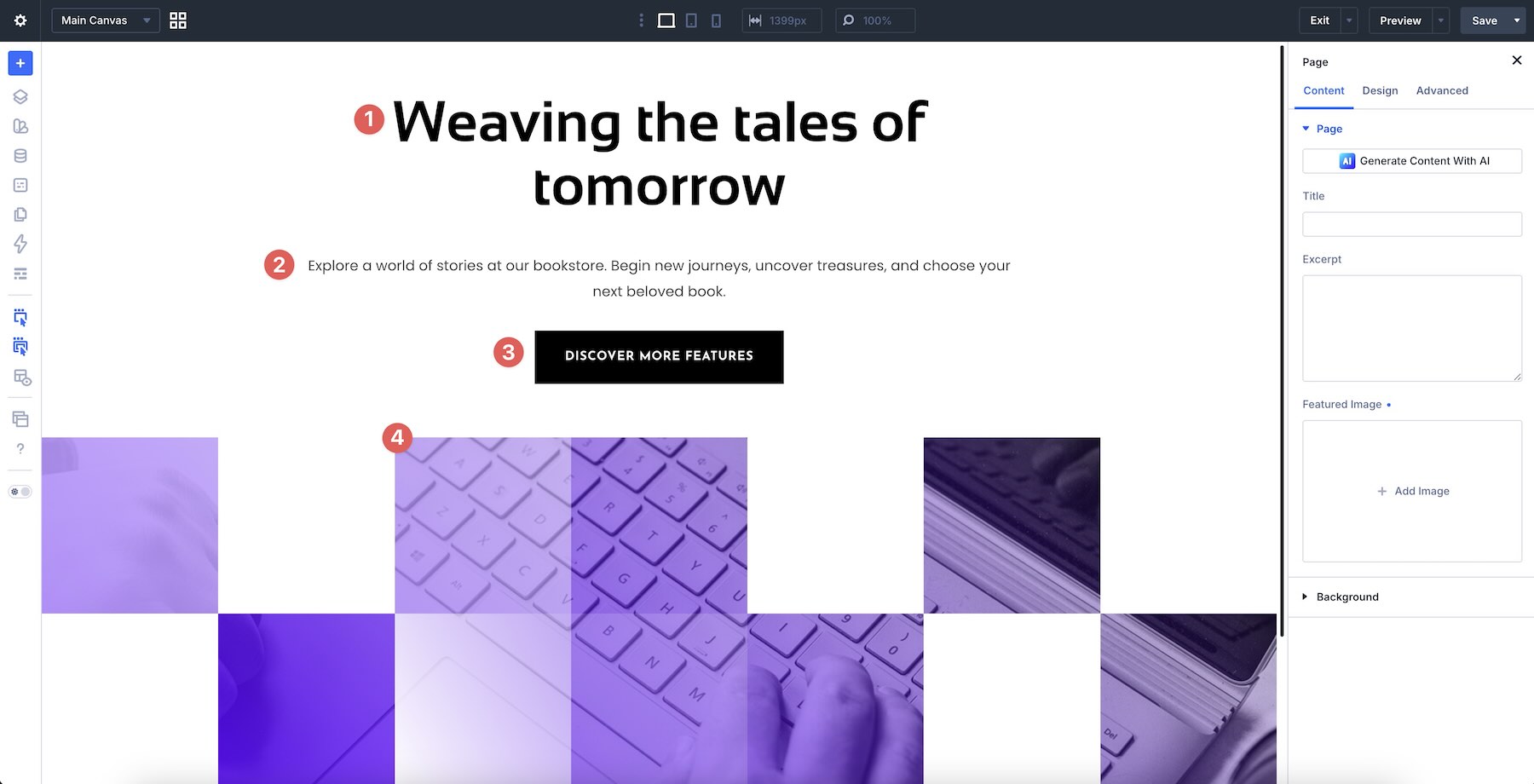
On account of gradient sections rely on colour balance, difference, readability, and spacing, it’s best possible to modify content material subject matter one area at a time. That is serving to care for the relationship between the gradient background, text blocks, footage, buttons, and supporting construction elements as you customize the design.
If your new footage or replica business the steadiness of the phase, review the construction right away after bettering. Gradient-heavy layouts can shift quickly when image brightness, text length, or colour difference changes. Alter background colors, overlay intensity, spacing, or text colour as needed to keep the phase readable.
If you want to prolong or simplify a work, copy or remove present rows, columns, groups, image modules, text modules, buttons, gradient blocks, or content material subject matter areas rather than rebuilding the design from scratch. That’s one of the crucial most straightforward techniques to care for the original building, spacing, and visual rhythm.

4. Alter Types (No longer necessary)
The ones Creative Gradient sections are already styled, so that you’ll use them right away or refine them to better suit your site. Substitute typography, gradient colors, backgrounds, overlays, image remedies, borders, shadows, spacing, buttons, and construction sizing as sought after using the settings throughout the Design tab.
To change typography, open any Text or Heading module and go to the Design tab. Magnify the similar text settings to keep watch over Font, Font Weight, Text Alignment, Text Color, Text Size, Letter Spacing, Line Best, and further.

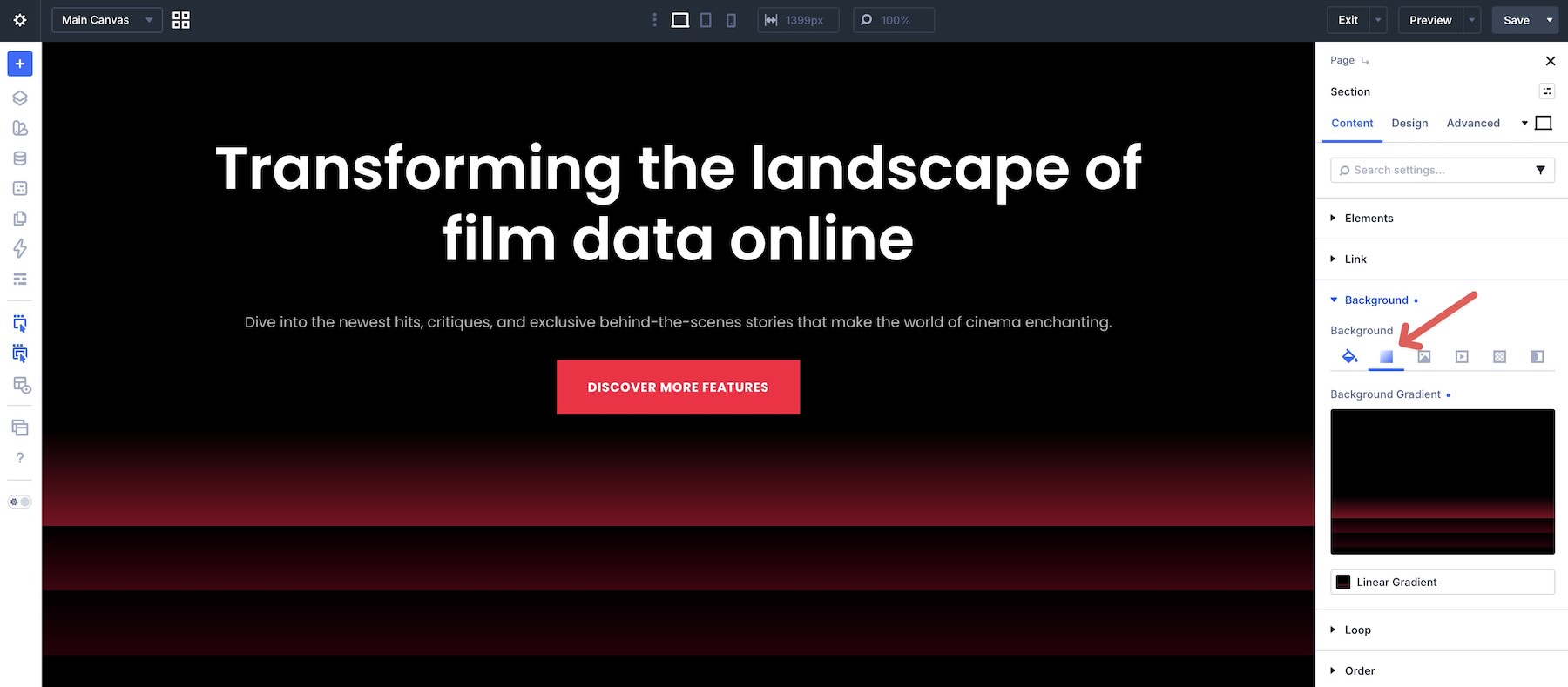
To refine the gradient styling, open the phase, row, column, workforce, or module you need to keep watch over and use the Contetn and Design tabs to tweak Background, Gradient, Gradient Stops, Gradient Sort, Gradient Path, Border Radius, Box Shadow, Sizing, and Spacing settings.
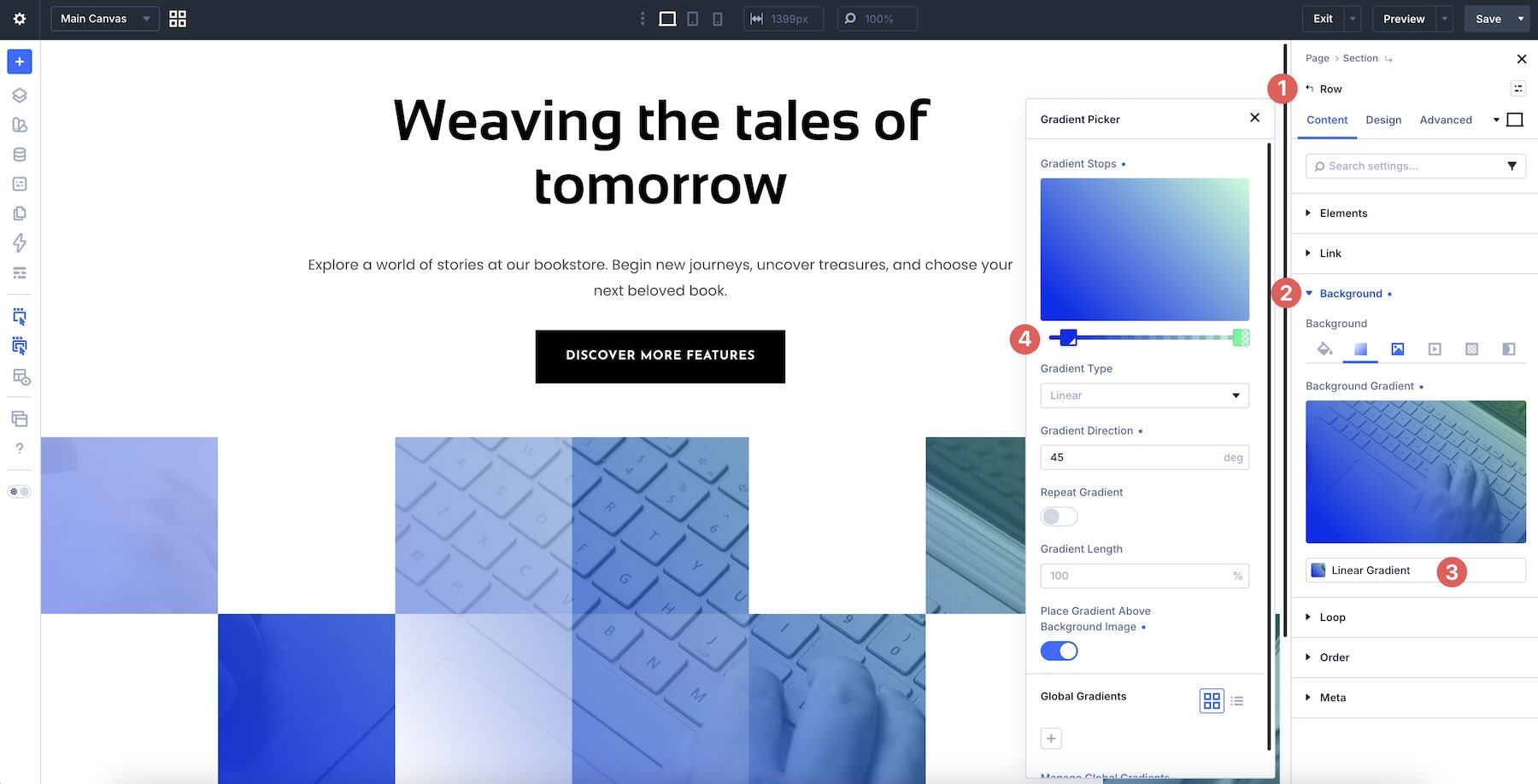
If your phase makes use of snug colour fades, dark gradient overlays, neon accents, layered image blocks, gradient taking part in playing cards, get a divorce backgrounds, or abstract delicate effects, keep those relationships in ideas as you edit so the construction remains cohesive and easy to be informed.
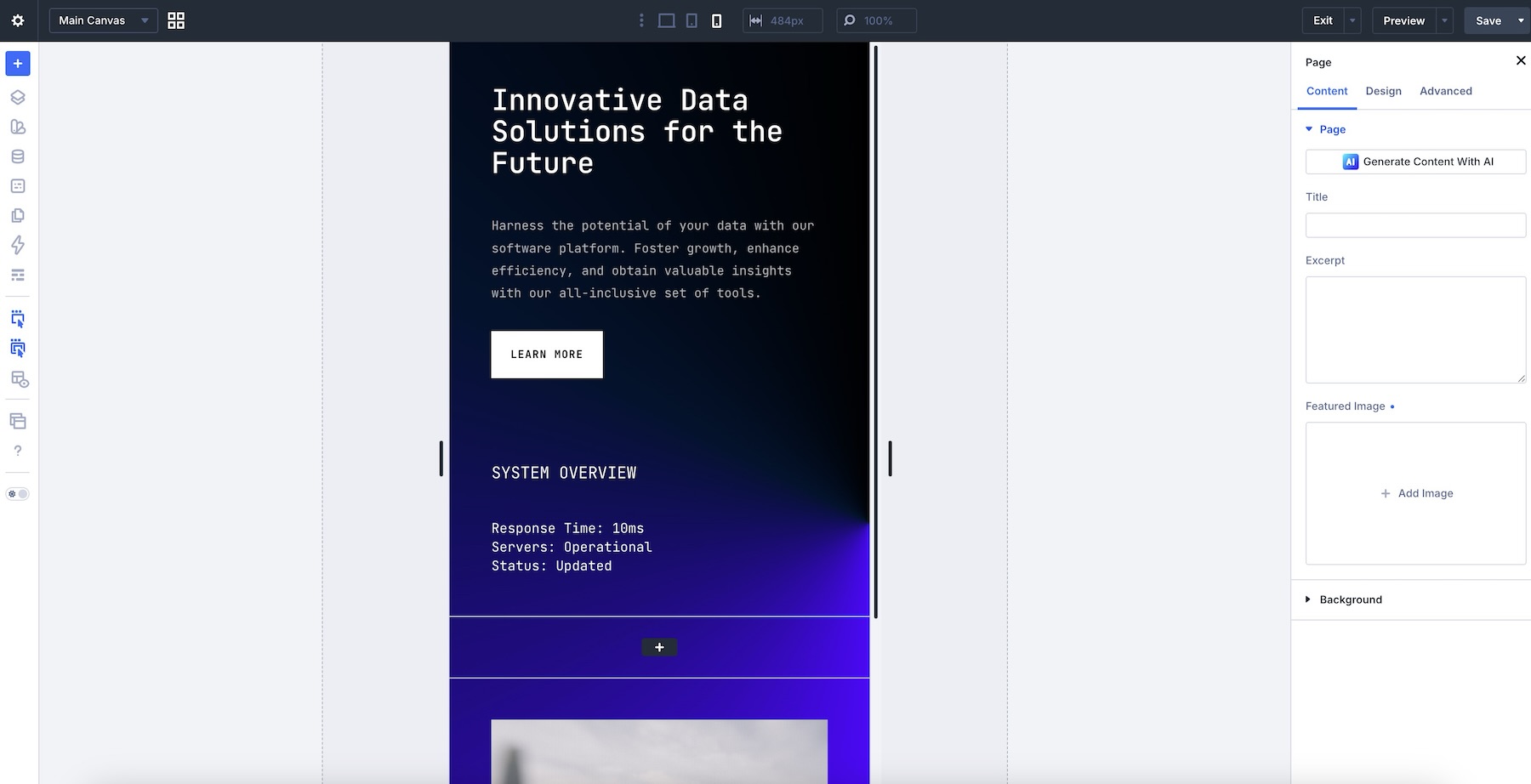
Use Divi’s responsive bettering tools to fine-tune stacking, spacing, image measurement, gradient placement, text difference, column order, and button placement on smaller screens so the construction stays polished all the way through gadgets.
Tips For Environment friendly Gradient Sections
Gradient sections art work best possible when the color treatment is helping the message as an alternative of competing with it. Use the ones rapid tips to keep your sections vibrant, polished, and easy to customize.
Keep Text Difference Clear
Gradients can switch from delicate to dark quickly. Ensure that headings, body text, buttons, and labels keep readable across the entire background, specifically when text sits right away on top of a gradient.

Use Gradients To Create Depth
Gradients can lend a hand a work truly really feel layered and dimensional. Use them to persuade attention, create atmosphere, separate content material subject matter areas, or add depth behind footage and calls to movement.
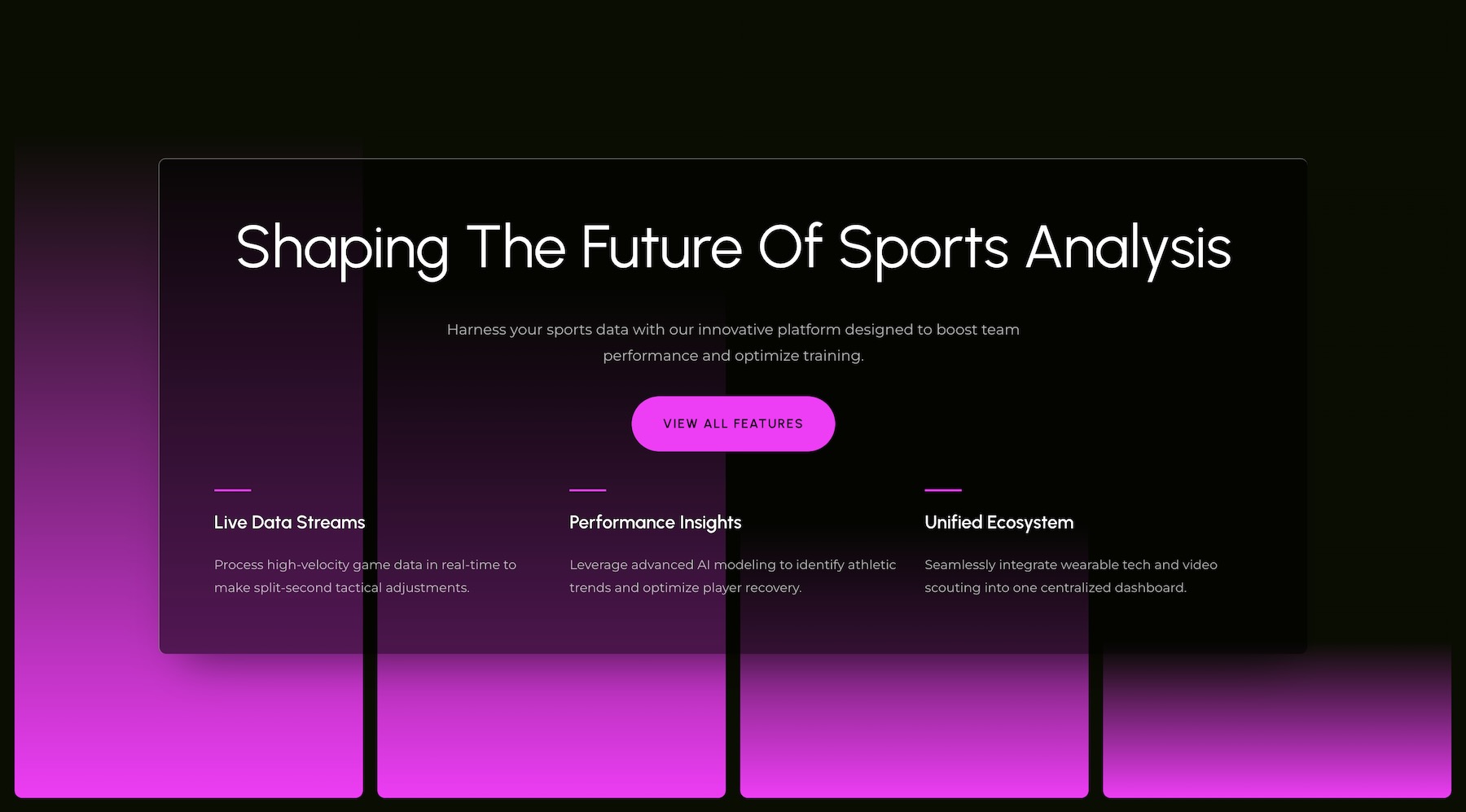
Choose A Centered Color Palette
A formidable gradient does now not need too many colors. Get began with a focused palette, then use subtle transitions, darker overlays, or accent tones to stick the design cohesive.

Balance Colourful Effects With Space
Colourful gradients, glows, and colour overlays need room to breathe. Use spacing and simple content material subject matter blocks to stick the phase feeling polished as an alternative of crowded.

Check out The Construction On Mobile
Gradient sections can business noticeably on tablet and phone screens as content material subject matter stacks and background areas resize. Analysis your construction on smaller gadgets to verify text remains readable, footage nevertheless align, gradients stay intentional, and calls to movement are easy to tap.
Get began Construction In Divi 5 Nowadays!
The ones 7 Creative Gradients get a hold of a handy guide a rough approach to assemble vibrant, stylish sections for hero areas, landing pages, SaaS web websites, wisdom platforms, portfolio layouts, product highlights, creative firms, tech sections, and further. Transfer for your content material subject matter, customize the styling if sought after, and likewise you’ll have a elegant gradient-based phase able in minutes with Divi 5’s Visual Builder.
The put up 7 Inventive Gradients For Divi 5 (Loose Obtain!) appeared first on Chic Subject matters Weblog.




0 Comments