

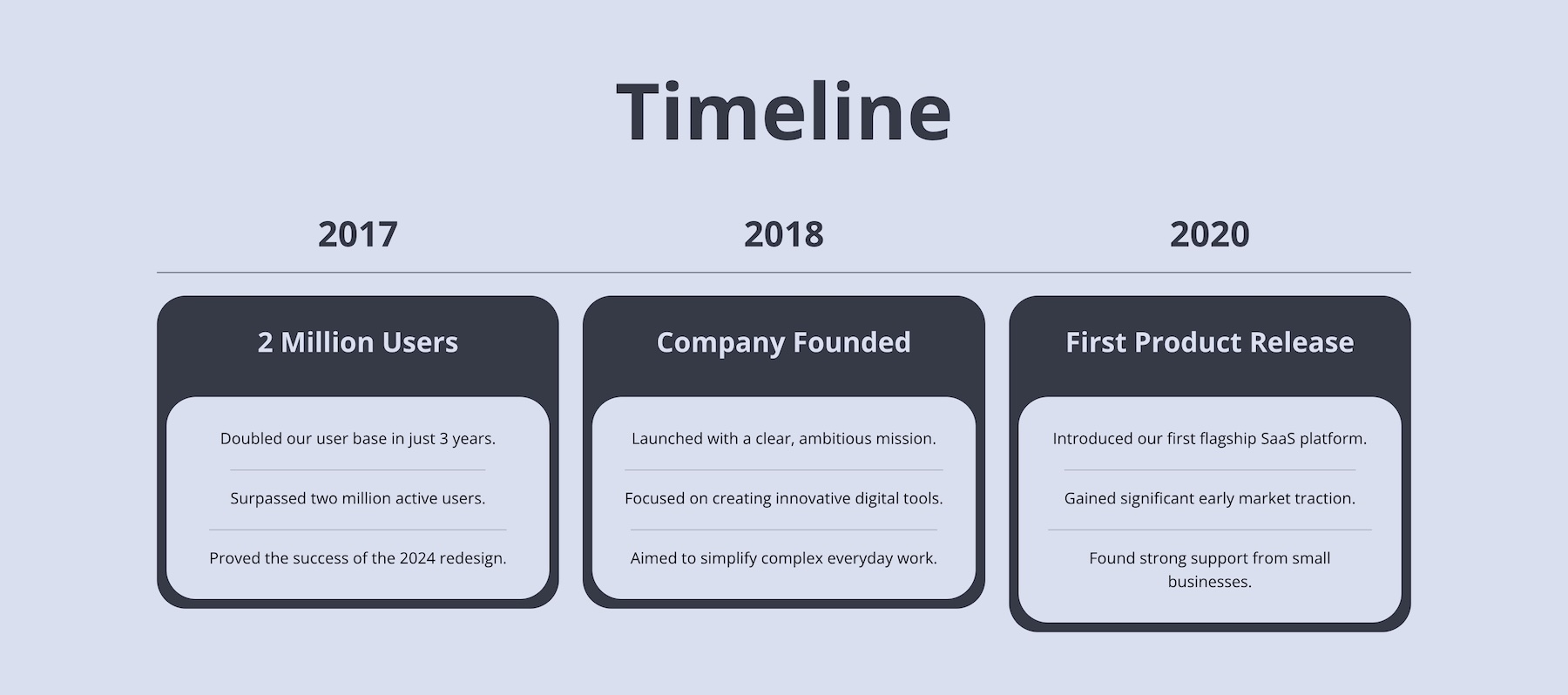
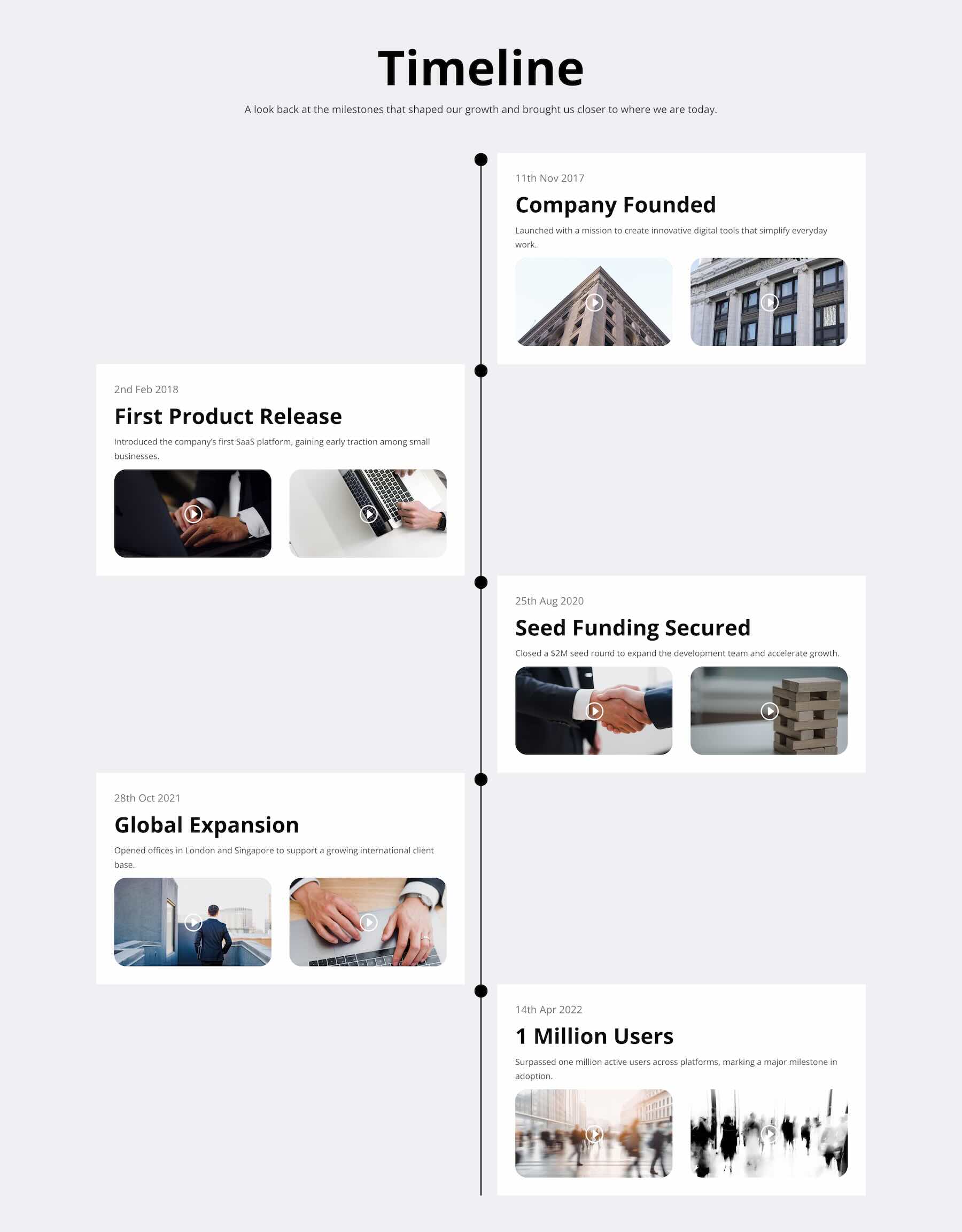
A company history, mission roadmap, or provider process is easier to use when every milestone has a clear place on the internet web page. This free pack offers you 9 Timeline Module designs for Divi 5, able to import and customize with your individual content material subject matter.
One of the designs would in all probability look familiar. Our earlier 11 Timeline Designs For Divi 5 collection was once created forward of Divi had an area Timeline Module. This pack revisits those designs, with 9 permutations built using the Timeline Module. You get familiar starting problems with a building designed specifically for timelines.
Beneath, you’ll preview the collection, download the information, and learn how to replace the content material subject matter and adapt a design for your web site.
Preview
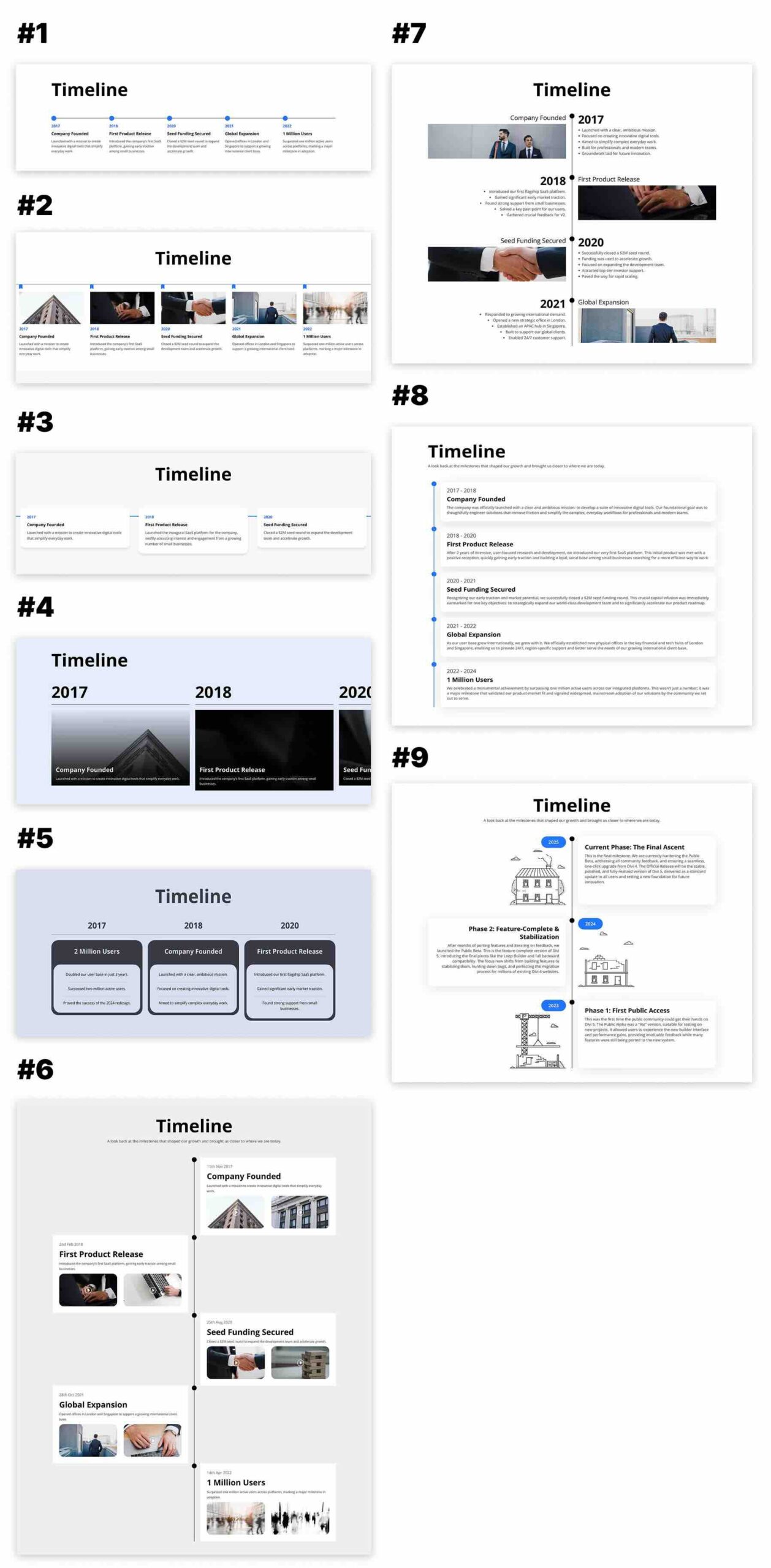
Proper right here’s a take a look on the 9 Timeline Module designs built-in inside the pack. Make a selection the one that most nearly fits your content material subject matter, then make it your individual. The download is further down the post.
Download 9 Timeline Module Designs For Divi 5
Download the free pack beneath and unzip it on your laptop. You’ll use the built-in JSON information to hold the designs into your Divi Library.
Ensure that your web site is working a gift fashion of Divi 5 with the native Timeline Module available forward of importing.

What’s Built-in
The pack accommodates 9 timeline designs built with Divi 5’s native Timeline Module. Each and every offers you a starting construction that you just’ll adapt for your non-public milestones, imagery, and branding.
Use them for company histories, mission levels, product releases, onboarding steps, or other content material subject matter that benefits from a clear collection. Replace the development content material subject matter, adjust the styling, and save the differences you want to reuse.

Familiar Designs, Built With The Timeline Module
The original collection assembled timelines from general-purpose Divi elements. The ones permutations use a Timeline Module and its Timeline Products Modules to arrange the collection. That offers you timeline-specific direction and offset controls, while explicit particular person items can however contain nested modules for additonal content material subject matter.
The visual starting problems are familiar, on the other hand the improving building has changed. The steps beneath practice the new module-based permutations. You’ll be capable of however download the authentic timeline assortment if you want to uncover how the earlier layouts had been assembled.
How To Use The Timeline Module Designs
Keep the unzipped download folder handy. We’ll import a design, place it on a internet web page, and customize its content material subject matter and glance.
1. Import The Designs Into The Divi Library
In your WordPress dashboard, cross to Divi > Divi Library and click on on Import & Export.
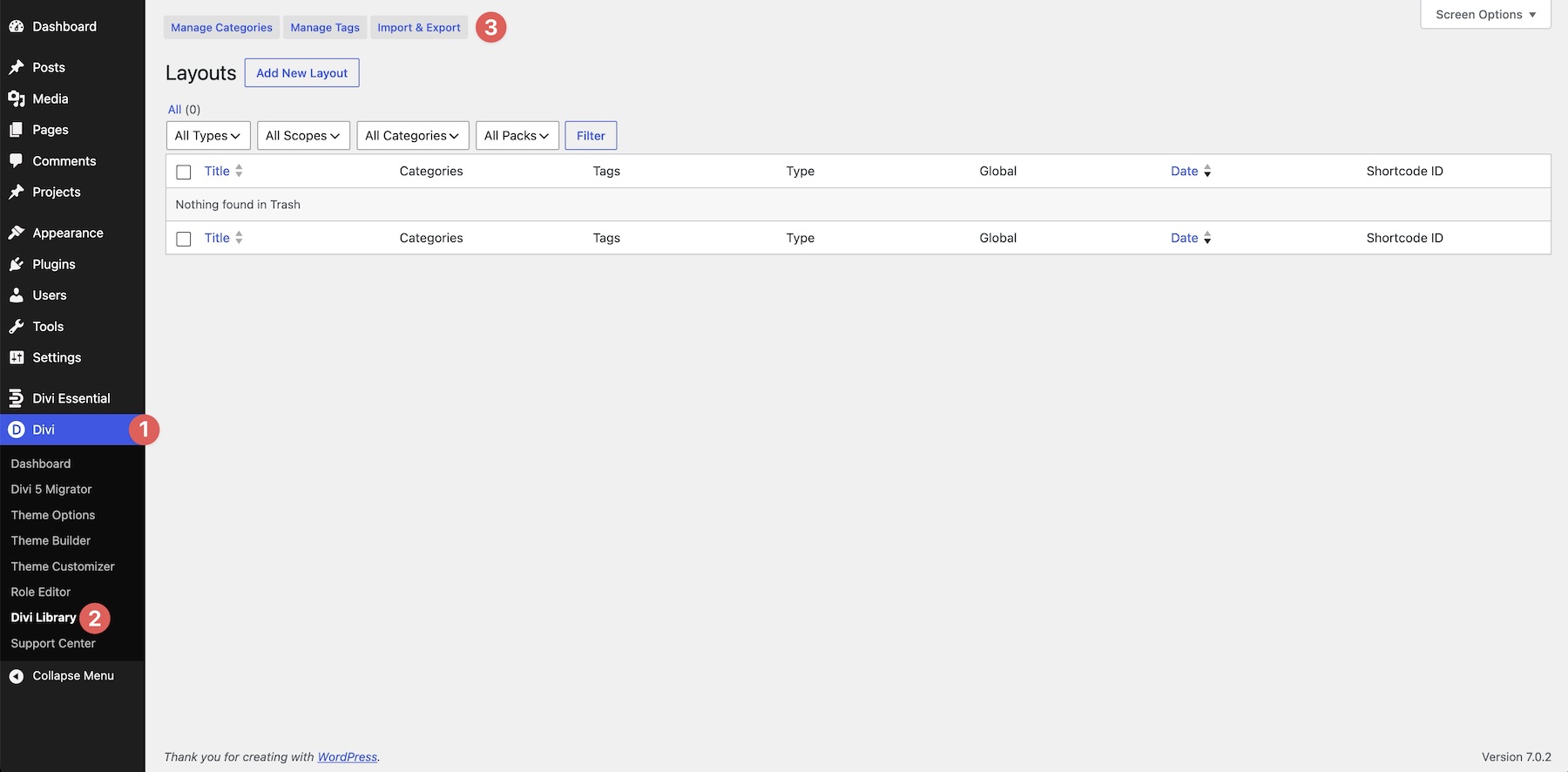
Open the Import tab, click on on Make a selection Report, and make a choice an built-in JSON report from the unzipped download. Make a choice the JSON itself, reasonably than the ZIP archive. Click on on Import Divi Builder Layouts and stay up for the import to finish. Repeat for any longer information you want to use. The imported designs will then be available on your Divi Library.

2. Add A Saved Design To Your Internet web page
Open the internet web page you want to edit inside the Visual Builder. Insert the saved design at the level it was once exported.
For a saved phase, add a brand spanking new phase, make a choice Add From Library, make a choice the timeline design, and click on on Use This Section. This brings inside the surrounding construction in conjunction with the timeline.
For a standalone saved module, open the module insertion dialog inside your decided on column and make a choice the design from the Library there.
As quickly because the design is on the internet web page, open the Timeline Module’s settings. If when you have hassle selecting it on the canvas, use the Layers panel to seek out the Timeline Module and its items.
3. Replace The Timeline Content material subject matter
Open the Timeline Products you want to edit. Replace the development heading, description, and any date or milestone label used in that design. Keep the wording explicit for your mission so visitors can understand what happened at every level.
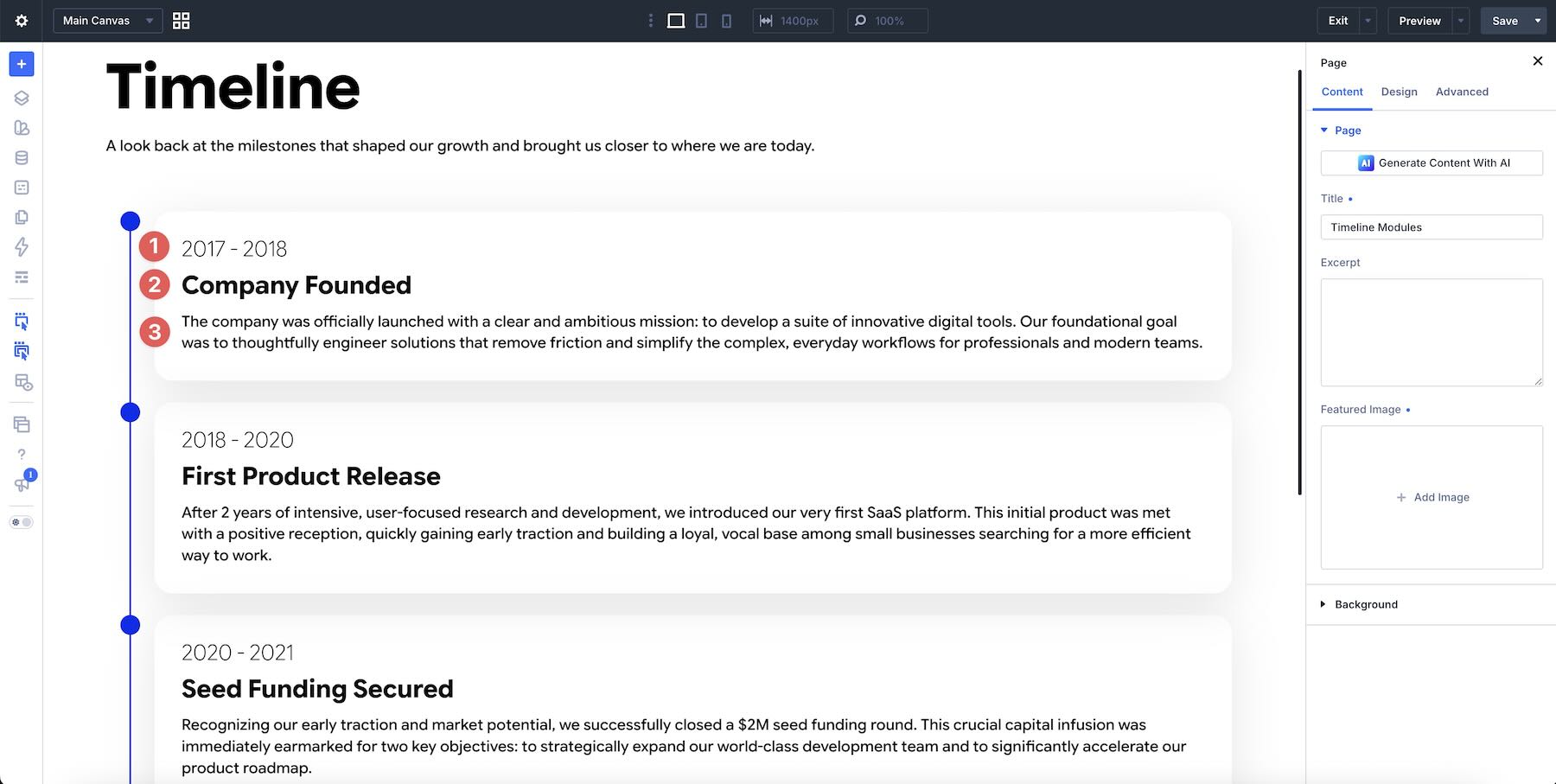
A company history might use a three hundred and sixty five days and a short lived description of every milestone. A provider process might use labels identical to Discovery, Design, and Unencumber. Use one labeling manner constantly everywhere the timeline.
If an products accommodates nested modules, open the similar module to switch its content material subject matter. For example, edit a nested Image Module to switch {{a photograph}}, or a Button Module to modify its label and holiday spot URL.
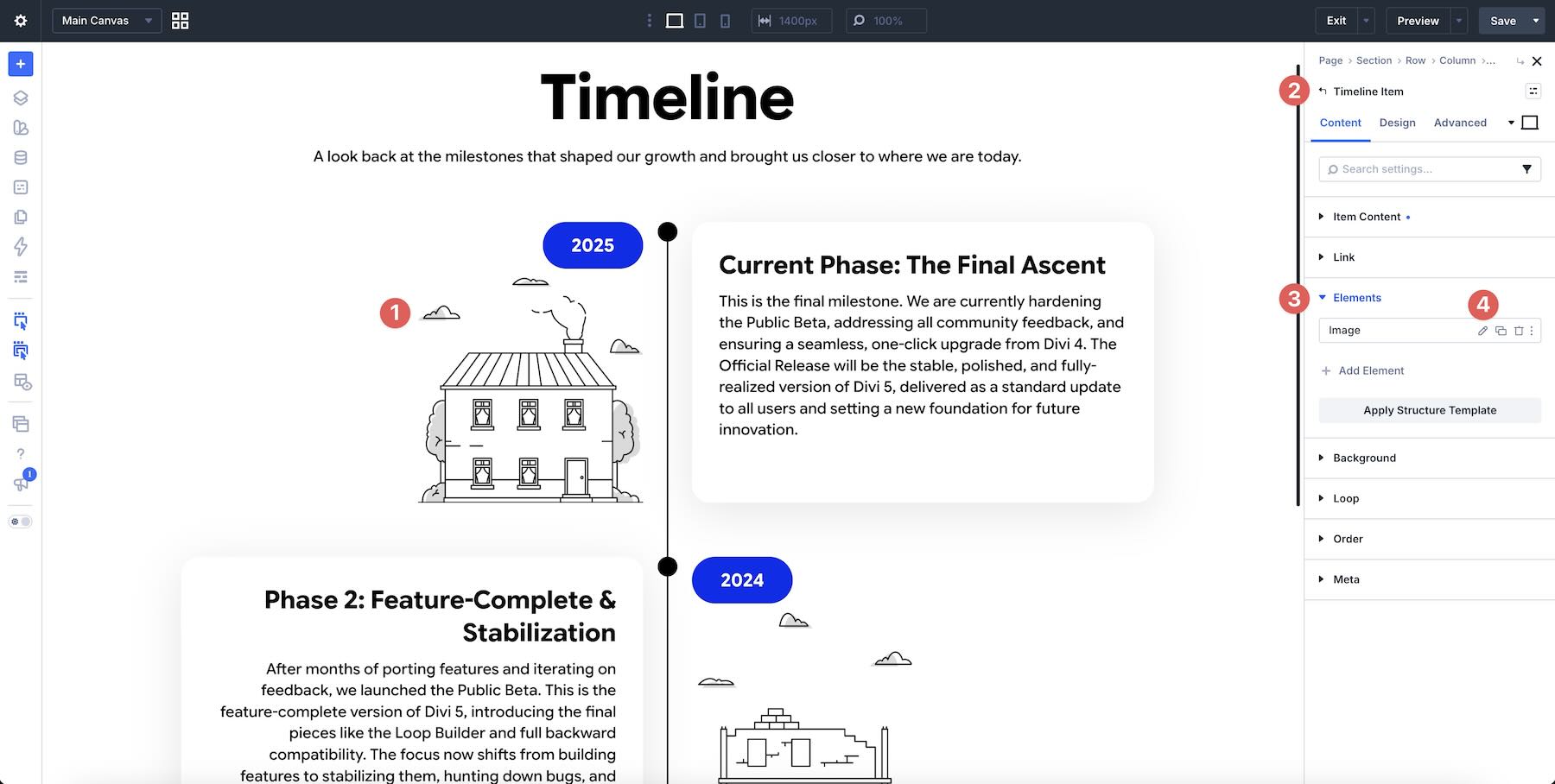
Artwork by the use of every products and replace any remaining development links. Preview the timeline at the side of your precise content material subject matter forward of creating final spacing adjustments, since longer headings and descriptions can alternate the stableness of the construction.
4. Add, Remove, Or Reorder Items
Adjust the timeline to test the number of milestones you wish to have. Copy an present Timeline Products when you want to reuse its building, then replace the duplicated content material subject matter. Remove items that don’t belong on your collection.
Use the object controls or the Layers panel to prepare the Timeline Items inside the order you want visitors to be told them. Switch all the products so its label, text, and nested content material subject matter stay together.
For a process, keep the degrees inside the order people entire them. For a company or product history, make a choice chronological or reverse-chronological order and practice it constantly. Changing a displayed date alone does now not establish the order of manually arranged items.
5. Have compatibility The Styling To Your Internet web page
Use the Design settings to adapt the imported timeline for your web site’s typography, colors, and spacing. Get began with the main text and background colors, then refine the timeline details and the spacing spherical every products.
You’ll be capable of moreover use Divi 5’s Inspector to test the categories used inside the design and make coordinated adjustments. That turns out to be useful when you want an imported timeline to test the rest of a internet web page.
When you have a method you want to duplicate, save the similar settings as a Preset. Save all the customized construction for your Divi Library when you want to reuse its building and content material subject matter as smartly. A styling Preset and a saved construction serve different purposes.
6. Check out Tablet And Phone Layouts
Switch between desktop, tablet, and get in touch with views to look how the timeline fits at different widths. Pay specific attention to long headings, footage, and the space available for every description.
Use Divi 5’s Customizable Responsive Breakpoints to keep watch over the design where sought after. A horizontal affiliation would in all probability benefit from a vertical direction on smaller shows. Check out the object’s offset and alignment alongside the direction so the collection stays easy to use.
Preview the finished internet web page outdoor the builder too. Ensure that each and every milestone is readable, links are easy to choose, and the timeline does now not create unwanted horizontal scrolling.
Pointers For Environment friendly Timelines
The construction gives your story a building. The ones small content material subject matter and design imaginable alternatives help visitors practice it.
Keep Each and every Milestone Centered
Use a short lived heading and a temporary description for every products. Give readers the main match or movement first, then link to a separate internet web page if they would like further component. An equivalent text lengths can help the timeline in reality really feel balanced, on the other hand clarity problems more than making each and every card an equivalent.
If the copy is simply too long, Divi AI can help shorten it. Review the outcome to make sure vital dates, names, and information keep right kind.

Give Crucial Moments Additional Emphasis
A unencumber, number one achievement, or provide mission phase would in all probability deserve a stronger heading, an image, or an adjunct coloration. Use that emphasis selectively so readers can distinguish key moments from supporting steps.

Keep Text Easy To Be told
Make a selection text and background colors that keep distinct, specifically when an products includes a {{photograph}} or gradient. Check out small labels and dates as in moderation as the main headings. If the background competes with the copy, simplify it or place the text on a solid ground.
Use Consistent Imagery
Make a selection pictures and icons that artwork together. Consistent image proportions and a shared icon style make the timeline easier to scan. Use similar visuals for the milestones that need them, reasonably than together with an image to each and every products simply to fill area.
Give informative footage useful alt text. Leave the alt text empty for footage which may well be purely decorative.

Use Motion Selectively
A mild entrance animation can help introduce a milestone. Keep it restrained and make sure the content material subject matter remains readable while visitors scroll. A chronic timeline should be relaxed to browse without having a look ahead to repeated effects to finish.
Assemble Your Next Timeline With Divi 5
The ones 9 Timeline Module designs get a hold of a well known set of starting problems with Divi 5’s trustworthy timeline building underneath. Import the design that fits your mission, replace the milestones, and adapt the styling for your web site.
Whether or not or no longer you’re explaining a process or sharing a company history, Divi 5 offers you the tools to shape the collection spherical your content material subject matter.
The post 9 Timeline Module Layouts For Divi 5 (Loose Obtain!) appeared first on Chic Topics Weblog.




0 Comments