


Divi 5 is now to be had, bringing a rebuilt basis curious about efficiency, a modernized builder revel in, and a rising listing of recent options. One of the crucial newest additions is Editable Theme Builder Areas, additionally known as entire web site enhancing. As a substitute of leaving the Visible Builder to open the Theme Builder one after the other, you’ll now edit the lively header, footer, and frame template spaces at once at the entrance finish whilst running at the web page itself.
This creates a smoother workflow for the reason that world template spaces assigned to the web page you’re viewing seem within the similar enhancing consultation. You’ll replace site-wide components and page-level content material facet through facet, with much less context switching and sooner visible comments.
On this publish, we’ll stroll thru what Editable Theme Builder Spaces are, methods to use them, and a couple of sensible techniques to paintings with them extra successfully.
Let’s dive in.
What Are Theme Builder Spaces In Divi 5?
Divi has at all times been greater than a web page builder. It additionally will give you keep watch over over structural portions of your WordPress website online, together with headers, footers, publish templates, product templates, class templates, and different dynamic layouts.
The ones site-wide and conditional layouts are controlled throughout the Theme Builder, the place you’ll create templates the usage of Divi’s modules and design settings, then assign them to precise portions of your web site.

Historically, enhancing the ones templates intended going to WordPress Dashboard > Divi > Theme Builder, opening the related template, and dealing on it in a separate builder consultation. In Divi 5, that workflow adjustments. The Theme Builder spaces assigned to the present web page can now be edited at once throughout the Visible Builder at the entrance finish.
Succeed in Entire Web page Enhancing In Divi 5
With this replace, Divi 5 brings a extra entire front-end enhancing revel in. Whilst you discuss with a web page, publish, archive, product web page, or every other template-driven space of your website online, you’ll click on Edit With Divi and open the builder with the related Theme Builder spaces already loaded.
Within the builder, you’ll paintings around the complete web page construction in a single position, together with the header template, the web page or template frame, and the footer template. That suggests you’ll refine world components and native content material with out bouncing between separate interfaces.

Key Benefits
- Much less context switching: You’ll edit the assigned header, frame, and footer in a single builder consultation as a substitute of opening the Theme Builder one after the other.
- Seamless enhancing between spaces: You’ll reproduction, paste, drag, and transfer components between template spaces extra naturally whilst seeing the total web page context.
- Entrance-end enhancing on extra portions of your web site: Divi 5 makes Edit With Divi to be had throughout extra template-driven spaces, now not simply singular content material like pages and posts.
- Higher visible decision-making: Since you’re enhancing in context, it’s more straightforward to pass judgement on spacing, navigation, calls to motion, and the way world components have interaction with the content material under them.
This makes enhancing headers, footers, and frame templates really feel extra built-in and environment friendly, particularly whilst you’re fine-tuning site-wide components in context.
How To Get admission to And Use Editable Theme Builder Spaces
Enhancing Theme Builder Spaces in Divi 5 occurs at once at the entrance finish. Right here’s methods to get began.
Log in to WordPress and navigate to the entrance finish of your website online. Click on the Edit With Divi button within the best admin bar.

As soon as the builder opens, hover over the header, footer, or different template-controlled space. Divi highlights Theme Builder spaces with a shiny inexperienced label so that they’re simple to spot.

Click on into the Header space to begin enhancing it at once.
From there, you’ll edit the header like some other a part of the structure. For instance, you’ll reproduction a Button module from the frame content material and position it at once into the Header space with out leaving the builder.
Whilst you’re completed, save your adjustments as standard.

Similar to edits made throughout the Theme Builder, adjustments to a world template space follow all over that template is assigned.
One vital factor to bear in mind is scope. You’re enhancing the Theme Builder spaces assigned to the web page you’re lately viewing, so any adjustments to these world templates will impact each and every location the place that template is used.
By way of bringing Theme Builder enhancing into the Visible Builder, Divi 5 gets rid of numerous back-and-forth from the workflow and makes site-wide enhancing really feel sooner and extra intuitive.
Managing And Protective Editable Spaces
Direct front-end get admission to to Theme Builder spaces is strong, however there might be occasions when you need to simplify the interface or limit get admission to, particularly on shopper internet sites or collaborative builds.
Disable Theme Builder Spaces In The Visible Builder
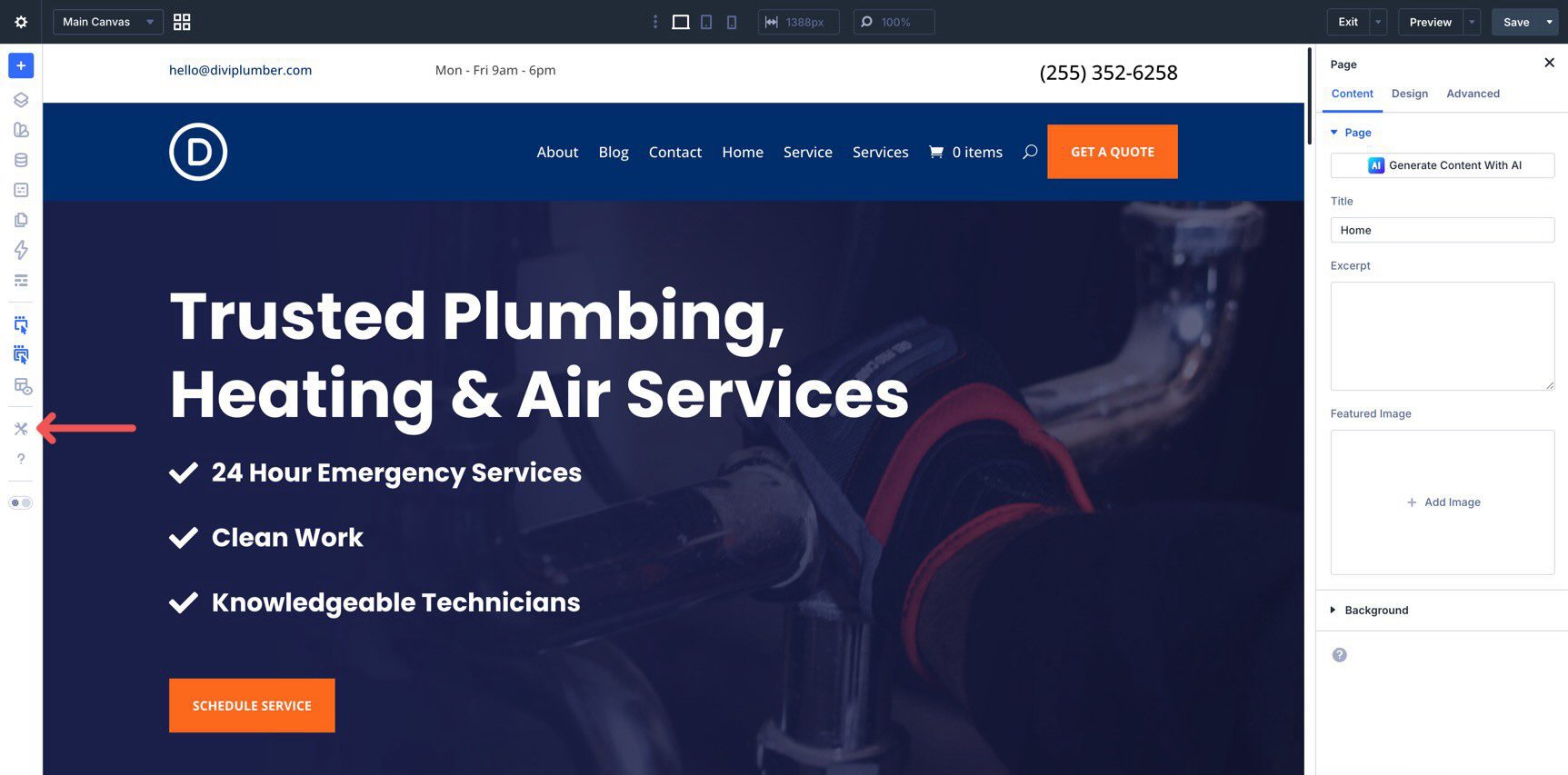
If you wish to cover Theme Builder spaces whilst enhancing, release the Visible Builder on any web page and click on the Builder Settings icon within the left sidebar.
When the Builder Settings modal opens, scroll till you to find the Display Theme Builder Layouts toggle. Transfer it off to cover the ones spaces from the present enhancing view.

The header and footer will now be hidden within the builder, permitting you to center of attention handiest at the web page content material.

That is particularly helpful whilst you’re enhancing content material on a reside web page and don’t need world template spaces cluttering the workspace.
Use The Divi Function Editor To Prohibit Get admission to
For shopper or workforce internet sites, you’ll save you positive customers from enhancing Theme Builder spaces totally.
Pass to the WordPress dashboard and make a choice Divi > Function Editor.
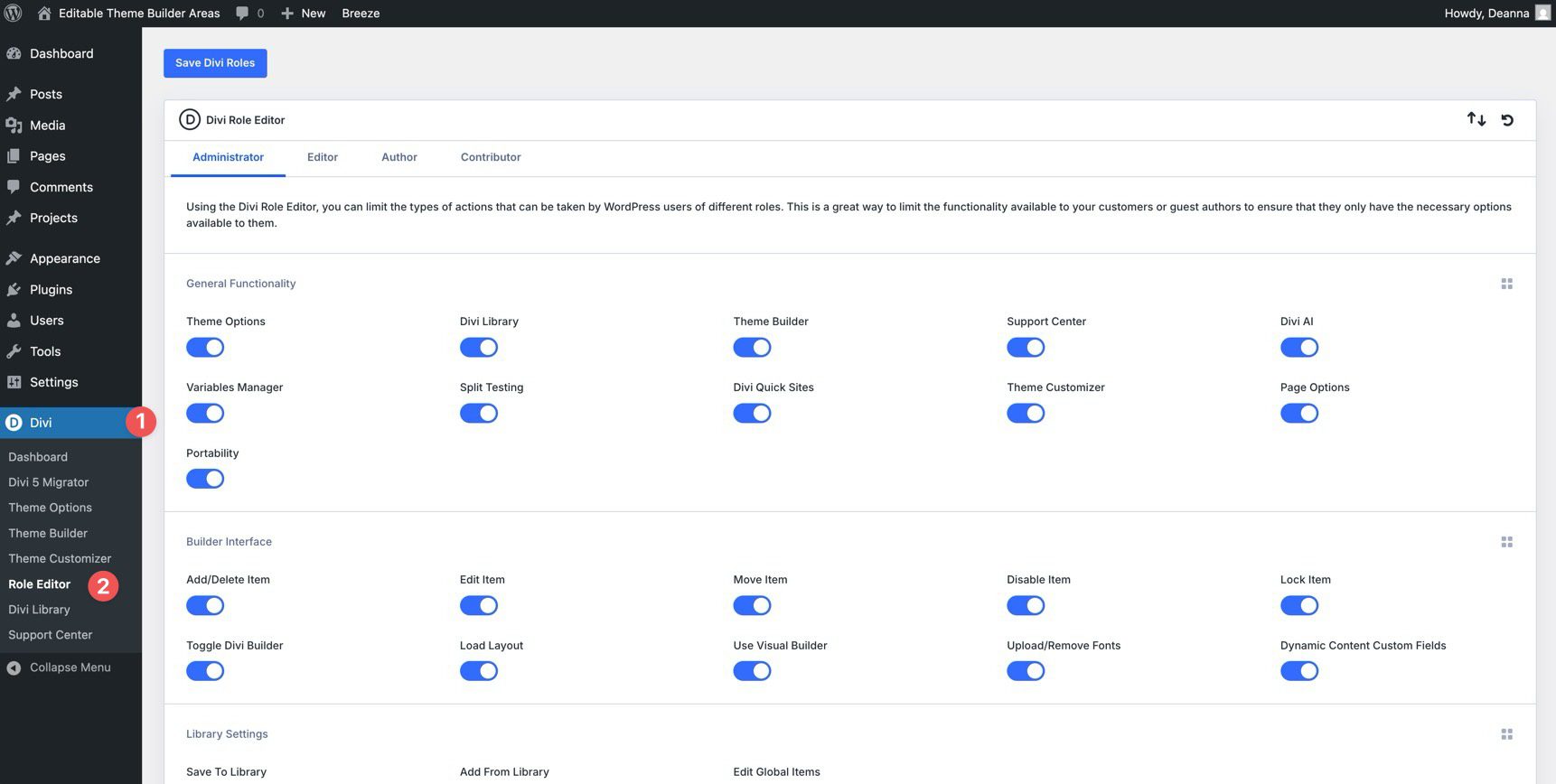
To limit get admission to, toggle Theme Builder off within the Normal Capability settings for the related position.

Click on the Save Divi Roles button to use the adjustments.
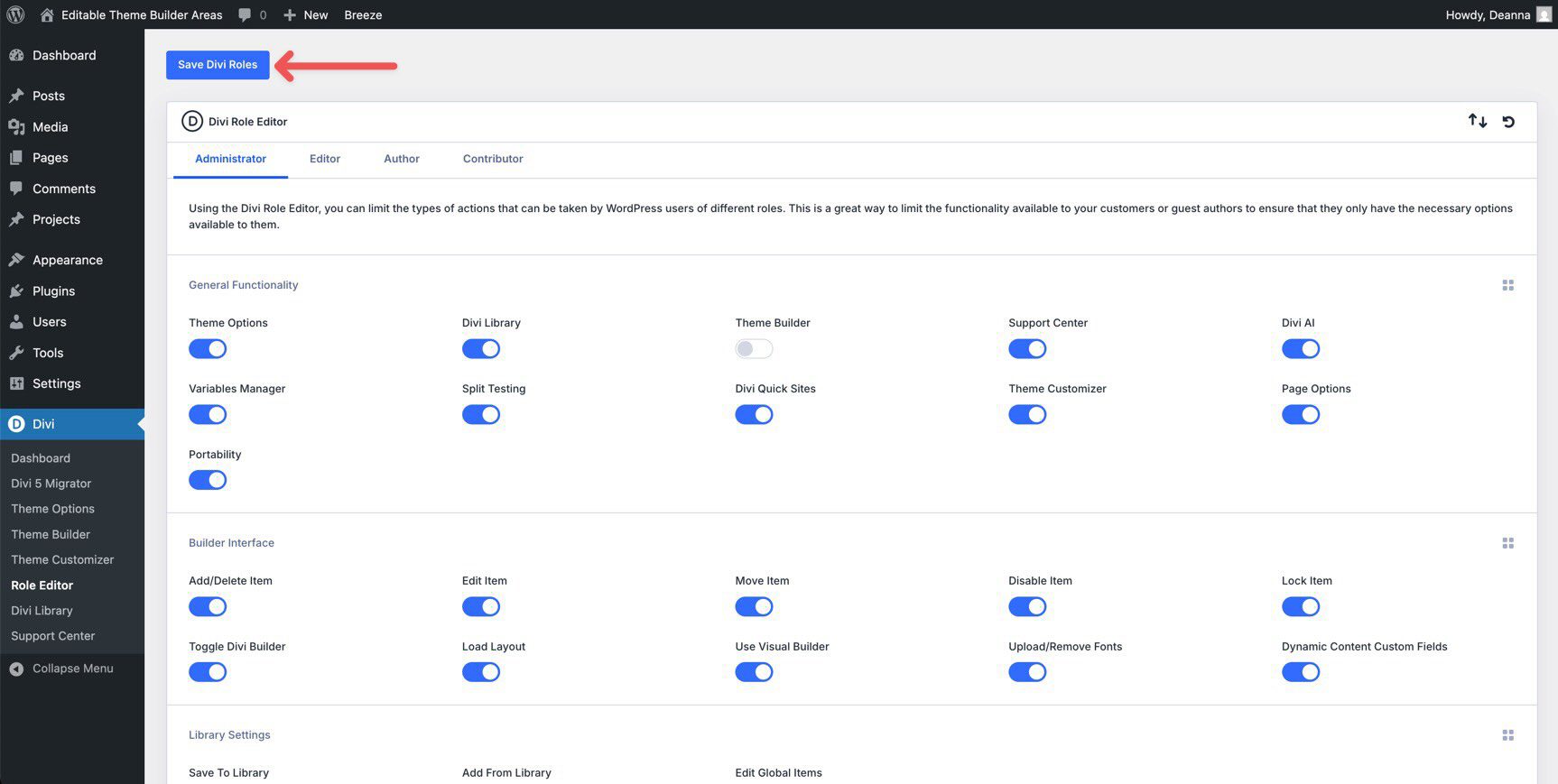
Customers will nonetheless be capable of paintings with web page content material within the Visible Builder, however they received’t be capable of get admission to or edit Theme Builder templates.

The mix of the in-builder toggle and the Function Editor will give you each workflow flexibility and coverage in opposition to unintentional world edits.
Guidelines And Very best Practices
Listed here are a couple of sensible techniques to get much more out of Editable Theme Builder Spaces in Divi 5.
Use Layer View Or Breadcrumbs
World spaces like headers and footers incessantly include extra complicated constructions, together with Nested Modules and Nested Rows. As a substitute of searching visually for the proper part, open Layer View to peer the total hierarchy and bounce at once to the thing you need.
Divi 5 Breadcrumbs additionally show you how to transfer up and down a deep structure construction with out over the top clicking or scrolling.

Permit Speculative Prerendering
Divi 5’s Speculative Prerendering is helping accelerate navigation through preloading most likely subsequent pages according to consumer conduct. That may make getting into and exiting the builder, or transferring between pages whilst checking out template edits, really feel a lot sooner.
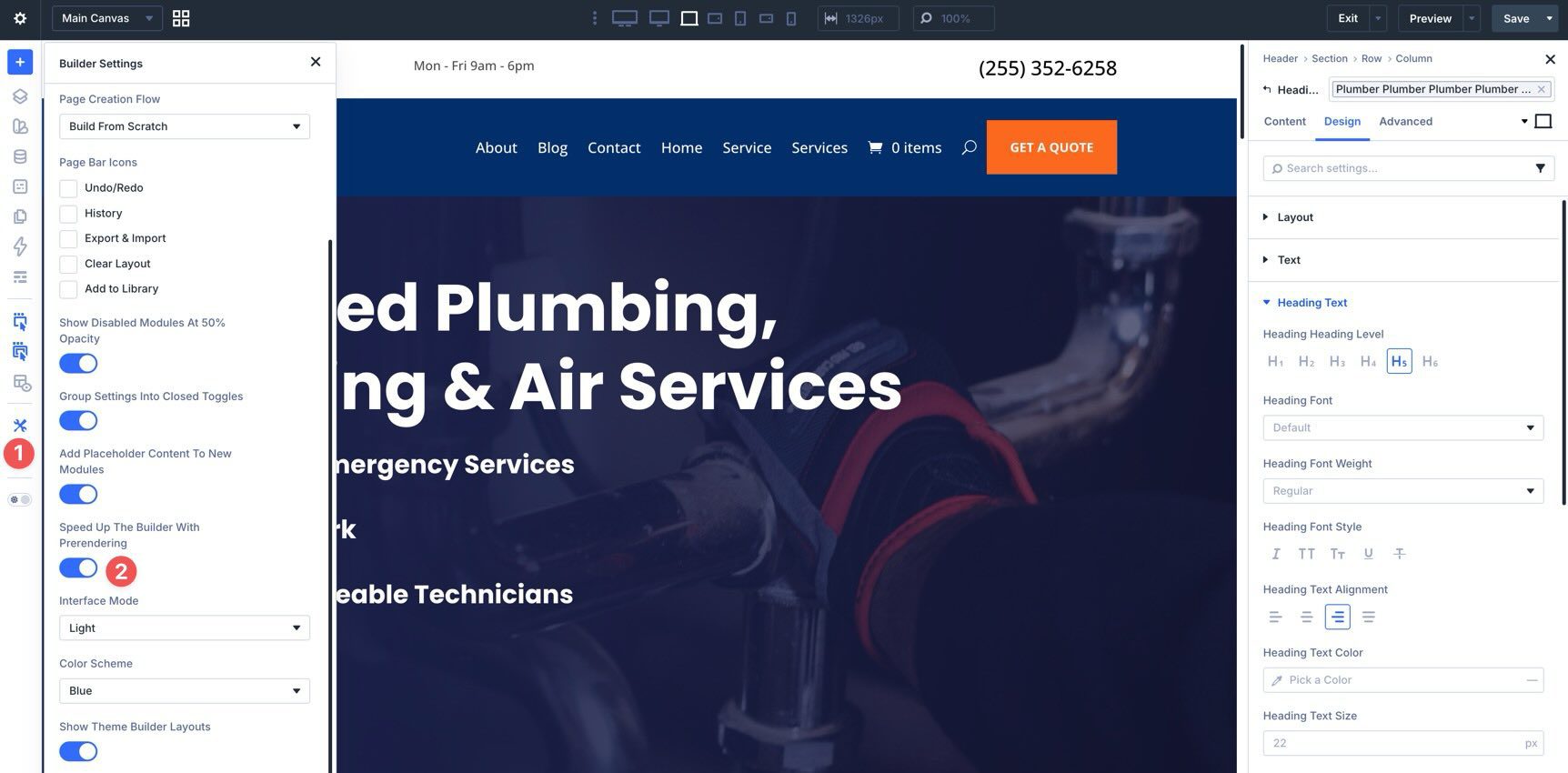
In case you’re making a number of header, footer, or template changes throughout other pages, this option can noticeably scale back friction for your workflow.
Use Design Variables And Presets For Consistency
Outline Design Variables similar to logo colours, font sizes, and spacing values within the Variable Supervisor.
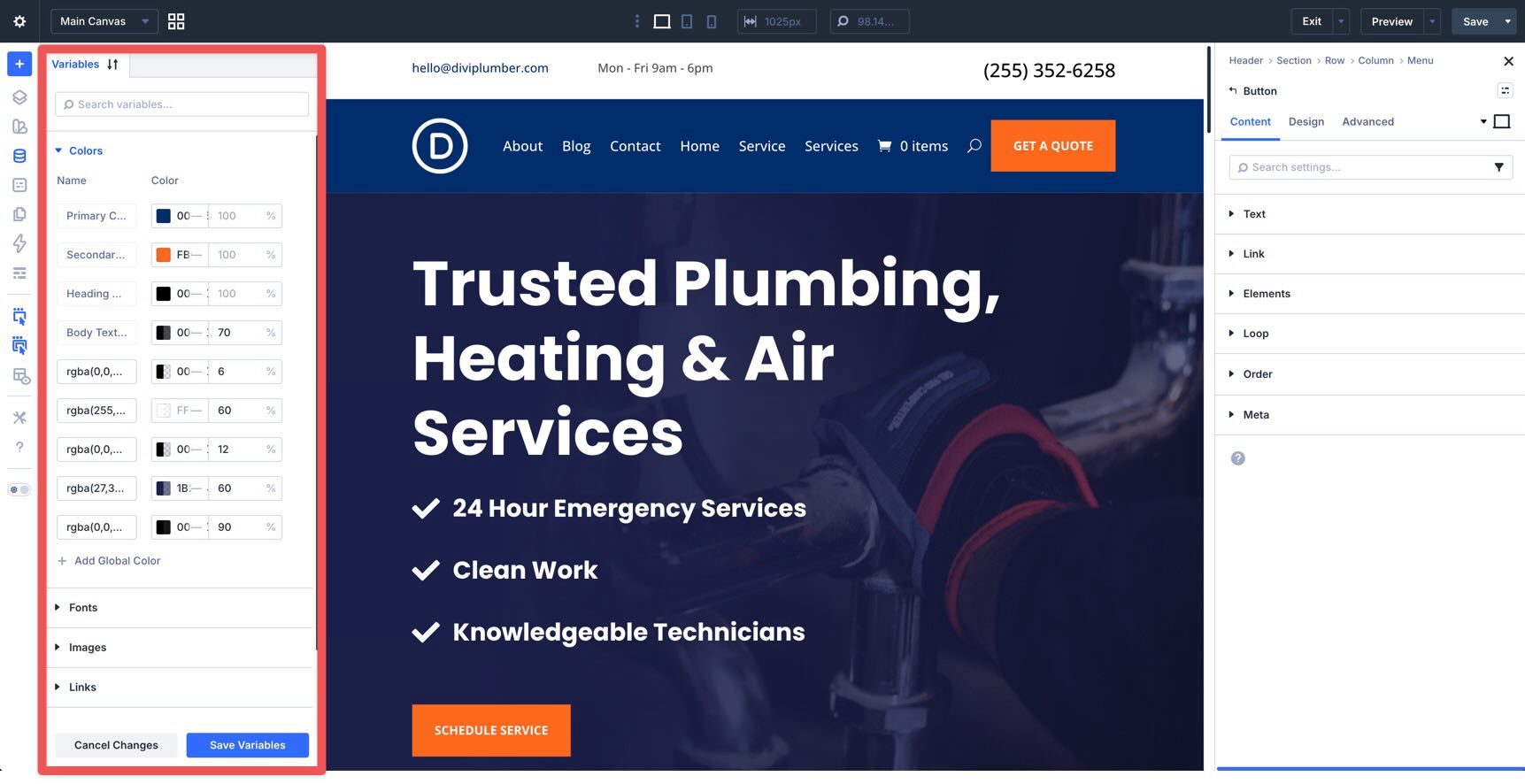
Then follow them thru Element Presets or Option Group Presets to stay styling constant throughout world spaces.
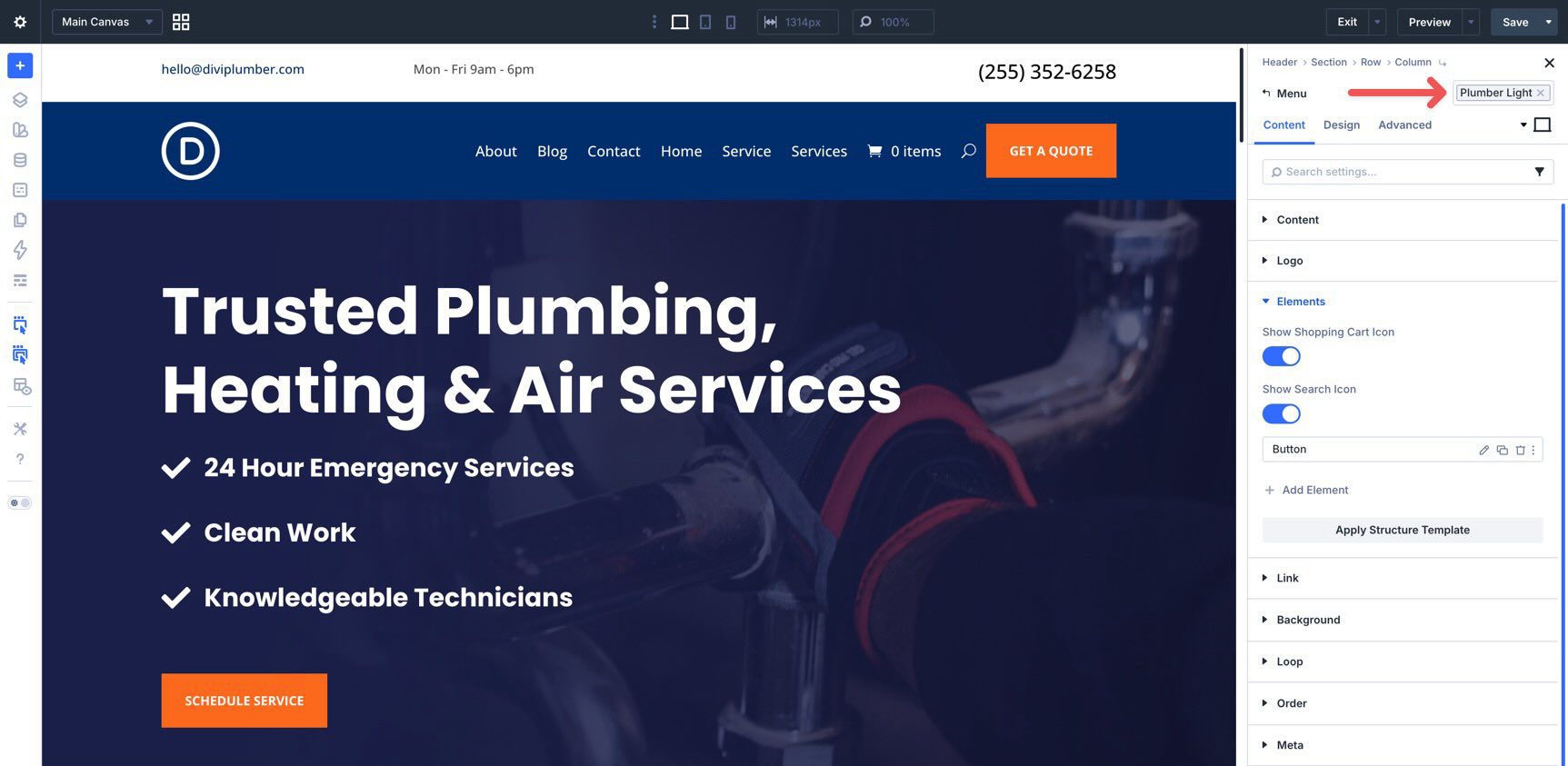
That is specifically useful for headers and footers. As a substitute of manually repeating design alternatives, you’ll replace a variable or preset as soon as and take care of consistency throughout each and every assigned template space that makes use of it.
Check World Adjustments With Responsive Equipment
As a result of Theme Builder Spaces impact more than one portions of your website online, each and every exchange must be reviewed throughout display screen sizes. Use Divi’s Customizable Responsive Breakpoints to test how your world layouts behave on desktop, pill, and cell.
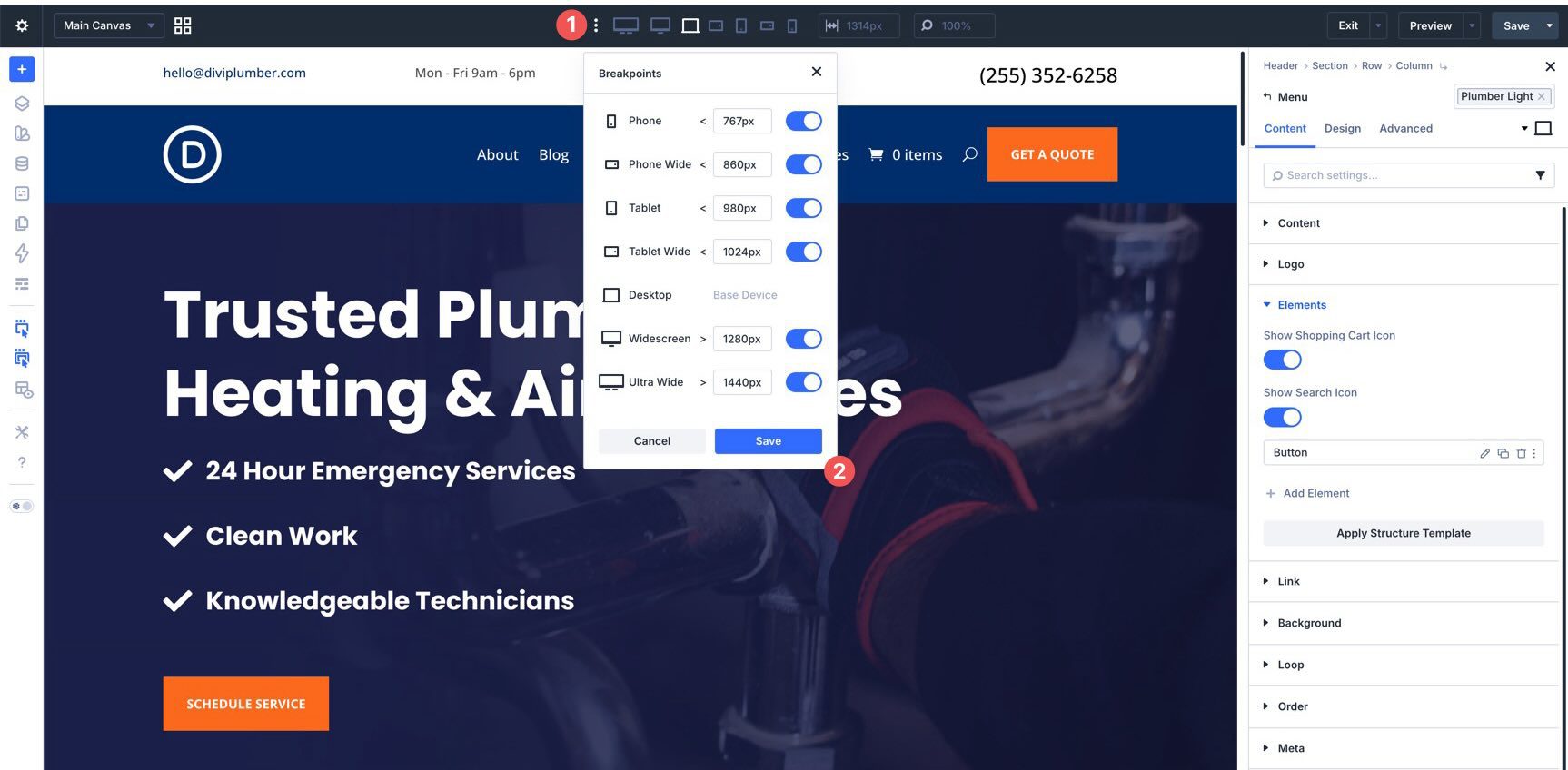
For extra granular edits, the Responsive Editor permits you to alter values similar to menu textual content dimension, spacing, and brand sizing from one centralized interface.
A just right dependancy is to check the template within the precise contexts the place it sounds as if. For instance, test a weblog publish template on a real publish, a class template on an archive web page, and a product template on a product web page earlier than publishing broader adjustments.
Get started Development With Divi 5 These days
Editable Theme Builder Areas are one of the sensible workflow enhancements in Divi 5. They permit you to edit assigned world template spaces at once within the Visible Builder, in context, with out repeatedly leaping again to the Theme Builder interface.
That makes on a regular basis duties sooner, particularly whilst you’re adjusting navigation, calls to motion, promotional bars, footer content material, or dynamic template layouts whilst reviewing the web page itself.
In case you haven’t attempted Divi 5 but, this option is a wonderful position to begin. Obtain it from the members area, allow it on a staging web site first, and check enhancing a header or footer at once from the entrance finish. You’ll briefly see how a lot smoother the workflow feels.
In a position to percentage your ideas? Drop a remark under or tell us what you suppose on social media.
The publish Everything You Need To Know About Editable Theme Builder Areas In Divi 5 gave the impression first on Elegant Themes Blog.



0 Comments