Card-based layouts dominate trendy web design, from blog archives and staff directories to product catalogs and portfolio grids. Search engines and assistive technologies interpret the ones layouts through HTML building, not visual glance. A grid of blog publish enjoying playing cards that looks organized to sighted shoppers would perhaps appear as disconnected fragments to computer screen readers if the underlying markup lacks semantic that implies.
Divi 5’s Loop Builder generates dynamic card layouts from WordPress content material subject matter and lets you apply semantic markup through Divi 5’s Customized Attributes device and Part Kind controls, creating to be had, Search engine marketing-friendly card grids. Proper semantic building can make stronger computer screen reader navigation, make content material subject matter relationships clearer to search engines like google, and make your markup more straightforward to maintain.
The method applies the
and
building to dynamic content material subject matter while layering additional semantic parts, similar to ,
, and
, within each card. Because the Loop Builder duplicates your configured column for each products throughout the query, you most straightforward want to organize the HTML building once. The loop handles the rest, generating consistent tick list markup regardless of what collection of posts exist.
Looped semantic lists are perfect on each and every instance you display a repeating collection of similar content material subject matter generated dynamically from a query. For WordPress internet pages, this incessantly accommodates blog posts, products, portfolio items, staff individuals, testimonials, events, or supplier listings. On account of each products throughout the loop represents the identical type of content material subject matter, structuring the output as a semantic tick list helps browsers, search engines like google, and assistive technologies understand the relationship between those items.
The usage of a
with repeated
parts communicates that the items belong to a single grouped collection. This improves navigation for computer screen reader shoppers, who can in short switch through tick list items or listen what collection of items exist throughout the collection. It moreover gives search engines like google clearer signs about how related pieces of content material subject matter are organized within a internet web page.
Looped semantic lists art work specifically smartly for card-based layouts generated by the use of Divi’s Loop Builder. Every card becomes a list products, and the loop robotically repeats that building for every finish end result throughout the query. As quickly because the semantic building is printed for the main products, Divi replicates it consistently right through all items, ensuring every generated card follows the identical to be had markup building.
Building The Semantic Document Building
This implementation uses a Segment containing a Row configured since the tick list container. The Row holds a looped Column that becomes each tick list products. Inside of each Column, a Module Group of workers wraps the card content material subject matter as an article. The featured image, determine, metadata, and a Button Module for the be informed further link all take a seat down right through the object.
Get began by the use of together with a brand spanking new Segment to your internet web page throughout the Visible Builder. Click on at the Segment to open its settings. Navigate to Difficult > HTML and open the Part Kind dropdown. Select segment. This promises the Segment renders as a semantic
element reasonably than a generic
.
Throughout the Segment, add a single-column flex row. Inside of this row, role a Heading Module with text that describes the loop items underneath it. When using a
element, along with a visible heading is maximum incessantly the most efficient method, as it provides the segment with an to be had determine. An aria-label is more healthy used as a fallback when a visible heading isn’t imaginable for the design.
Configure The Loop Row Construction And Semantics
Add any other Row using the Flex 3 Identical Columns predefined building. This Row will serve as every the structure container and the semantic tick list wrapper.
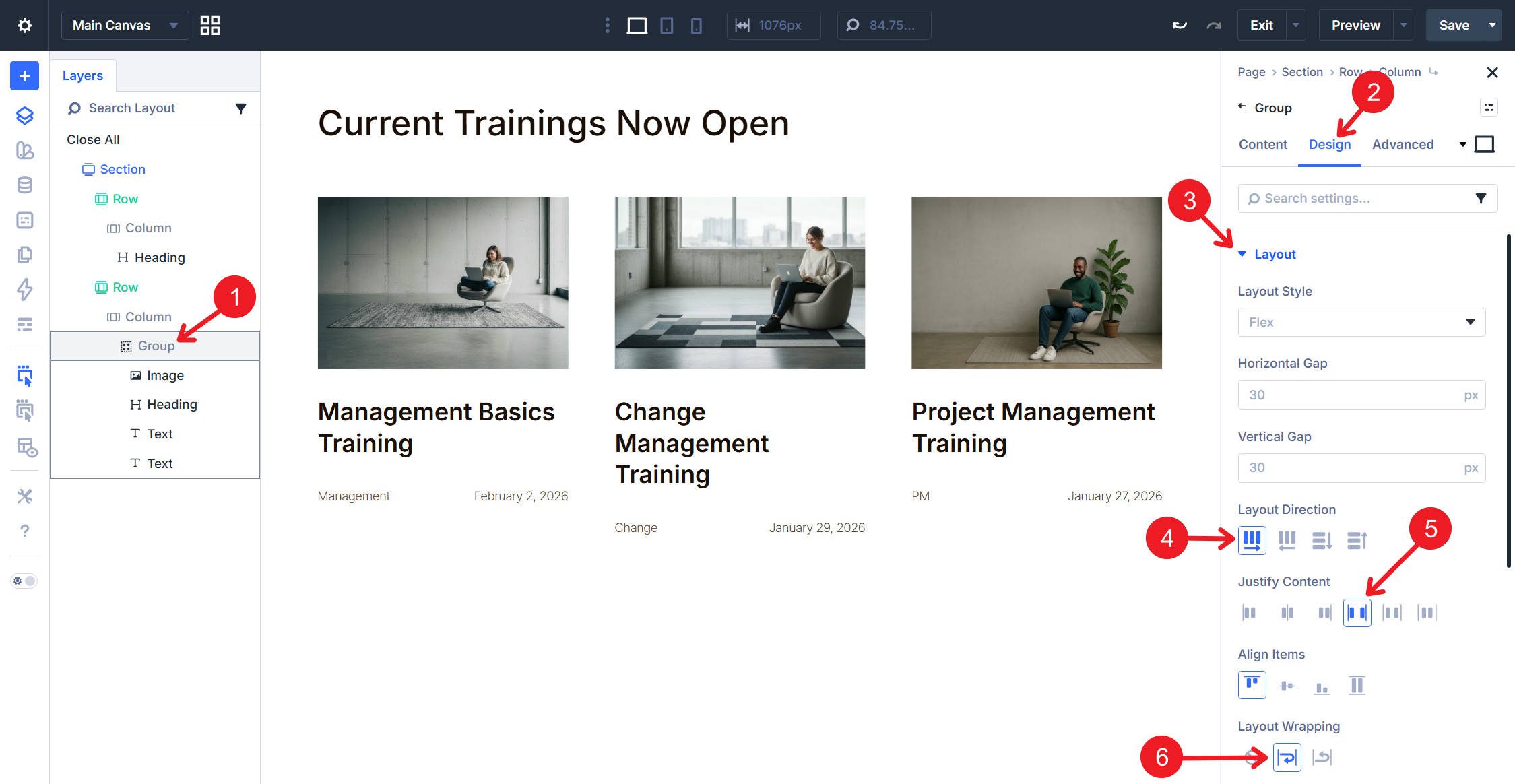
Switch to Design > Construction to keep watch over the rest flex houses. Permit Wrap so items go with the flow to new traces once they exceed the container width. Flexbox, blended with predefined column widths, creates a responsive structure that adapts naturally to different computer screen sizes and numbers of child parts.
However throughout the Row settings, navigate to Difficult > HTML. From the Part Kind dropdown, choose
to create an unordered tick list.
Know how the column outlines have an extra space to their left; we’ll deal with that underneath.
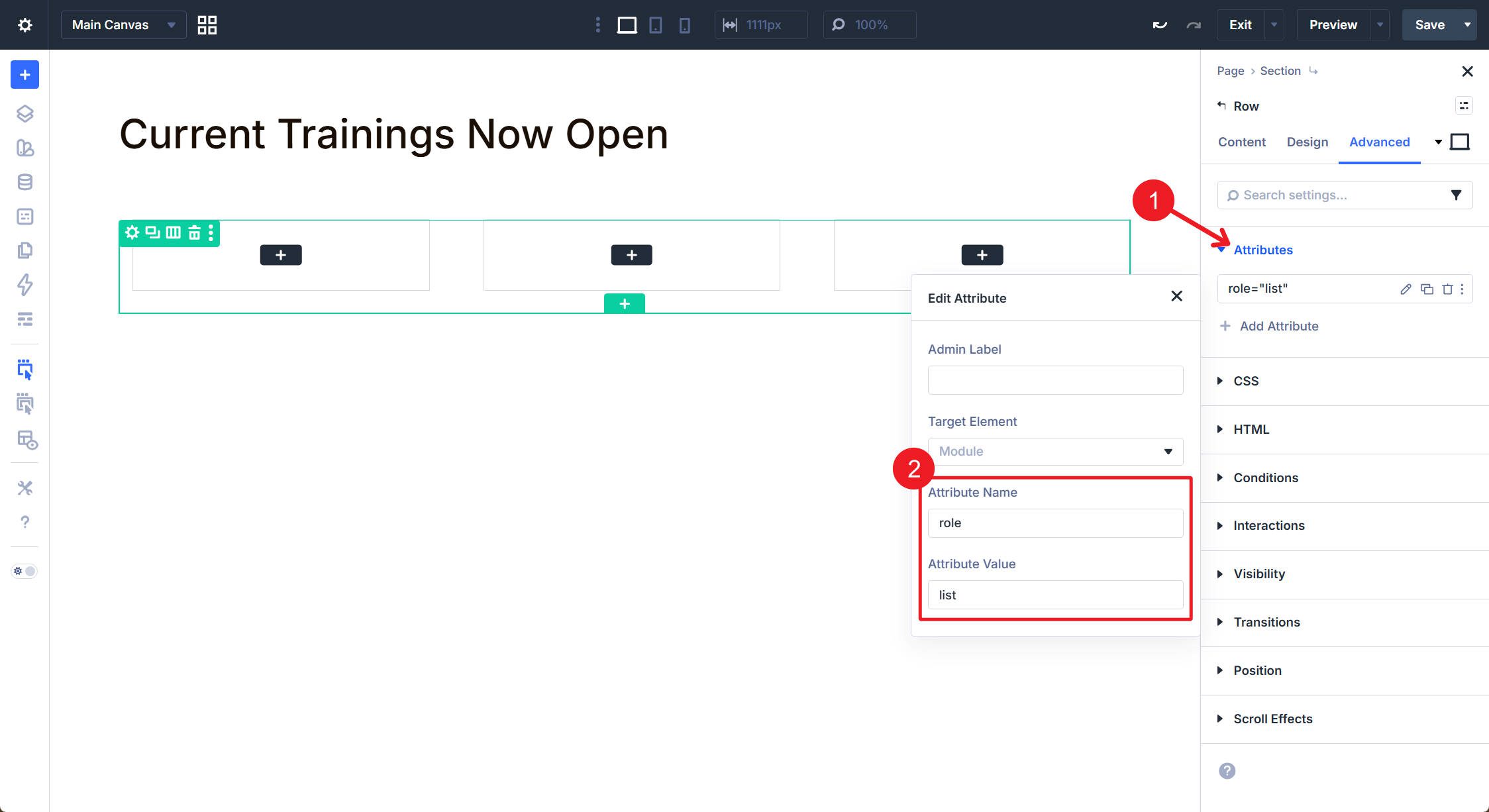
If you want an additional fallback for assistive generation, you’ll add a custom designed feature of serve as=”tick list” throughout the Attributes selection body of workers. In standard HTML, a neighborhood
already exposes tick list semantics, so this serve as is maximum incessantly not obligatory. Some teams nevertheless make a selection so that you could upload it as a defensive accessibility measure, specifically when carefully customizing tick list presentation.
Next, navigate to Difficult > CSS, then add nolist to the CSS Class field.
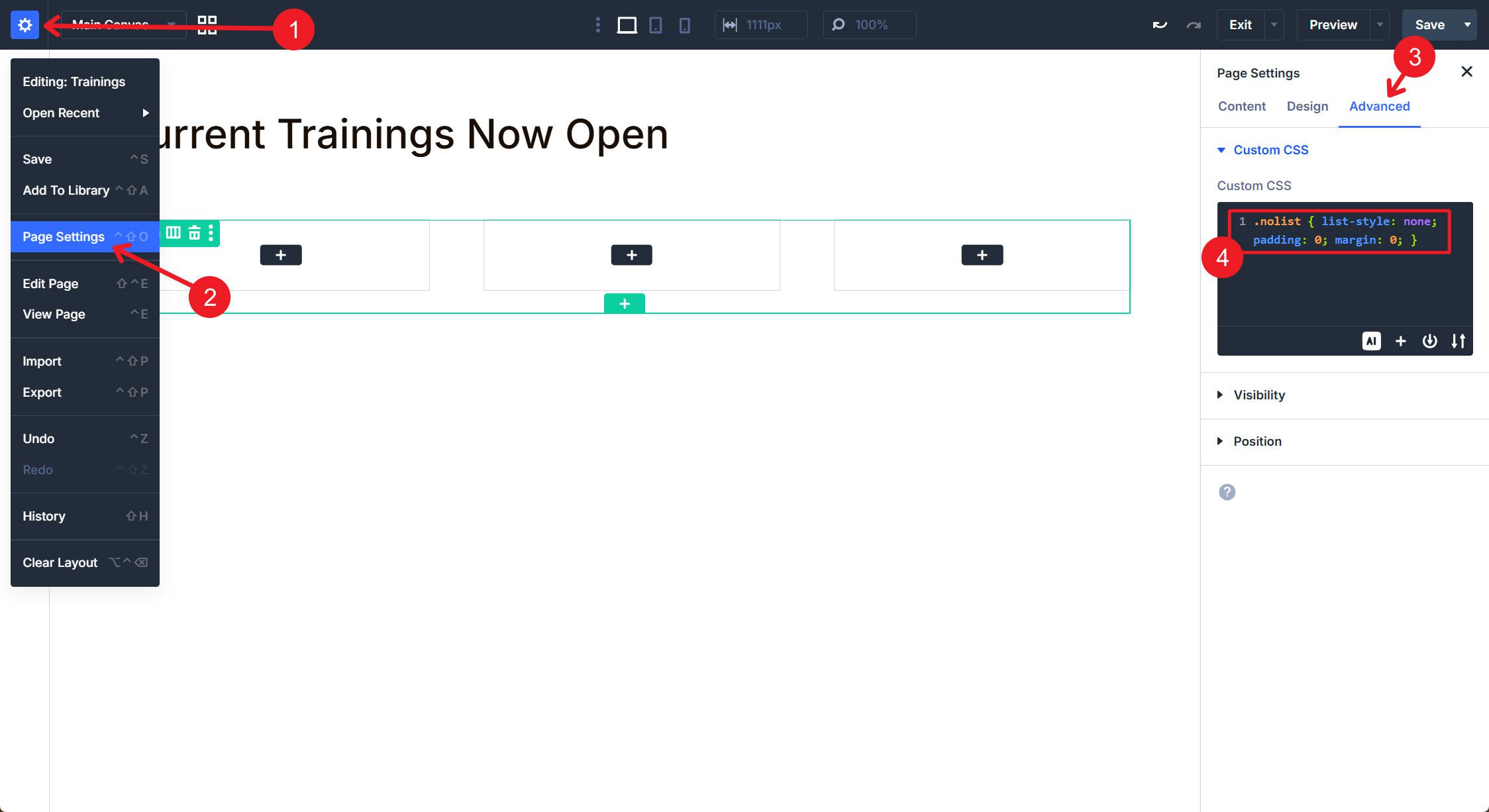
Then, add the following CSS to your site, each throughout the Divi Theme Alternatives CSS area or page-level CSS. You’ll moreover create a CSS Selection Preset if you plan to use it frequently.
This CSS removes bullet markers and the default spacing browsers apply to a
, bringing the structure once more in line with the visual design.
Set The First Column As A Loop Products
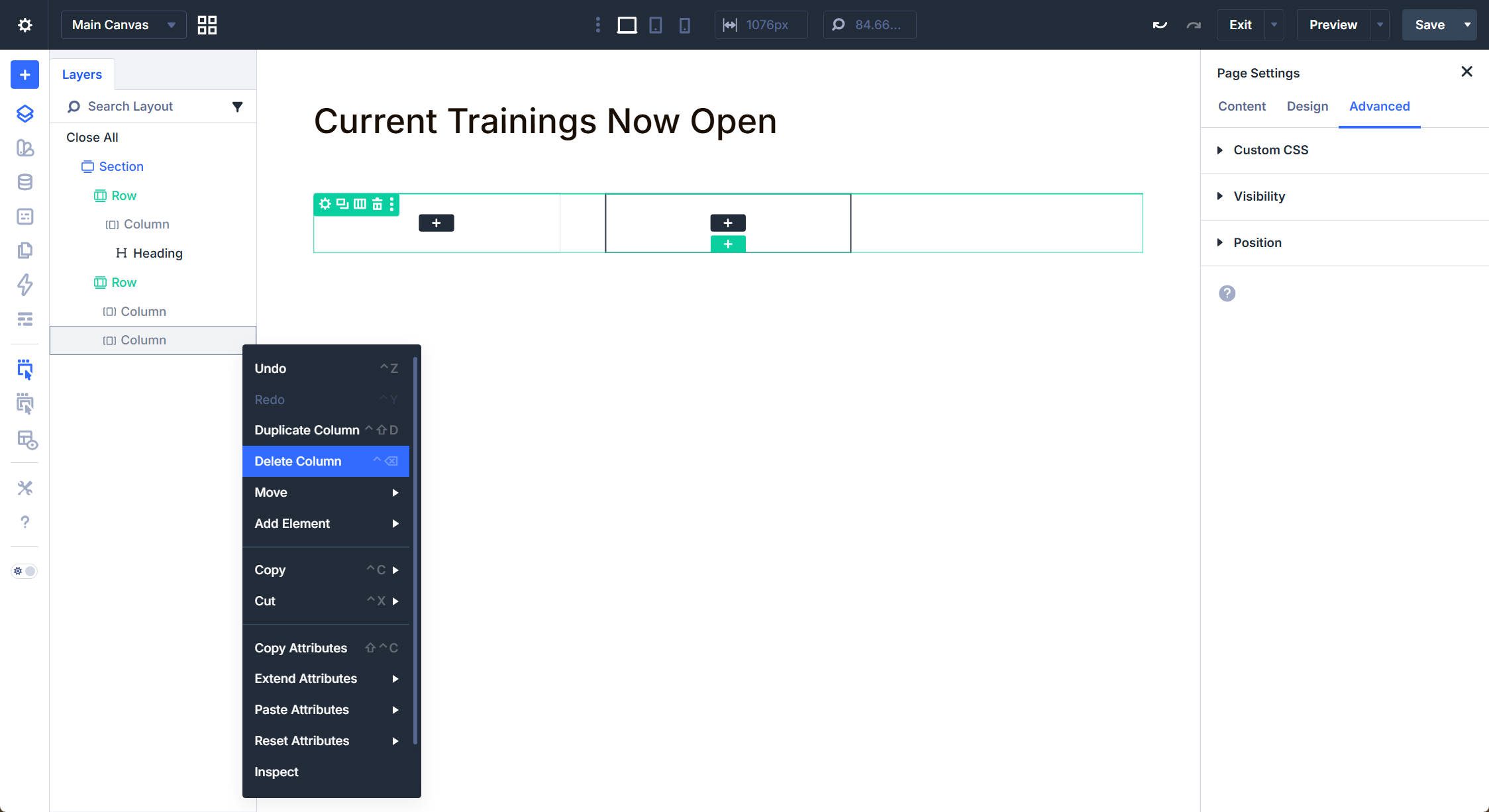
Delete all columns in this row with the exception of one.
Click on at the lone Column to your Row, then navigate to Content material subject matter > Loop and allow the loop. Set the content material subject matter provide to Posts and configure any filtering parameters you want, similar to magnificence restrictions or publish rely limits. The Column now serves since the template that the Loop Builder duplicates for each publish matching your query. Any settings you apply proper right here, along with HTML attributes, propagate to every generated instance.
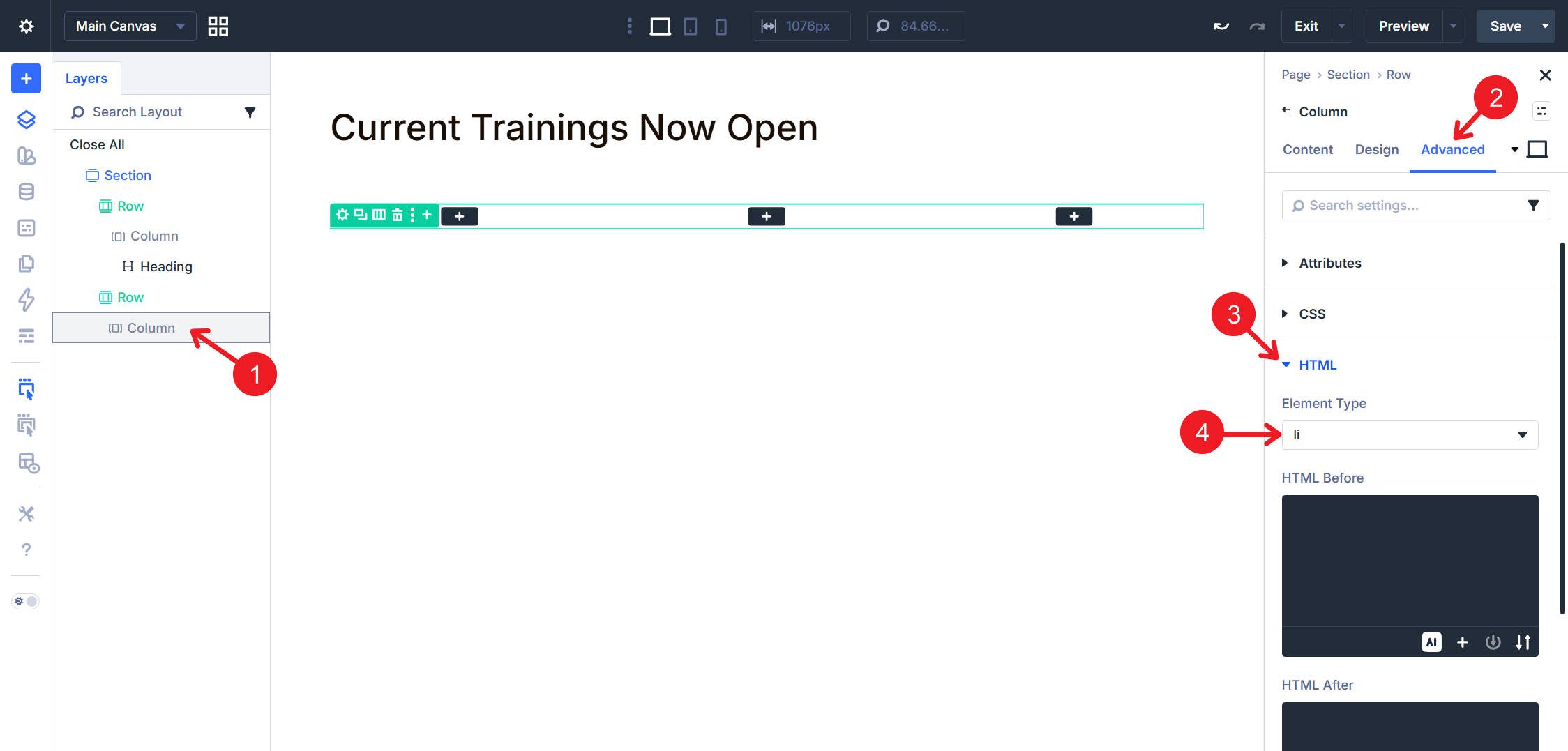
Navigate to the Column’s Difficult > HTML selection body of workers. Open the Part Kind dropdown and choose li. This changes the Column’s rendered element from a
to a
, making each looped card a right kind tick list products throughout the dad or mum
.
You’ll moreover add serve as=”listitem” as a custom designed feature if your staff prefers the identical defensive method used on the dad or mum Row, then again native
semantics already quilt this in standard HTML.
Now, make all the card clickable. To do that, navigate to Content material subject matter > Link and use the dynamic content material subject matter icon to assign the Loop Link. Every card could have its private link according to the Loop settings.
Together with this to the Link selection body of workers makes the card itself clickable, expanding the interactive area previous the hooked up parts you add inside it.
Add The Article Module Group of workers
Every tick list products needs an
wrapper if the card represents self-contained, standalone content material subject matter. Every looped products could be every a list products and come with an
. Module Teams provide a at hand container for grouping all of a card’s modules proper right into a single semantic element.
Throughout the Column, add a Module Group of workers. All other modules for this card — the image, heading, metadata, and button — will transfer inside this body of workers. Click on at the Module Group of workers to get admission to its settings, then navigate to Difficult > HTML. Open the Part Kind dropdown and choose article.
Add The Featured Image
Throughout the Module Group of workers, add an Image Module. This module pulls the publish’s featured image dynamically through Divi’s dynamic content material subject matter device. Click on at the dynamic content material subject matter icon throughout the Image field and choose Featured Image. The featured image frequently functions as a decide throughout the article, so navigate to the Image Module’s Difficult > HTML selection body of workers and choose decide from the Part Kind dropdown.
The
element identifies self-contained content material subject matter, maximum incessantly visual in nature, that relates to the encompassing article. Featured photos frequently fit that serve as smartly.
It is a freebie and unrelated to semantics: in image-based loops, surroundings a continuing aspect ratio makes every card actually really feel further uniform. To do this, add a custom designed feature similar to magnificence=”looped-image-aspect” to the image and then add some custom designed CSS.
Beneath the Image Module, nevertheless right through the Module Group of workers, add a Heading Module. Click on at the dynamic content material subject matter icon and assign it to the Post Title. Then navigate to Difficult > HTML and open the Part Kind dropdown. Select header. This wraps the heading in a semantic
element, indicating the object’s introductory content material subject matter.
Throughout the Content material subject matter > Heading selection body of workers, set the heading level to H3 or H4. The H2 level is reserved for number one internet web page sections, and each card determine functions as a subsection heading throughout the tick list. For the reason that example above uses an H2 heading for the segment, H3 works smartly for the card titles.
You’ll notice I’m using sorts from my design device and won’t be overlaying them in this article. We’ve already printed an intensive publish about creating a design device with Design Variables and nested or stacked presets, which you’ll reference for styling.
Configure The Post Meta
Beneath the Heading Module, nevertheless right through the Module Group of workers, add Text Modules for each piece of metadata you want to turn. Common possible choices include magnificence, date, and author. For each Text Module, click on at the dynamic content material subject matter icon and assign the right kind field. For the category, choose find out how to link to magnificence archive pages.
At this point, set some Flex settings on the Group of workers to put the two Text Modules ingredient by the use of ingredient when there is also enough room. To do that, set the Flex Path to Row, Justify Content material subject matter to Space Between, and allow Wrapping.
Add The Be told Further Button
Beneath the Heading Module and Text Modules, add a Button Module. Set the button text to Be told Further or your preferred title to movement. Navigate to Content material subject matter > Link and use the dynamic content material subject matter icon to assign the Loop Link. Every looped card will now have a button linking to its corresponding publish.
Semantically, we’re accomplished. The overall rendered HTML to your semantic tick list follows this hierarchy, with a few additional wrapper parts depending for your Divi configuration
Every element serves a selected semantic serve as. This is a lot of art work, specifically the main time, then again it’s value it for loops. When you get the development correct, Divi repeats it for every products throughout the query, so that you’re effectively designing a couple of semantically proper enjoying playing cards instantly.
I’ll end with most of the finishing design touches, despite the fact that not all of them, on account of this publish is concentrated on the semantics of this card building.
Where And When To Use Semantic Lists
The
and
building applies on each and every instance you display a collection of similar items without inherent ordering. Blog publish archives, staff member directories, product catalogs, portfolio galleries, testimonial collections, navigation menus, and service listings all qualify as unordered lists. If the gathering problems, similar to step-by-step instructions or ranked results, use
instead.
When To Use Other Semantic HTML Portions
We’ve covered various semantic HTML parts above, so right here’s a quick reference for each one:
The
element belongs inside tick list items when each products represents standalone content material subject matter. Blog posts, products, staff bios, and case analysis can all be considered articles, specifically if they’ve their own standalone URLs. Navigation links, social icons, and simple labels don’t appear to be articles. Reserve article markup for content material subject matter that might meaningfully exist independent of its surrounding context.
The
element introduces content material subject matter within just a little or article. It maximum incessantly accommodates headings, then again may also include navigation, logos, or introductory text. Every
could have its private
, distinct from the page-level header. In card layouts, wrapping the determine in a
signs that it introduces the object content material subject matter that follows.












0 Comments