

While you use Divi AI agents to study a number of pages, the similar duties steadily arise: checking picture alt textual content, reviewing responsive layouts, or updating calls to motion. Saving an invaluable instructed manner you’ll reuse the ones directions at the subsequent web page.
Instructions exist for precisely this. They mean you can save a instructed within the Divi 5 Visible Builder and pull it into chat with a slash every time the similar activity comes up. This information explains what makes a Command price saving, methods to create and run one, and 3 sensible workflows you’ll reuse.
The place Instructions Reside In Divi AI Brokers
Divi AI agents paintings within the Divi 5 Visible Builder. You’ll use plain-language requests to check out a web page or make adjustments to its sections, rows, and modules. Instructions reside within the AI chat window, along Laws and Context. Click on the Instructions icon to view and arrange the activates you might have stored.
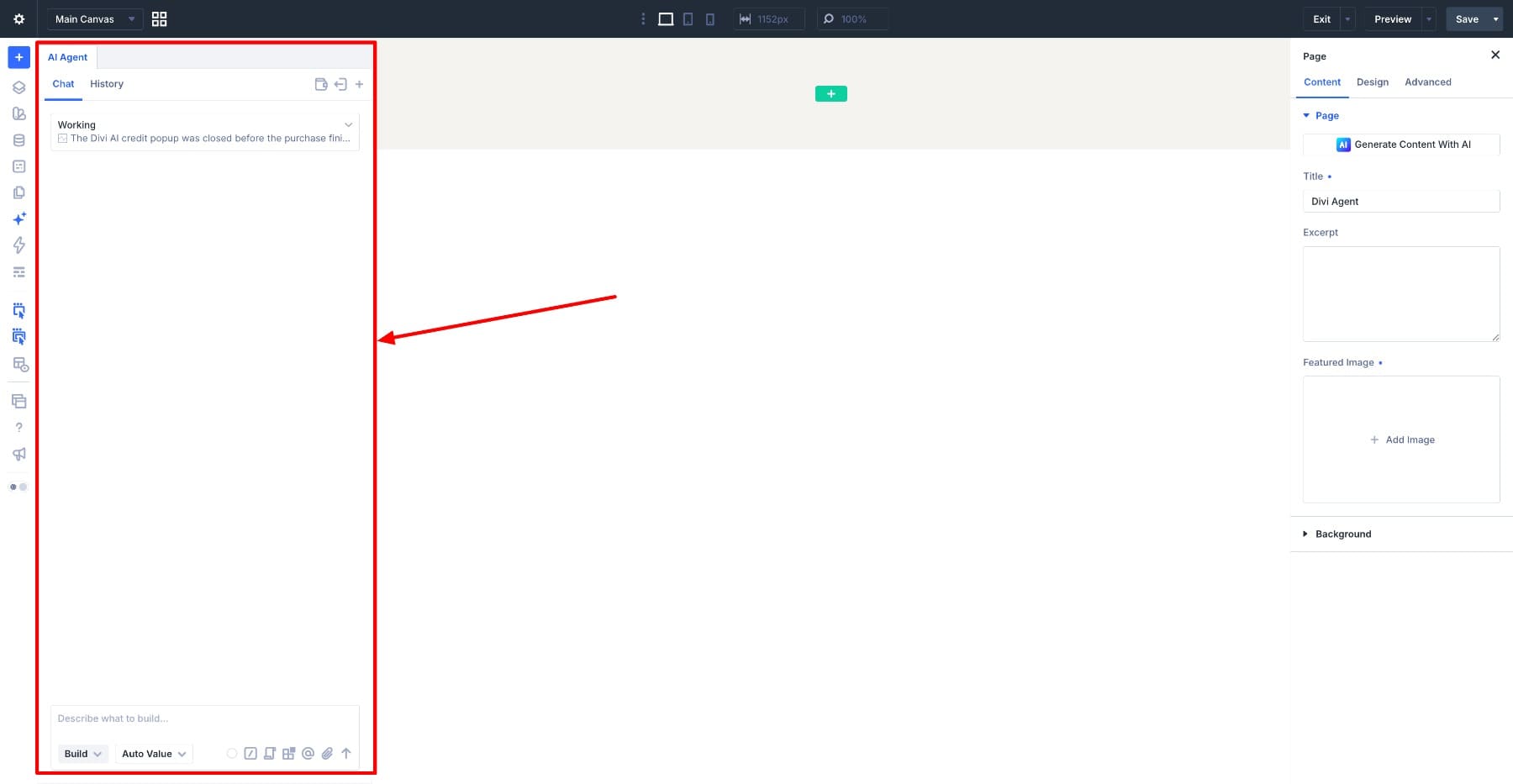
Make a choice Ask Mode when you wish to have research and recommendations with out adjustments to web page content material or design. Use Construct Mode when you wish to have the agent to use edits. Make a choice the mode that fits the Command you’re about to run.

What Will get Stored When You Save A Command
A Command retail outlets reusable directions, no longer a recording of a prior edit. The agent works from the ones directions and the present web page whilst you run it.

Kind / within the chat window and a picker opens together with your stored instructions. Make a choice one and its textual content lands within the composer, in a position so that you can learn over, regulate for the web page you’re on, and ship when it seems to be proper.
The portions of a request that keep the similar belong within the stored command, and the main points that shift from one web page to some other can pass in proper earlier than you ship it.
Instructions, Laws, And Context Do Other Jobs
Laws, Context, and Instructions are to be had from the chat interface, however serve other functions.
- Laws supply chronic steerage, akin to emblem voice or most popular colour variables. They are able to observe extensively or when related to a specific job, relying on their settings.
- Context issues the agent on the actual factor you imply. Reference a piece, preset, or variable so the agent can establish it. Your instructed must nonetheless give an explanation for what you wish to have achieved with that reference.
- Instructions are the roles you pull up when you wish to have them. They go well with directions you are expecting to reuse with out in need of them implemented to each request you sort.
If you end up undecided the place one thing belongs, use this as a handy guide a rough test.
| When you’re… | Reserve it as a… |
|---|---|
| Including the similar sentence to the tip of each request | Rule |
| Typing out the similar multi-step activity on a brand new web page | Command |
| Describing which component you imply, at duration | Piece of context |
What Is Price Saving As A Command?
Helpful Instructions percentage a easy trait: The activity repeats, even supposing the web page you run it on adjustments.
Alt textual content is a superb instance. The photographs vary on each web page, whilst the directions keep most commonly the similar. Reviewing a web page earlier than publishing works the similar manner, and so does bringing an imported format into your present design machine.
Stored activates additionally lend a hand when a request carries main points you might quite no longer rebuild from reminiscence, like what to test, what counts as completed, and what the agent must depart on my own. The stored model assists in keeping the ones directions in combination whilst you transfer to some other web page.
Ahead of saving one, run thru 3 questions.
- Will I run this activity once more? A one-off request can keep within the chat.
- Does the agent want to check out or act at the present web page? A excellent Command holds the workflow stable whilst the outcome adjustments with the web page.
- Does Divi have already got a greater technique to repeat this? Updating a shared variable or preset impacts the weather the usage of it. For an intentional shared alternate, that can be extra direct than repeating edits web page by way of web page.
What You Want Ahead of You Get started
Divi AI brokers require Divi 5 and get admission to to Divi AI. Divi AI is to be had as a separate subscription or as a part of Divi Pro.

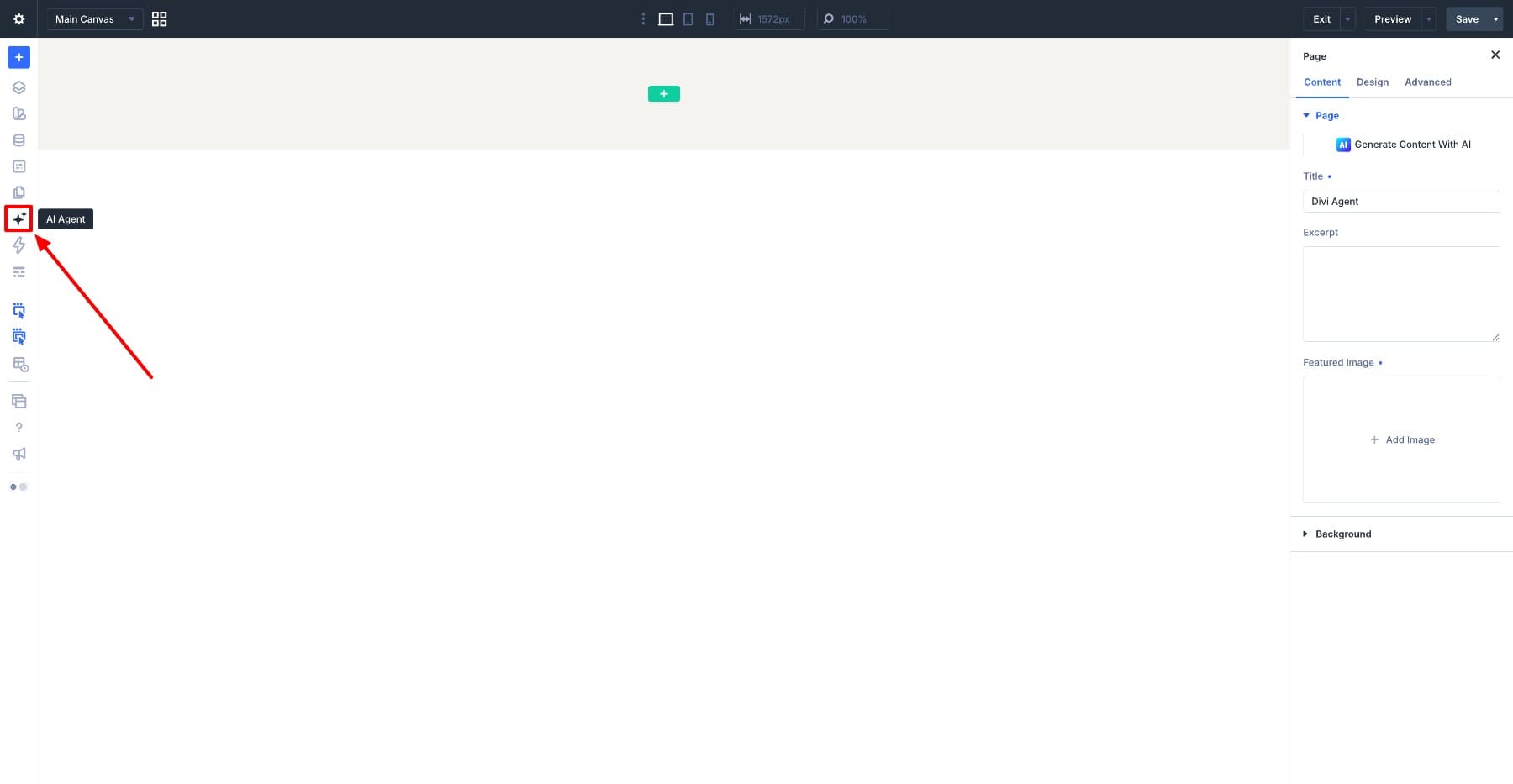
Open a web page within the Divi 5 Visible Builder and click on the AI Agent icon within the left sidebar. We will be able to get started with a role that comes up on virtually each web page, which is dealing with picture alt textual content throughout more than one pages.
How To Create And Run A Command
Ahead of we get to the workflows price saving, let’s construct one Command so the method is acquainted.
We will be able to use the alt textual content instance from previous. Assume you might have already examined this instructed on a web page and it offers you the outcome you wish to have.
Evaluate the pictures in this web page and upload significant alt textual content the place it’s wanted. Keep present alt textual content that already describes the picture smartly, and depart ornamental or redundant pictures with out alt textual content.
For decorative images, an empty alt characteristic (alt="") isn’t the same as a lacking characteristic. Evaluate the generated descriptions and decorative-image dealing with within the rendered web page.
As soon as a instructed behaves the way in which you are expecting, it is able to save.
Save The Command
- Open the AI chat window and click on the Instructions icon.
- Click on Upload New Command.
- Input a brief name that obviously describes the activity, akin to Evaluate Symbol Alt Textual content.
- Paste the examined instructed into the Command box.
- Click on Save Command.
Use titles that inform you what the Command if truth be told does. As your library grows, “Evaluate Symbol Alt Textual content” is more uncomplicated to identify than one thing wide like “Symbol Test.”
Run A Stored Command
To make use of it, sort / within the agent chat. The Command picker opens together with your stored activates, and deciding on one drops its textual content into the composer.
Evaluate the inserted instructed earlier than sending it. Upload any page-specific main points or exclusions, and use Construct Mode for this alt textual content replace. Modifying the inserted textual content does no longer alternate the stored Command.
Check first, save the phase that remains the similar, and fill in the remaining at run time. For the entire Command reference, together with methods to edit, reproduction, delete, connect Context to, and nest Instructions, see our guide to using Commands in Divi AI agents.
Use Case 1: Convey A Web page Into Your Design Device
Imported layouts and older pages arrive wearing their very own colours, spacing, and types. In case your web page already makes use of Design Variables and Presets, the duty is to attach appropriate page-level values to these present sources.
Take this imported format. The similar inexperienced accessory displays up throughout buttons, icons, borders, and hyperlinks, and each example is a hardcoded colour price.
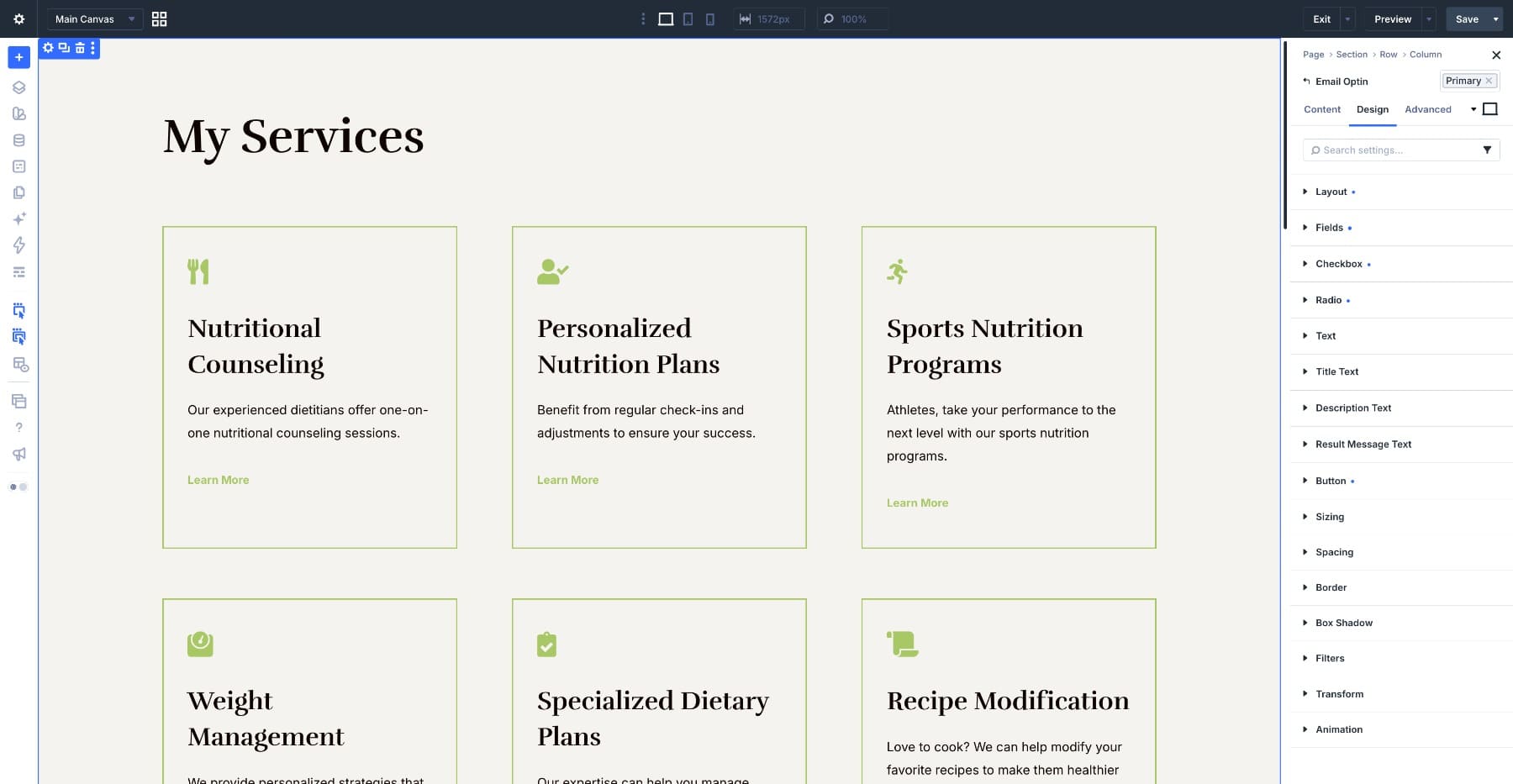
Ahead of converting anything else, Ask Mode can display you what the web page holds.
Scan this web page for hardcoded colour values and record each one you in finding, with a rely of what number of modules use every and which modules the ones are. Don’t alternate anything else.
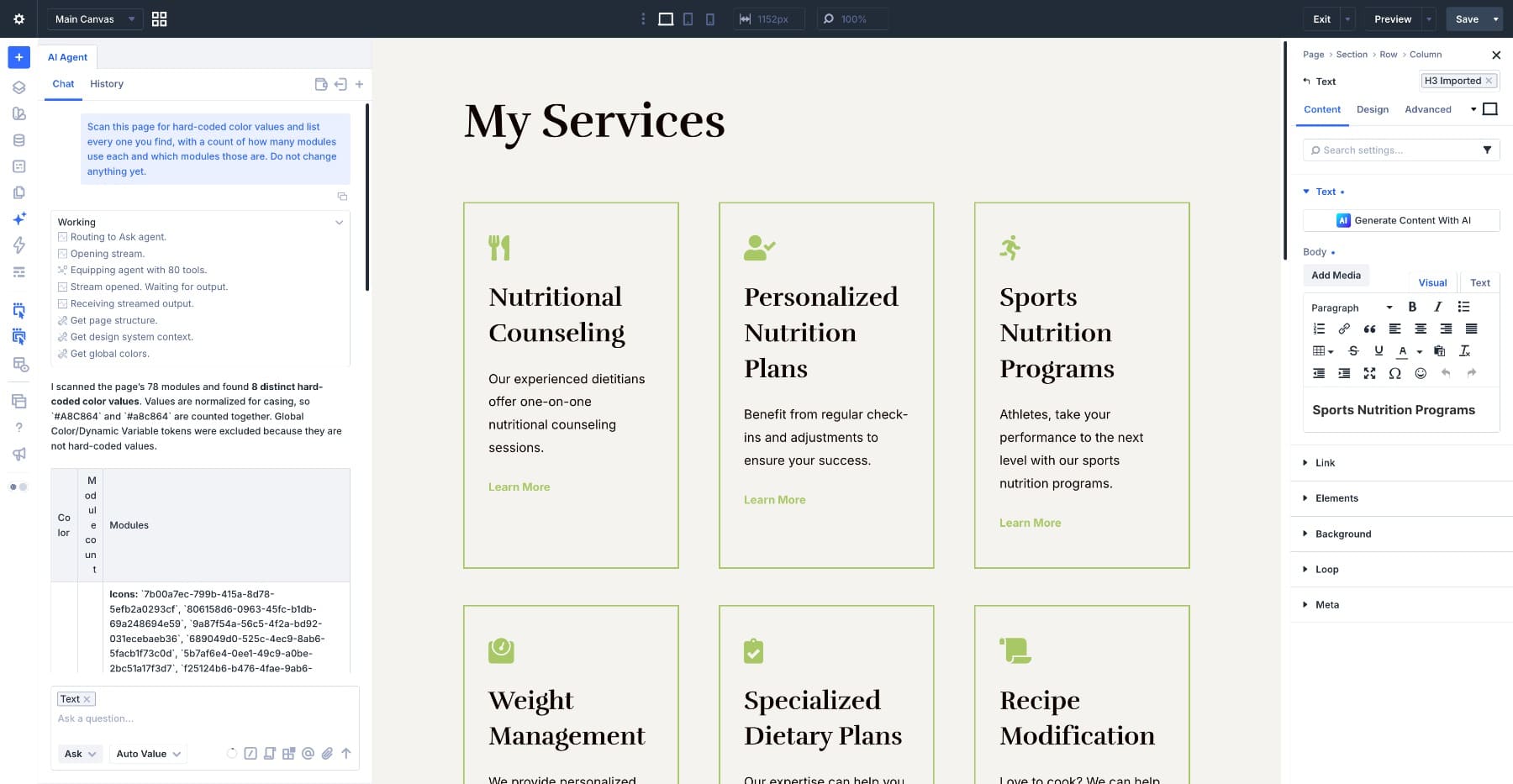
You’ll save the scan as a Command when you steadily audit imported layouts. Right here, we can focal point on reusing the substitute step.
Within the Command editor, use Upload Context to reference the web page’s Number one Colour variable. Save the next instruction, then use Construct Mode when operating it.
Exchange each example of the sunshine inexperienced accessory colour in this web page with the Number one Colour World Variable hooked up in Context. Practice it anywhere that gentle inexperienced is used, together with textual content, backgrounds, borders, icons, and buttons. Don’t alternate another colours or types, and don’t create a brand new World Variable.
Run the Command to exchange the required gentle inexperienced values with references to the Number one Colour variable, as proven under.
Ahead of reusing this Command on some other format, replace “gentle inexperienced” to spot that web page’s supply accessory. Use the precise price from the scan if a number of equivalent sun shades seem, and test that the hooked up variable remains to be the supposed vacation spot.
The workflow remains helpful whilst the web page adjustments. One imported web page might lift hardcoded button colours, and the following might cover them in backgrounds, icons, or borders. The agent reveals the related values at the web page in entrance of it, whilst the Command assists in keeping the foundations for changing them the similar each time.
There’s a restrict price remembering right here. When your types already reference a variable or preset and you propose to modify each use of it, replace that shared useful resource without delay. Instructions lend a hand when disconnected page-level types want pulling into the machine, no longer when Divi is already managing them globally.
Use Case 2: Run A Pre-Submit Web page Evaluate
Some workflows earn a place as a result of you wish to have the similar assessments on each web page earlier than it is going reside. A pre-publish assessment suits well. The issues shift from web page to web page, whilst the assessments you wish to have the agent to run keep the similar. Save this Command and run it in Ask Mode.
Evaluate this web page earlier than publishing. Test the desktop, pill, and speak to layouts for overflow, cramped spacing, awkward textual content wrapping, inconsistent alignment, or parts that seem too massive or small. Additionally flag pictures with lacking or unclear alt textual content and any glaring placeholder or unfinished content material. Team the problems by way of phase and module. Don’t alternate anything else.
Use the report back to come to a decision which problems want consideration. Practice it with your individual responsive preview; an AI assessment might omit problems or flag a planned design selection.
In this web page, as an example, the agent flags the “Digital Meal Prep Direction” H2 as doubtlessly too massive on telephones as a result of its 44px measurement has no phone-specific override.
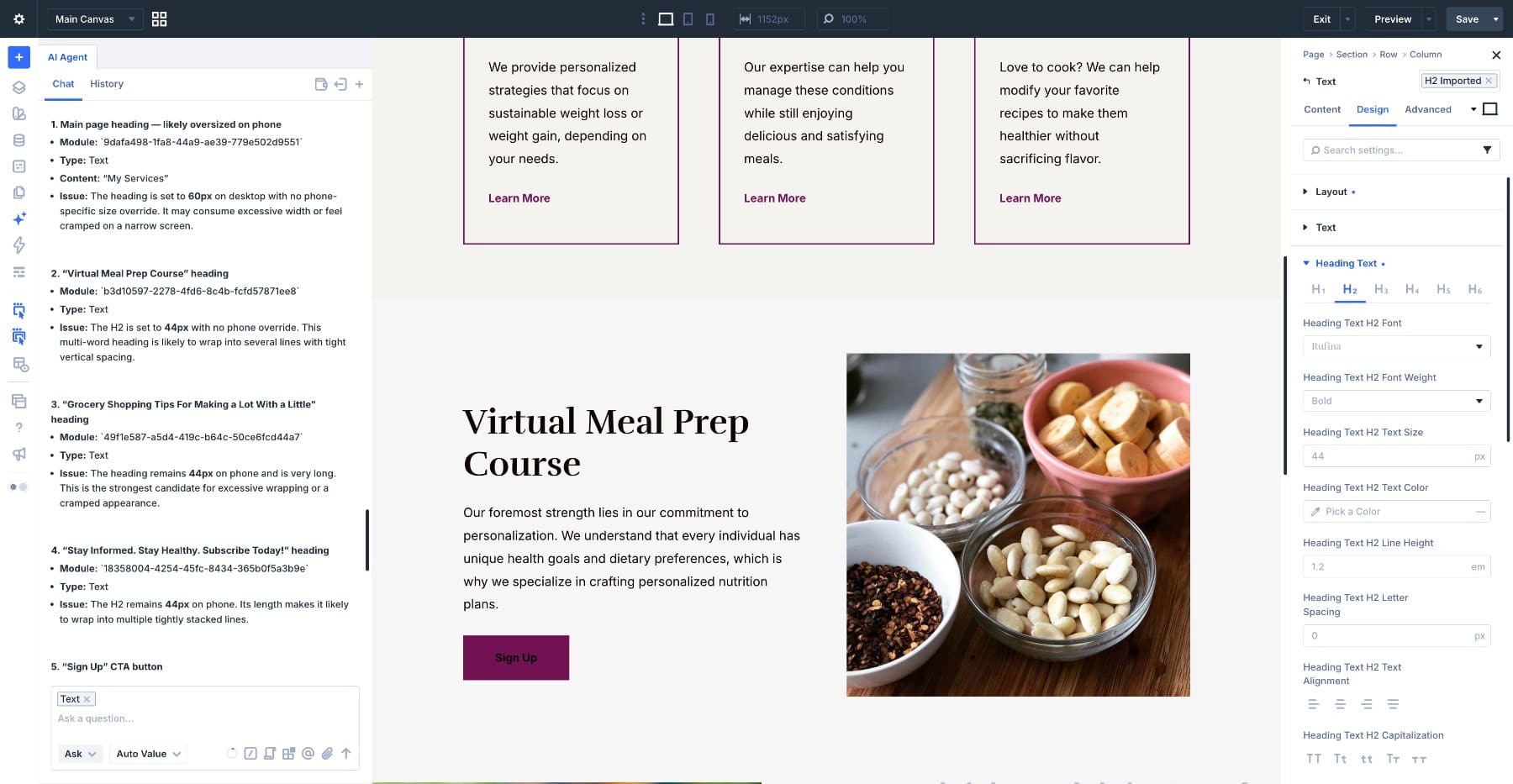
The assessment is price conserving as it comes again round on each web page, whilst the repair that follows infrequently does.
As soon as you understand what wishes consideration, reference the affected heading in Context, transfer to Construct Mode, and ask for a focused repair.
Scale back the H2 font measurement to 26px on cellphone simplest. Go away the desktop and pill values unchanged.
The following web page might want one thing else fully, like overflowing buttons or cramped card spacing. A page-specific repair can keep within the dialog except you are expecting to reuse it.
The pre-publish assessment remains helpful for the reason that activity by no means adjustments. It offers you a repeatable start line for analyzing every web page and deciding what to regulate.
Use Case 3: Repeat A Brief Replace Throughout More than one Pages
Now not each Command must reside on your library eternally. Some are price saving for the reason that identical activity repeats throughout a number of pages for a brief stretch of time.
Say you’re converting an be offering around the web page. A number of pages advertise a unfastened session, and the ones CTAs now want to ship guests to a method name. It’s essential rewrite the instruction on each web page you open, or save a brief Command whilst the replace is in growth.
To find each Button module in this web page that promotes the unfastened session. Trade the Button textual content to “E book A Technique Name” and replace its hyperlink to [NEW URL]. Go away mentions of the unfastened session in frame reproduction, testimonials, or different non-CTA content material unchanged. Don’t alternate another buttons or hyperlinks.
Exchange [NEW URL] with the real vacation spot earlier than sending the Command. Run it in Construct Mode on every web page that wishes the replace, then test the modified button labels and hyperlinks.
The exclusions do actual paintings right here. An unrestricted textual content substitute may just additionally alternate mentions in frame reproduction or testimonials. The Command asks the agent to spot related Button modules and depart different content material on my own.
A Command like this can be helpful for per week when you paintings in the course of the web page, and it nonetheless counts as a excellent one. It saves you repeating the directions and assists in keeping the replace constant throughout each web page within the undertaking.
As soon as the replace is whole, take away the Command when you not want it. This assists in keeping old-fashioned marketing campaign directions from your lively record.
Construct A Command Library Round Paintings You Repeat
A Command library in Divi AI Agents works perfect whilst you stay it intentional. Save the activates that stand for jobs you are expecting to copy, from an enduring workflow like a pre-publish assessment to a brief replace you’ll run throughout a number of pages.
Get started with the activates you already in finding your self rewriting. Check them first, stay the directions that keep constant, and depart the page-specific main points for the instant you run the Command. The helpful ones grow to be glaring over the years, since they’re the activates you forestall having to rebuild from reminiscence.
The put up How to Use Divi AI Agents Commands gave the impression first on Elegant Themes Blog.




0 Comments