


The official launch of Divi 5 is right here, and we’re celebrating with a loose, production-ready Design Gadget you’ll be able to import into any new Divi 5 website.
This Design Gadget is constructed to turn how Divi 5’s fashionable design infrastructure suits in combination in an actual venture. It contains masses of presets, whole web page layouts, Theme Builder templates, and a structured device of Design Variables that energy the whole thing.
When you’ve got ever sought after to peer how Design Variables go with the flow into Presets, how Presets can also be stacked and nested, and the way that consistency carries throughout layouts, that is the cleanest instance we will come up with.
How To Get The Loose Divi 5 Design Gadget
The obtain comes as a .ZIP record containing a couple of JSON information. Those information are designed to paintings with Divi 5’s local import techniques, so setup is fast when you’re on a recent Divi 5 set up.
@media best display and ( max-width: 767px ) {.et_bloom .et_bloom_optin_1 .carrot_edge.et_bloom_form_right .et_bloom_form_content:ahead of { border-top-color: #ffffff !essential; border-left-color: clear !essential; }.et_bloom .et_bloom_optin_1 .carrot_edge.et_bloom_form_left .et_bloom_form_content:after { border-bottom-color: #ffffff !essential; border-left-color: clear !essential; }
}.et_bloom .et_bloom_optin_1 .et_bloom_form_content button { background-color: #f92c8b !essential; } .et_bloom .et_bloom_optin_1 .et_bloom_form_content .et_bloom_fields i { colour: #f92c8b !essential; } .et_bloom .et_bloom_optin_1 .et_bloom_form_content .et_bloom_custom_field_radio i:ahead of { background: #f92c8b !essential; } .et_bloom .et_bloom_optin_1 .et_bloom_border_solid { border-color: #f7f9fb !essential } .et_bloom .et_bloom_optin_1 .et_bloom_form_content button { background-color: #f92c8b !essential; } .et_bloom .et_bloom_optin_1 .et_bloom_form_container h2, .et_bloom .et_bloom_optin_1 .et_bloom_form_container h2 span, .et_bloom .et_bloom_optin_1 .et_bloom_form_container h2 sturdy { font-family: “Open Sans”, Helvetica, Arial, Lucida, sans-serif; }.et_bloom .et_bloom_optin_1 .et_bloom_form_container p, .et_bloom .et_bloom_optin_1 .et_bloom_form_container p span, .et_bloom .et_bloom_optin_1 .et_bloom_form_container p sturdy, .et_bloom .et_bloom_optin_1 .et_bloom_form_container shape enter, .et_bloom .et_bloom_optin_1 .et_bloom_form_container shape button span { font-family: “Open Sans”, Helvetica, Arial, Lucida, sans-serif; } p.et_bloom_popup_input { padding-bottom: 0 !essential;}

Obtain For Loose
Sign up for the Divi E-newsletter and we can e-mail you a duplicate of without equal Divi Touchdown Web page Structure Pack, plus lots of alternative superb and loose Divi assets, guidelines and methods. Apply alongside and you’re going to be a Divi grasp very quickly. If you’re already subscribed merely sort on your e-mail deal with underneath and click on obtain to get entry to the structure pack.
You’ve gotten effectively subscribed. Please test your e-mail deal with to substantiate your subscription and get get entry to to loose weekly Divi structure packs!
We advise the use of a brand new, clean website first. This Design Gadget imports a big preset library, a variety of layouts, world variables, and supporting belongings into your Divi Library, so beginning blank makes it more uncomplicated to discover and steer clear of conflicts.
What’s Integrated In The Divi 5 Design Gadget
The Design Gadget contains a couple of useful resource sorts that paintings in combination as one constant framework.
Presets: World Kinds Powered Via Design Variables
The preset library is the core of the device. It contains Component Presets throughout many Divi modules, plus Option Group Presets that observe constant styling patterns throughout module sorts. You’ll additionally see Nested Presets and Stacked Presets used all through the layouts.
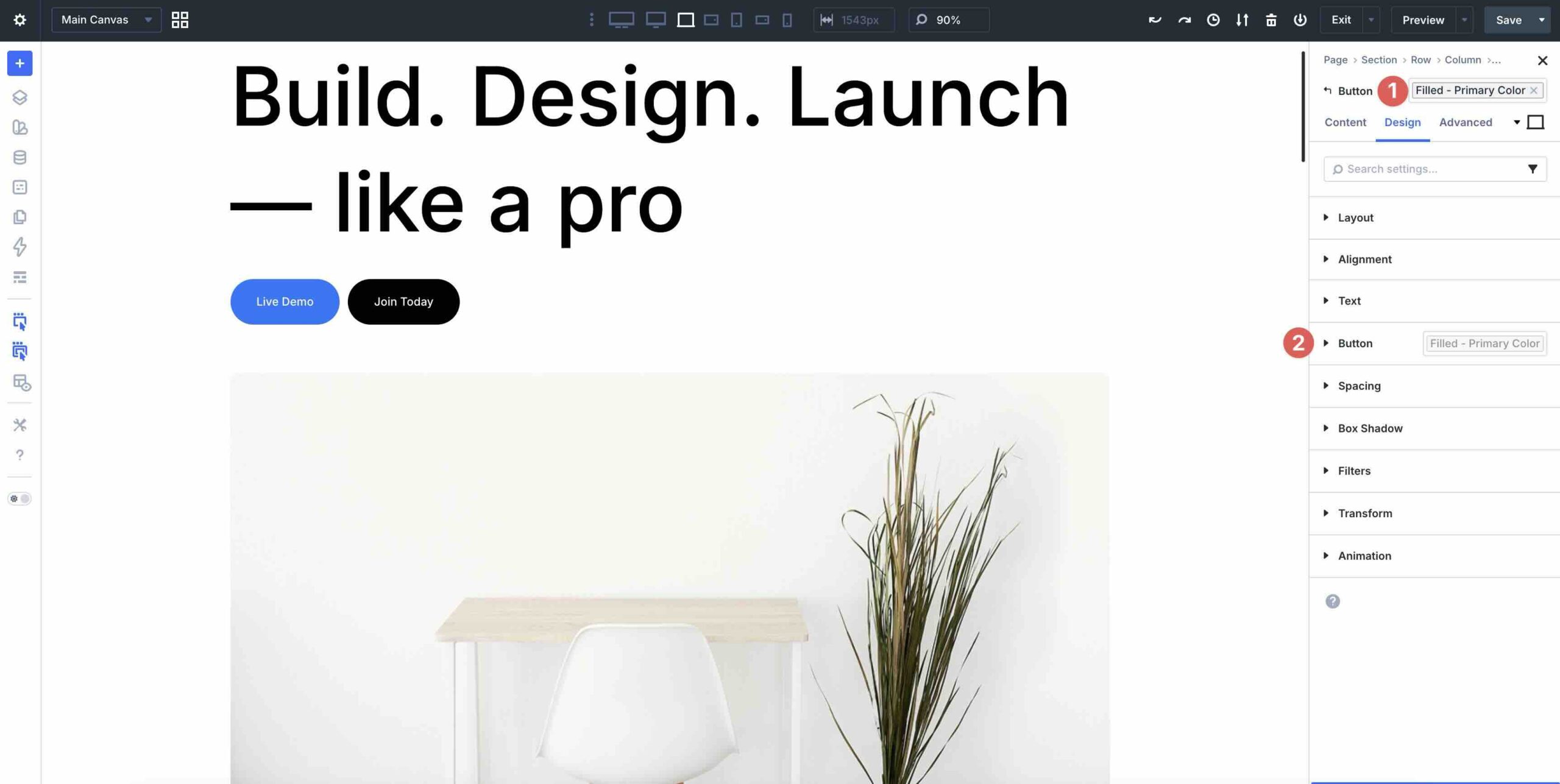
Each and every preset ties again to Design Variables for colours, typography, and spacing. That implies you’ll be able to alternate a unmarried variable and spot the ones updates ripple throughout presets and layouts that reference it, with out manually remodeling the whole thing.
Phase Layouts: Premade Sections Constructed With Flexbox And Grid
The device contains a big library of premade Phase Layouts constructed for not unusual web page patterns similar to hero sections, function grids, testimonial sections, pricing sections, staff sections, weblog sections, and call-to-action blocks.

Those layouts reside on your Divi Library, so you’ll be able to regulate them as soon as and reuse them throughout long term pages.

Every phase structure highlights Divi 5 options in follow. Layouts use CSS Grid and Flexbox for construction, depend on Design Variables and Presets for consistency, and come with responsive configurations in order that they paintings throughout units immediately.
Web page Layouts: Whole Pages Constructed From Sections
We additionally integrated whole web page layouts that mix a couple of sections into completed pages. Those permit you to get started quicker through uploading an entire web page directly, then swapping sections as wanted.
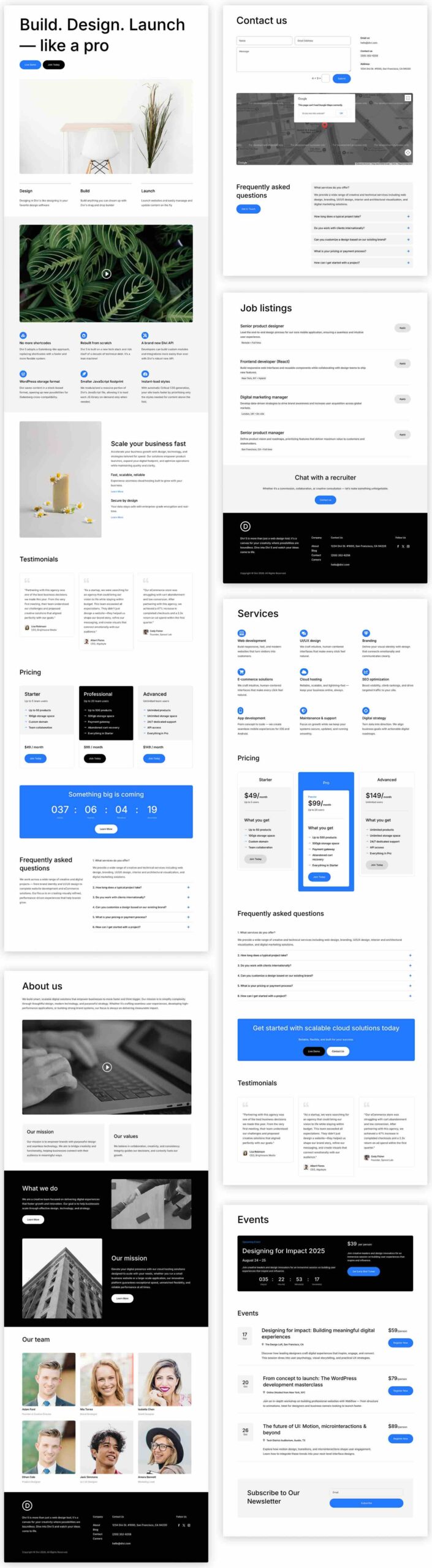
For instance, you’ll be able to import a complete web page structure, then exchange the FAQ phase with a distinct FAQ Phase Structure from the library whilst preserving the remainder of the web page intact.
The Design Gadget contains Theme Builder templates for key template sorts similar to world headers and footers, submit templates, archive templates, and WooCommerce templates (when appropriate).

You’ll be able to use the assignments as-is on a brand new website, or reproduction templates and create new assignments as your venture grows.
World Variables: Design Variables That Energy The Gadget
The device features a structured set of design variables for:
- Colours
- Fonts
- Font Sizes
- Spacing Scales
Those variables are the basis. Whenever you alter them to compare your logo, the presets and layouts replace briefly as a result of they’re constructed to reference the ones variables.
Theme Customizer Settings (Not obligatory)
The ZIP additionally contains not obligatory Theme Customizer settings. Those determine baseline defaults for typography and core colours on the WordPress Customizer stage.
You’ll be able to come with those, or just set your individual. Those Customizer settings in most cases have an effect on:
- Heading Font
- Frame Font
- Number one Colour
- Secondary Colour
- Heading Textual content Colour
- Frame Textual content Colour
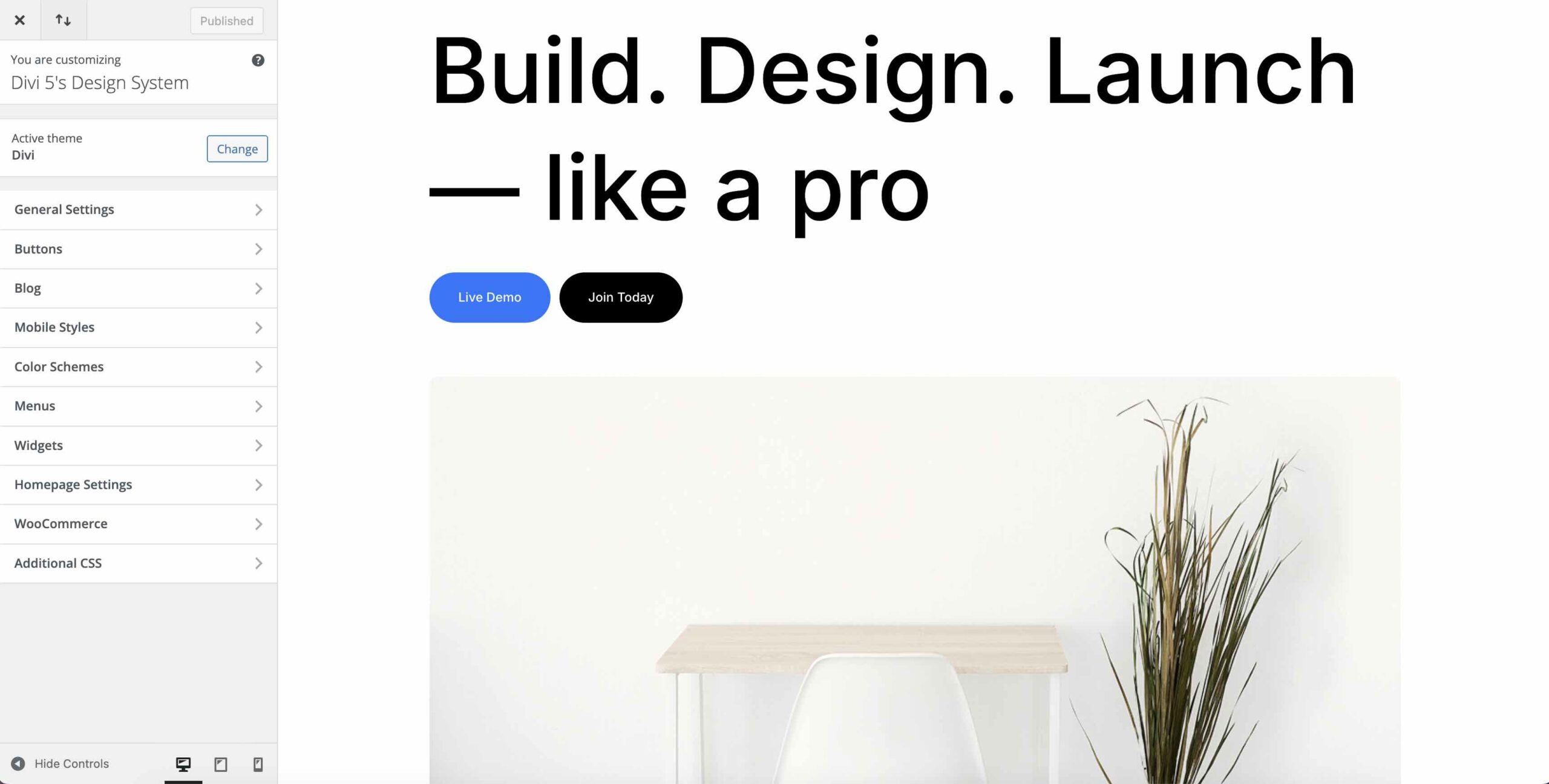
Those are all issues that may be simply set with out uploading this record within the Design Variable Supervisor.
What’s Within The ZIP
The obtain contains a couple of JSON information that map to Divi’s import spaces.
Core Gadget Information
- Divi-5-Release-Freebie_Global-Variables.json
- Divi-5-Release-Freebie_Presets.json
- Divi-5-Release-Freebie_Theme-Builder-Templates.json
- Divi-5-Release-Freebie_Theme-Customizer.json
Layouts
- Divi-5-Release-Freebie_Premade-Layouts.json
- Divi-5-Release-Freebie_Preset-Pages.json
- Divi-5-Release-Freebie_Pages.json
Phase Layouts
- Divi-5-Release-Freebie_All-Sections_Layouts.json
- Divi-5-Release-Freebie_All-Person-Sections.json
How To Import The Divi 5 Design Gadget Into Divi 5
Whenever you’ve downloaded the ZIP, you’ll be able to import it the use of Divi 5’s local import gear. We advise uploading on this order on a brand new website.
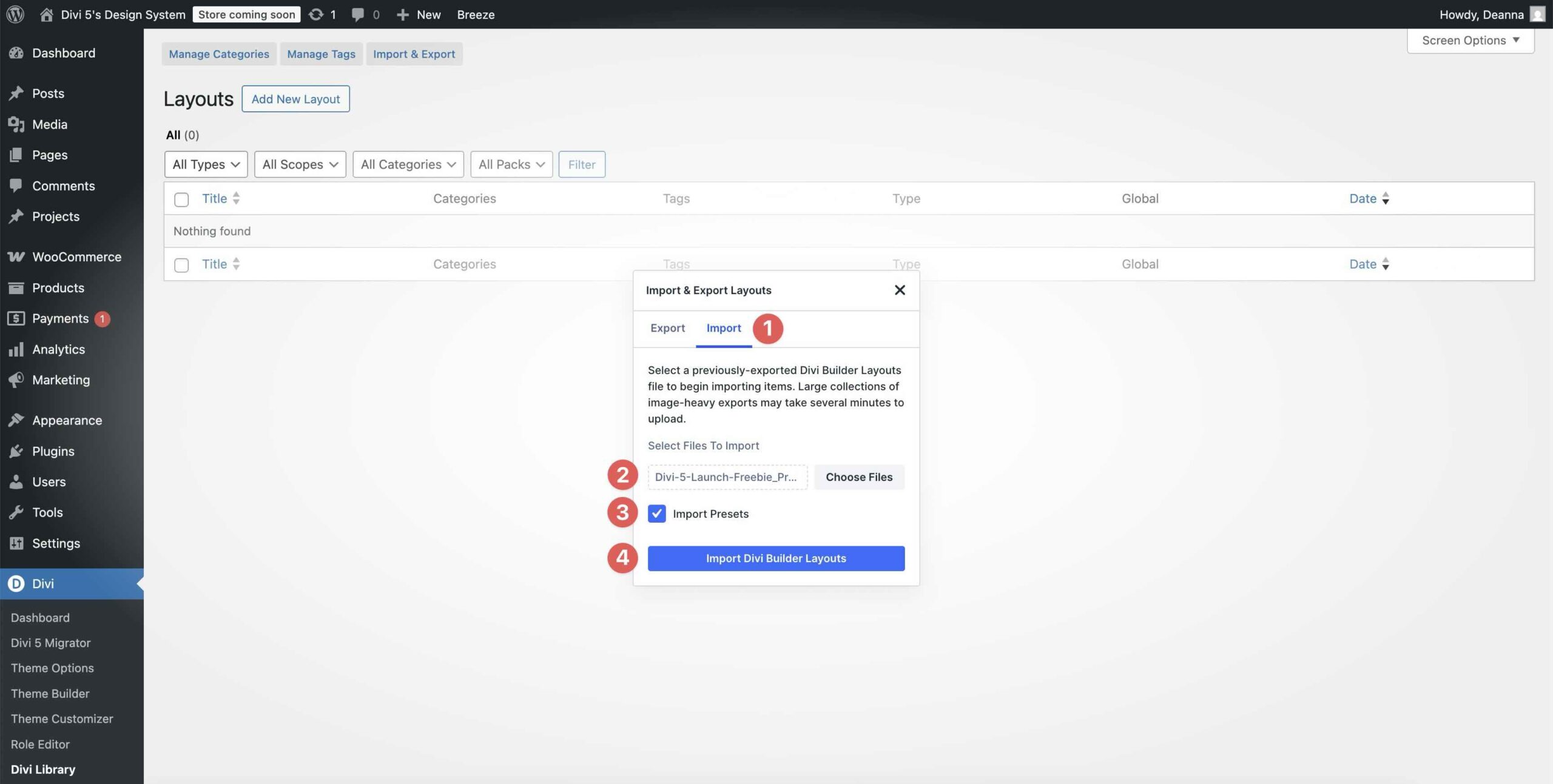
1. Import Presets
Pass to Divi > Divi Library > Import & Export.
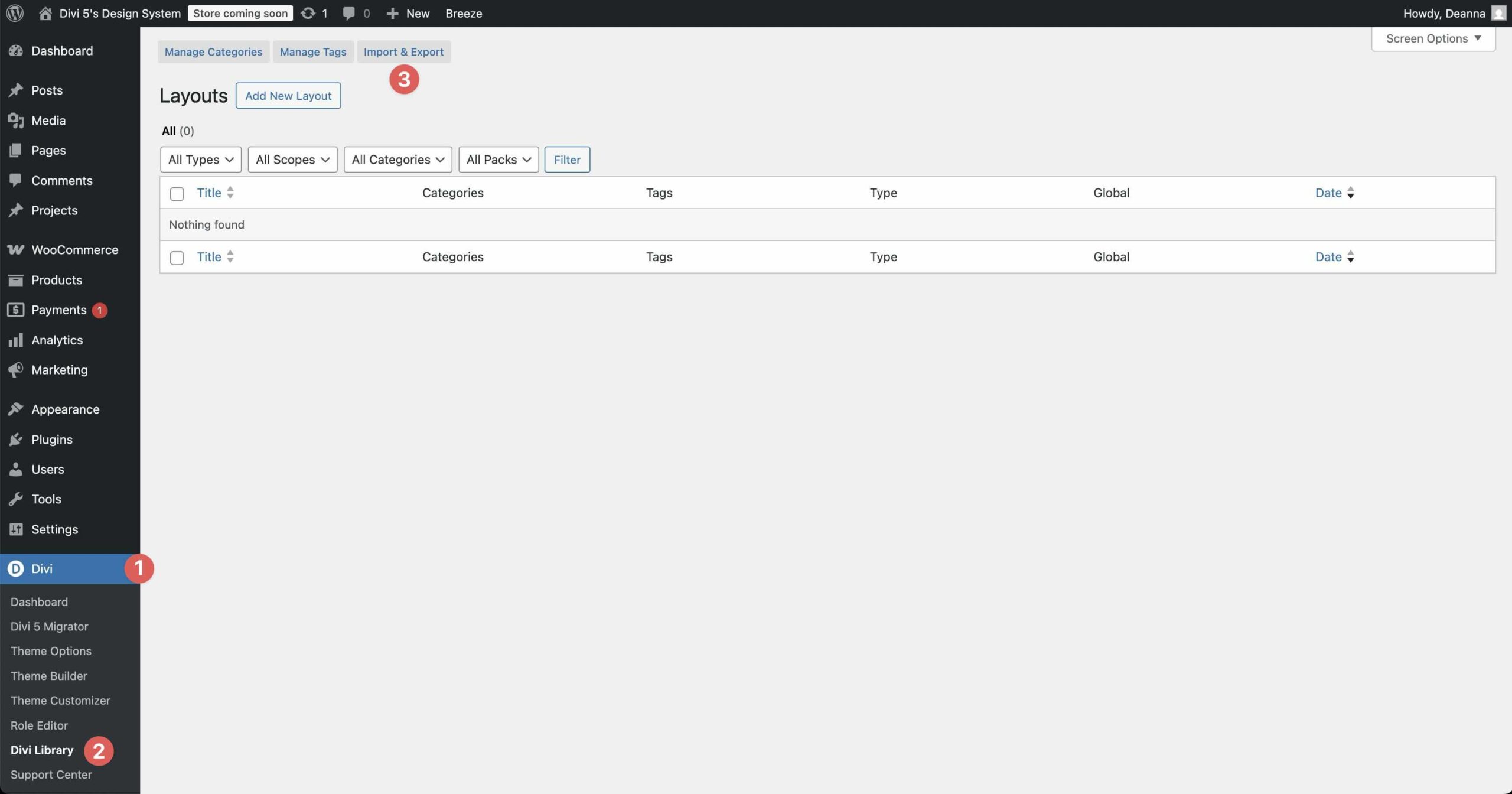
Import Divi-5-Release-Freebie_Presets.json and ensure Import Presets is checked.
2. Import World Variables
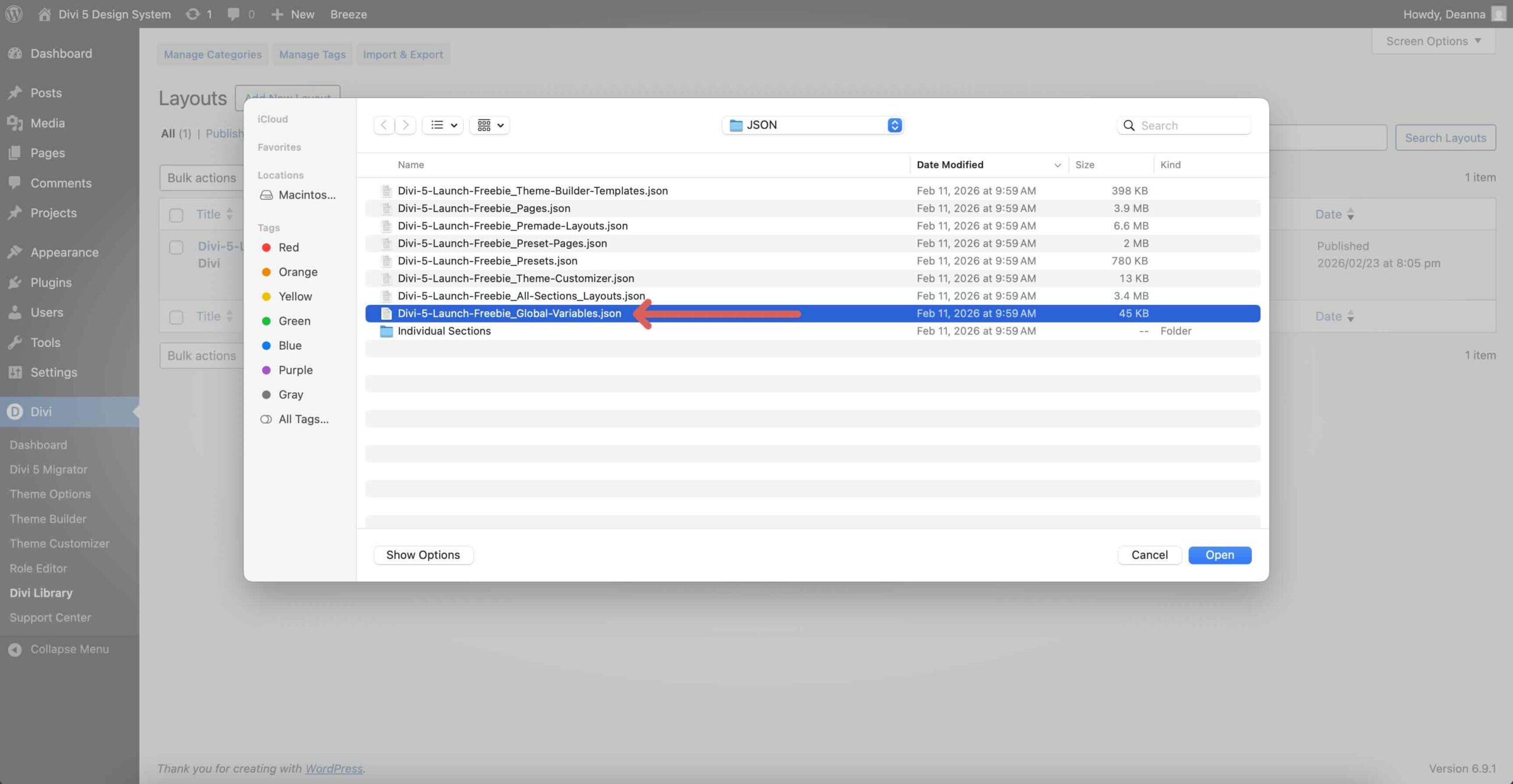
In the similar position, import Divi-5-Release-Freebie_Global-Variables.json so your Design Variables load ahead of you get started the use of layouts.
3. Import Phase Layouts
Import Divi-5-Release-Freebie_All-Sections_Layouts.json so as to add the grouped phase layouts.
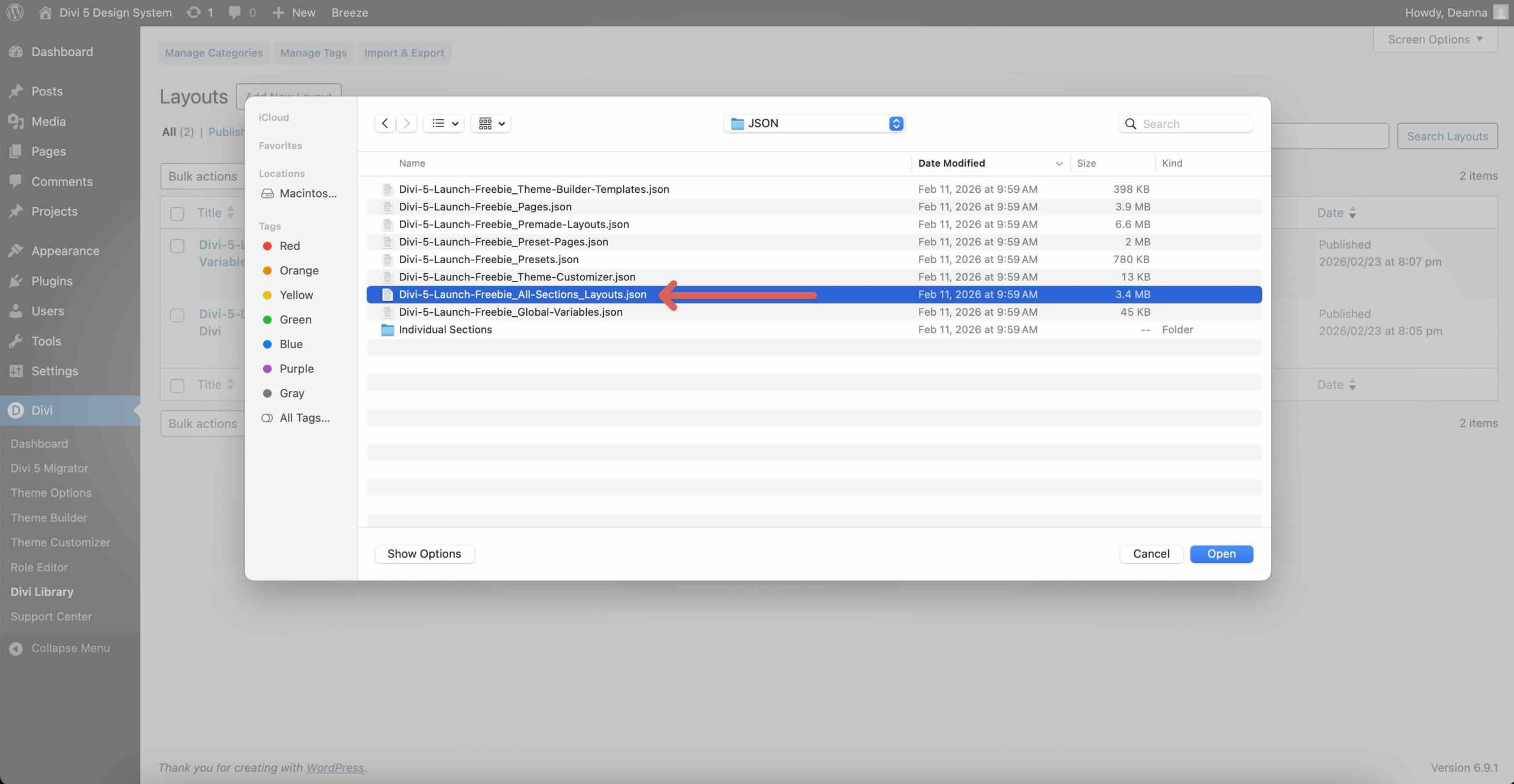
In the event you desire particular person sections as an alternative, import Divi-5-Release-Freebie_All-Person-Sections.json, which so much the total library of particular person phase layouts into the Divi Library.

4. Import Web page Layouts
Import Divi-5-Release-Freebie_Pages.json so as to add whole web page layouts constructed from the sections.

5. Import Theme Builder Templates
Pass to Divi > Theme Builder > ↑↓.
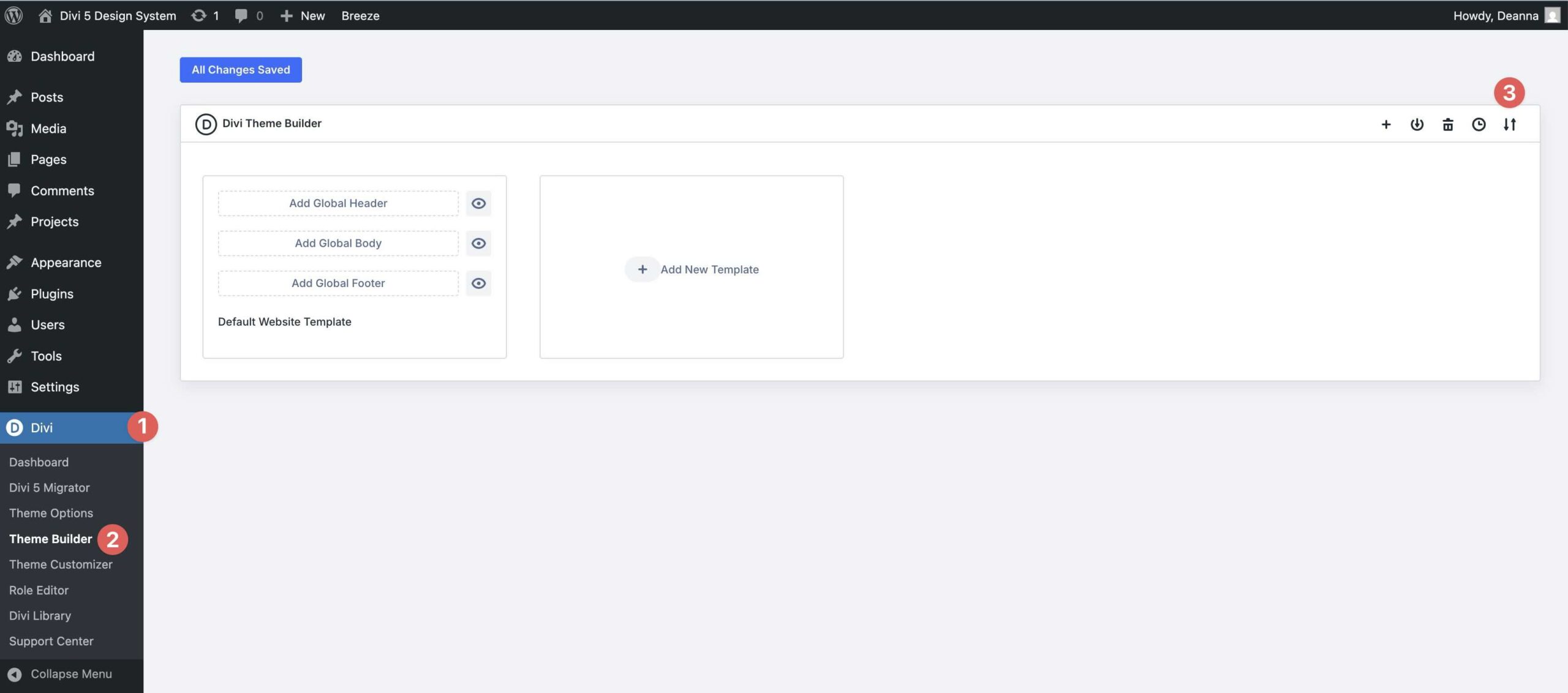
Import Divi-5-Release-Freebie_Theme-Builder-Templates.json with Presets enabled, and make allowance it to override current assignments in the event you’re running on a brand new website.

6. Import Theme Customizer Settings (Not obligatory)
Pass to Divi > Theme Customizer > ↑↓.
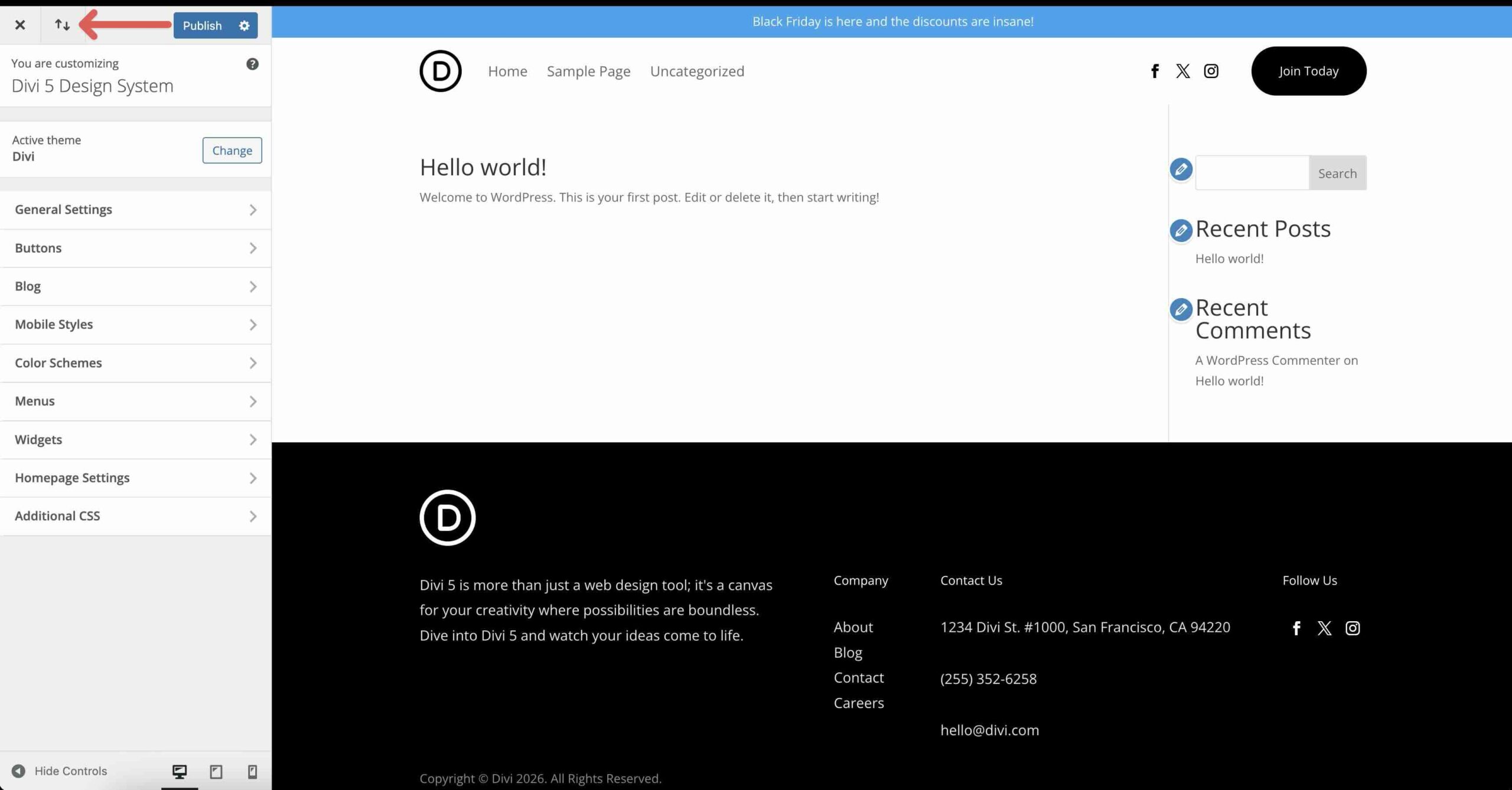
Import Divi-5-Release-Freebie_Theme-Customizer.json to load the baseline fonts and hues.

How To Customise The Divi 5 Design Gadget For Your Emblem
Within the upcoming days, we can submit a information on mastering Divi 5’s Design Gadget, so keep tuned to be told extra!
This Design Gadget is supposed to be a kick off point. You’ll be able to use it as-is, nevertheless it’s additionally a perfect framework for personalization and development your individual, which is helping you be told Divi 5 quicker.
Get started with Design Variables. The device contains variables for colours, fonts, font sizes, and spacing scales. As a result of presets reference those variables, converting a variable updates a couple of presets directly.
Then alter the presets that topic maximum in your logo, and after all refine layouts the use of the ones presets. That workflow assists in keeping your adjustments constant and maintainable as your website grows.
Get Began With Divi 5 Nowadays!
The Divi 5 reliable release is the easiest time to begin recent with a whole, fashionable framework you’ll be able to be told from and construct on.
The submit 🎉 Divi 5 Launch Gift: A Free Design System (Download Now!) seemed first on Elegant Themes Blog.



0 Comments